CS 7200 User and Installation Guide (6M0940)_Ed04 7
Imaging Plates Overview
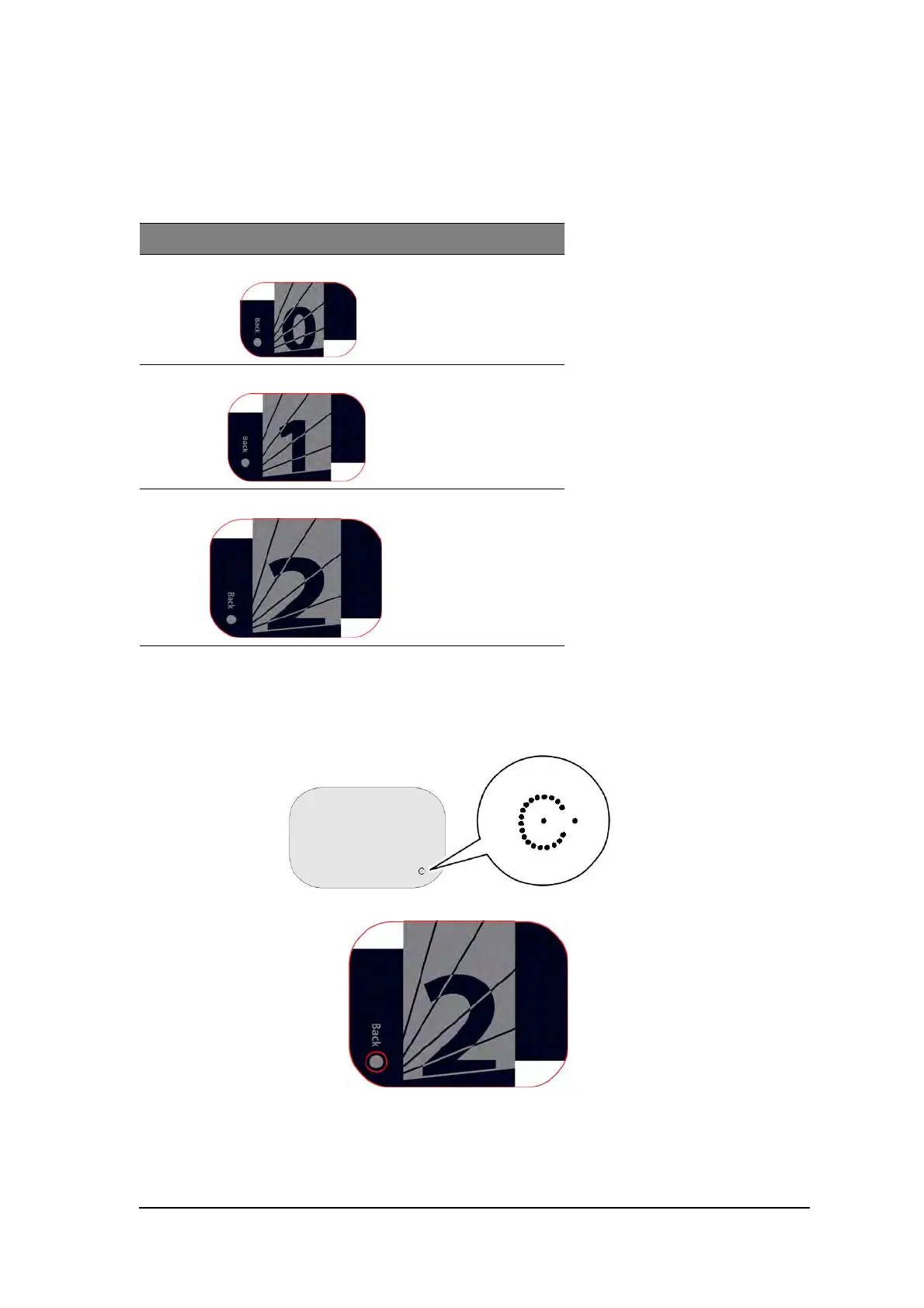
The CS 7200 works with three imaging plate sizes: 0, 1 and 2. The scanned image file size depends on the
imaging plate size and the scanning resolution set by the user.
The imaging plate has two sides: the active side for capturing the X-ray image and the inactive side. The
active side of the imaging plate includes an orientation ‘c’ mark with a dot inside to facilitate positioning
protocols within the patients’ mouth. The inactive side has a printed dot that corresponds to the location of
the orientation mark on the active side. This dot is visible through the transparent side of the hygienic sheath.
Table 2-1 Intraoral imaging plates sizes
Size Illustration Application
0
Periapical exam (Pediatric
dentistry)
1
Bitewing exam (Pediatric
dentistry)
2 Periapical exam (Adult)
Active side
Inactive side



 To Next Page