44 Chapter 5 Acquiring Images
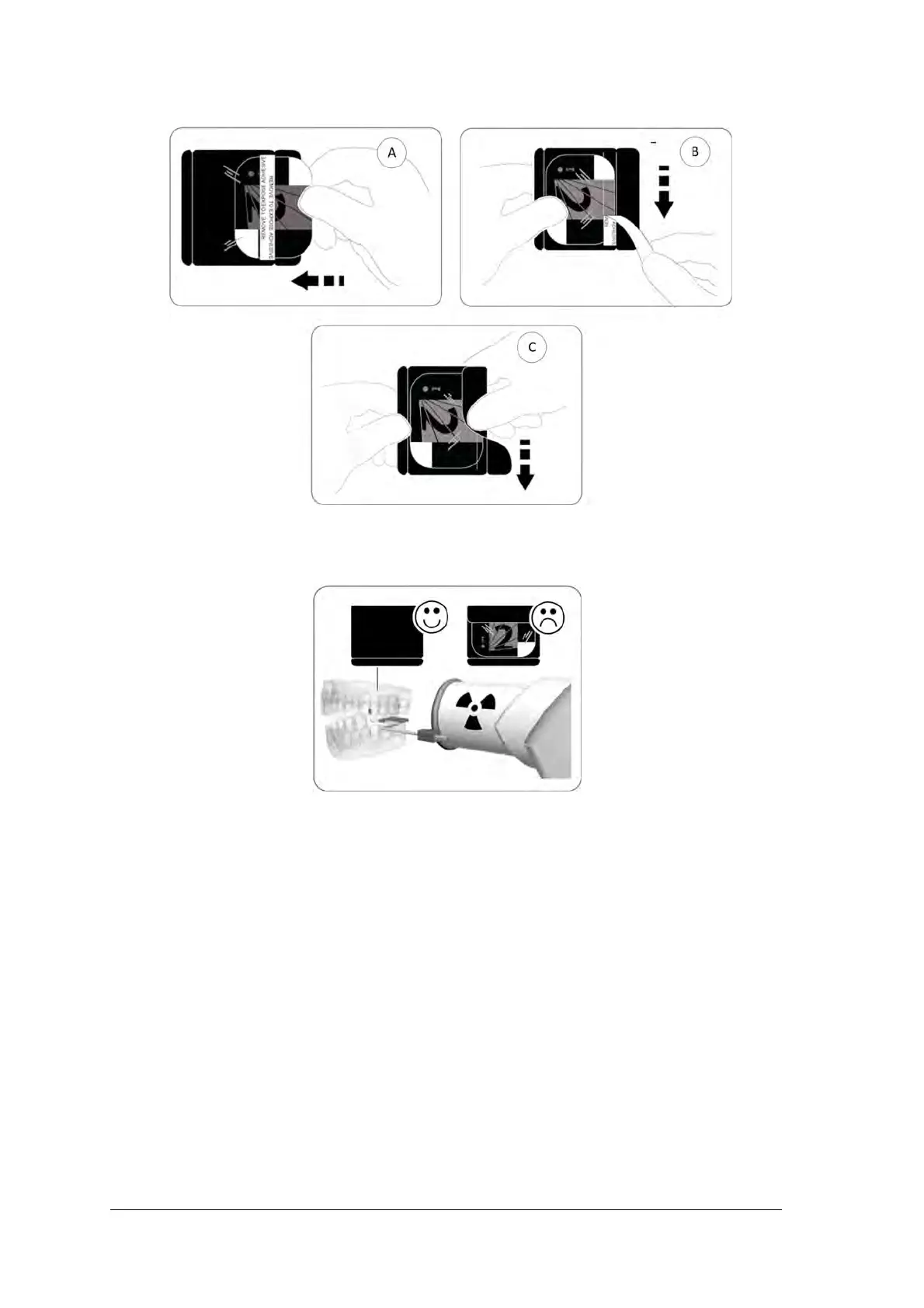
3 Peel the adhesive strip’s protective paper to seal the hygienic sheath (B) and (C).
4 Handle the imaging plate by holding the hygienic sheath’s empty edge where the silicone strip is.
5. Select an appropriate positioner for the region of interest and the size of the plate.
Performing the X-rays
Perform the required X-rays according to your clinical procedure.
It is recommended to continue using X-ray positioning techniques and tools to ensure the resulting image is
complete and includes all the information required for diagnosis.To facilitate matching the orientation of the
image in the software to the clinical reality, we recommend to position the imaging plate in the mouth of the
patient with the orientation mark always towards the bottom.



 To Next Page