56 Chapter 5 Acquiring Images
Manually Erasing the Plate
To manually erase a plate, perform the following steps:
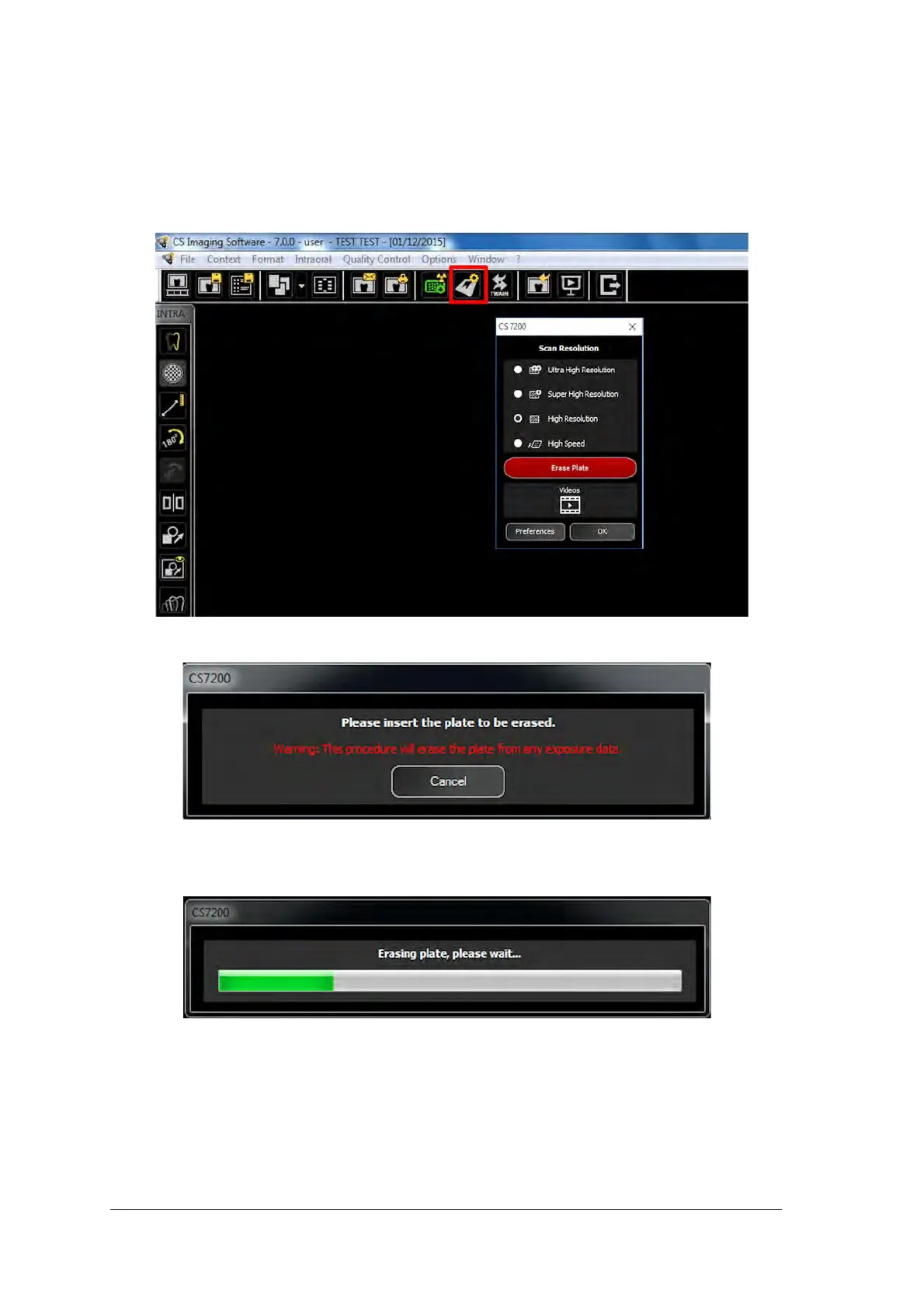
1 On the Dental Imaging Software main tool bar, click the CS 7200 Configuration icon.
The CS 7200 window appears:
2 Click Erase Plate. The following dialog box appears:
3 Load the late into the scanner.
4 Wait until the erase process is complete.
To erase more plates, perform steps 1 - 4.
5 After the earse process is complete, close the CS 7200 window.



 To Next Page