50 Chapter 5 Acquiring Images
Acquiring Multiple Images
Preparing the Acquisition of FMS Images
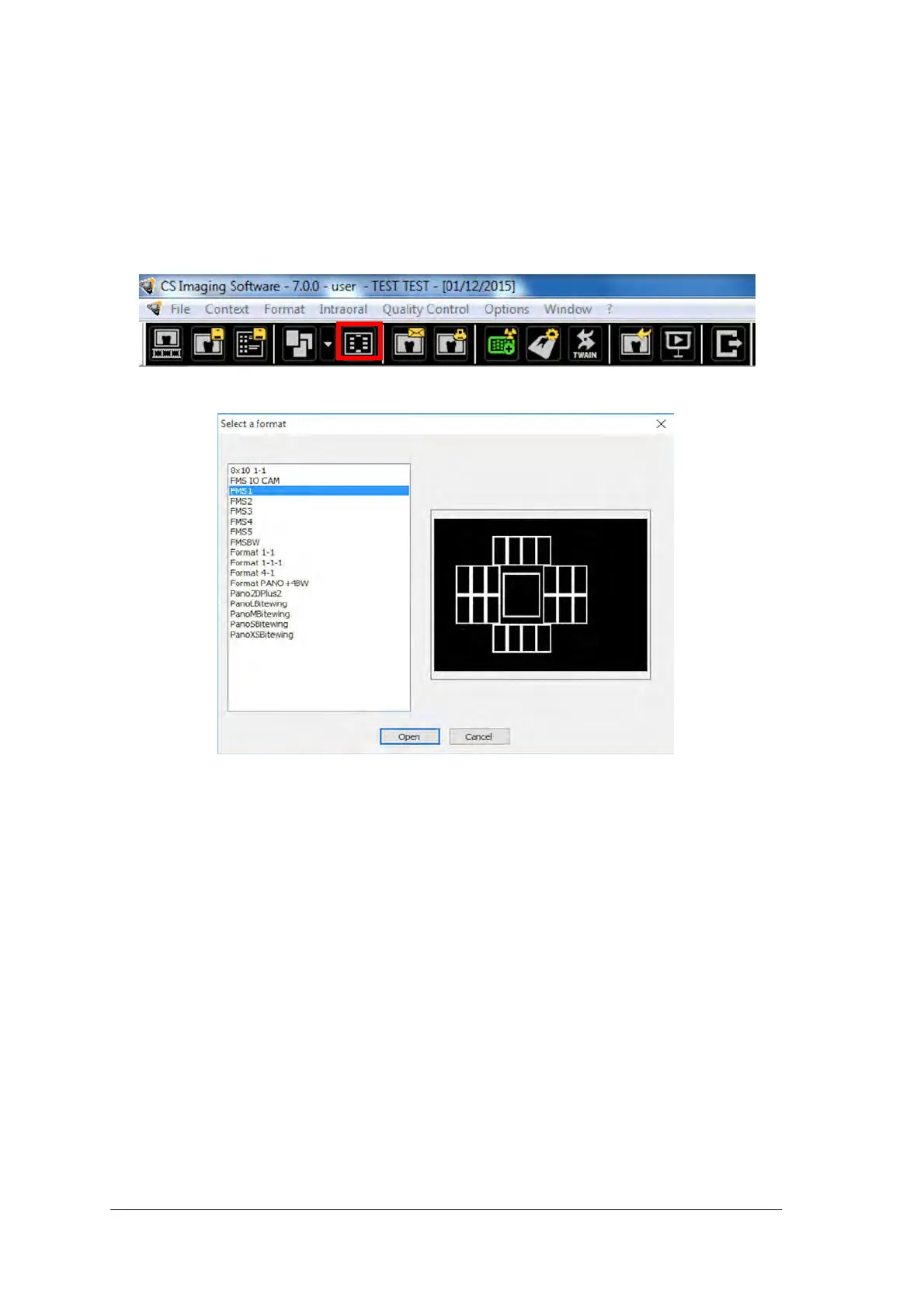
To prepare the acquisition of FMS images, follow these steps:
1 Access the Dental Imaging Software. See “Starting the Imaging Software” on page 42.
2 Click the Use a format button in the Imaging Window toolbar to access the Select a format window.
3. From the list of available formats (templates), select the required template and click Open.



 To Next Page