4 Chapter 2 CS 7200 Overview
CS 7200 Components Overview
Scanner Overview
The CS 7200 scanner includes the functions necessary for scanning and acquiring images from the imaging
plates.
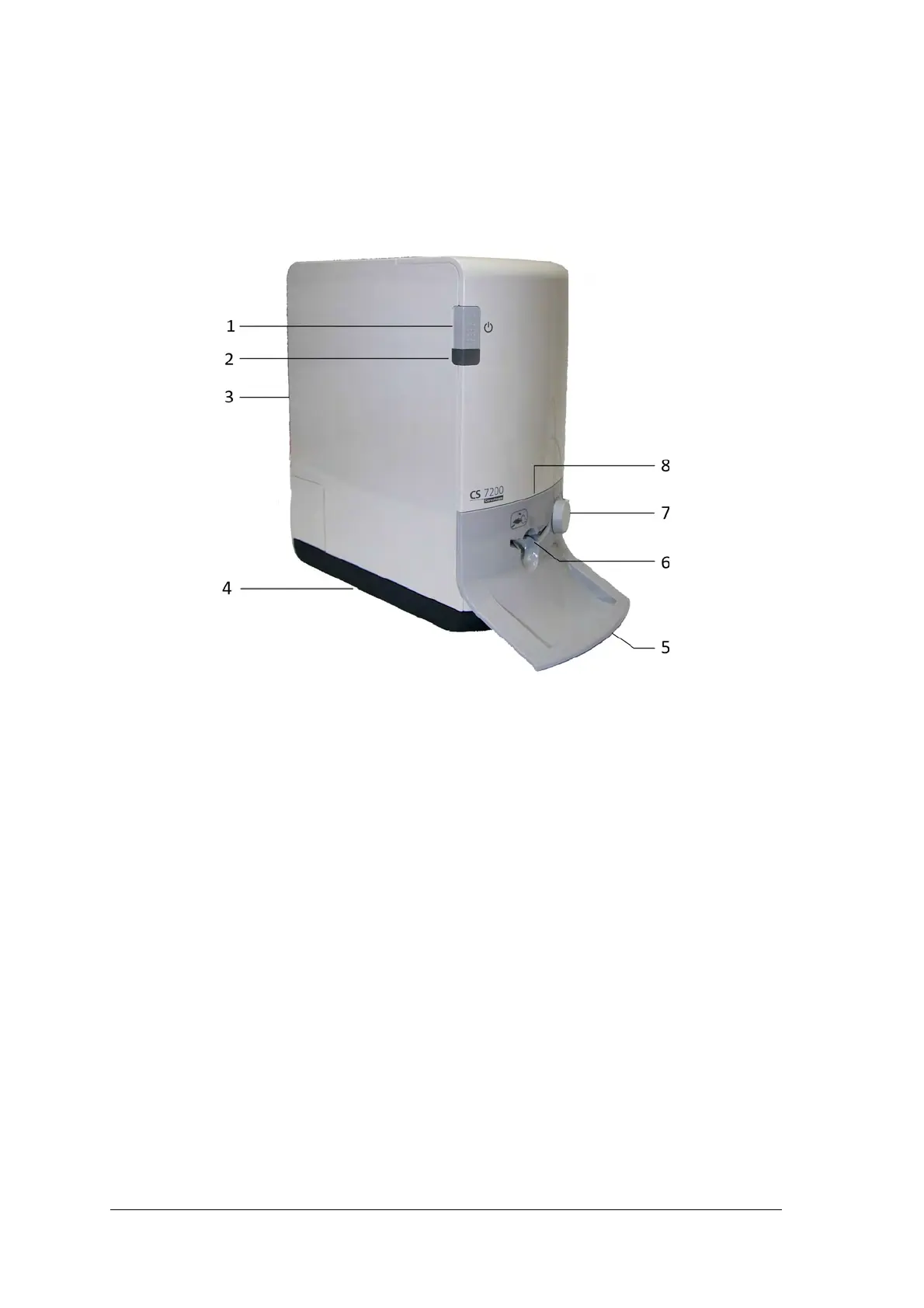
Figure 1 CS 7200 Front View
1
On/Off switch
Turn scanner On: press for 1 second
Shut down the scanner:
press for 2 seconds to reset the scanner, run BIT.
The scanner remains turned on.
press for 5 seconds to turn off the scanner.
2 Indication LEDs
3 Cover
4 Base
5 Intraoral imaging plates tray
6 Plate insertion entry
7 Plate size selection knob
8 Insertion panel.



 To Next Page