CS 7200 User & Installation Guide (6M0940)_Ed04 75
Create a New Patient Card
To create a new patient card, follow the below steps:
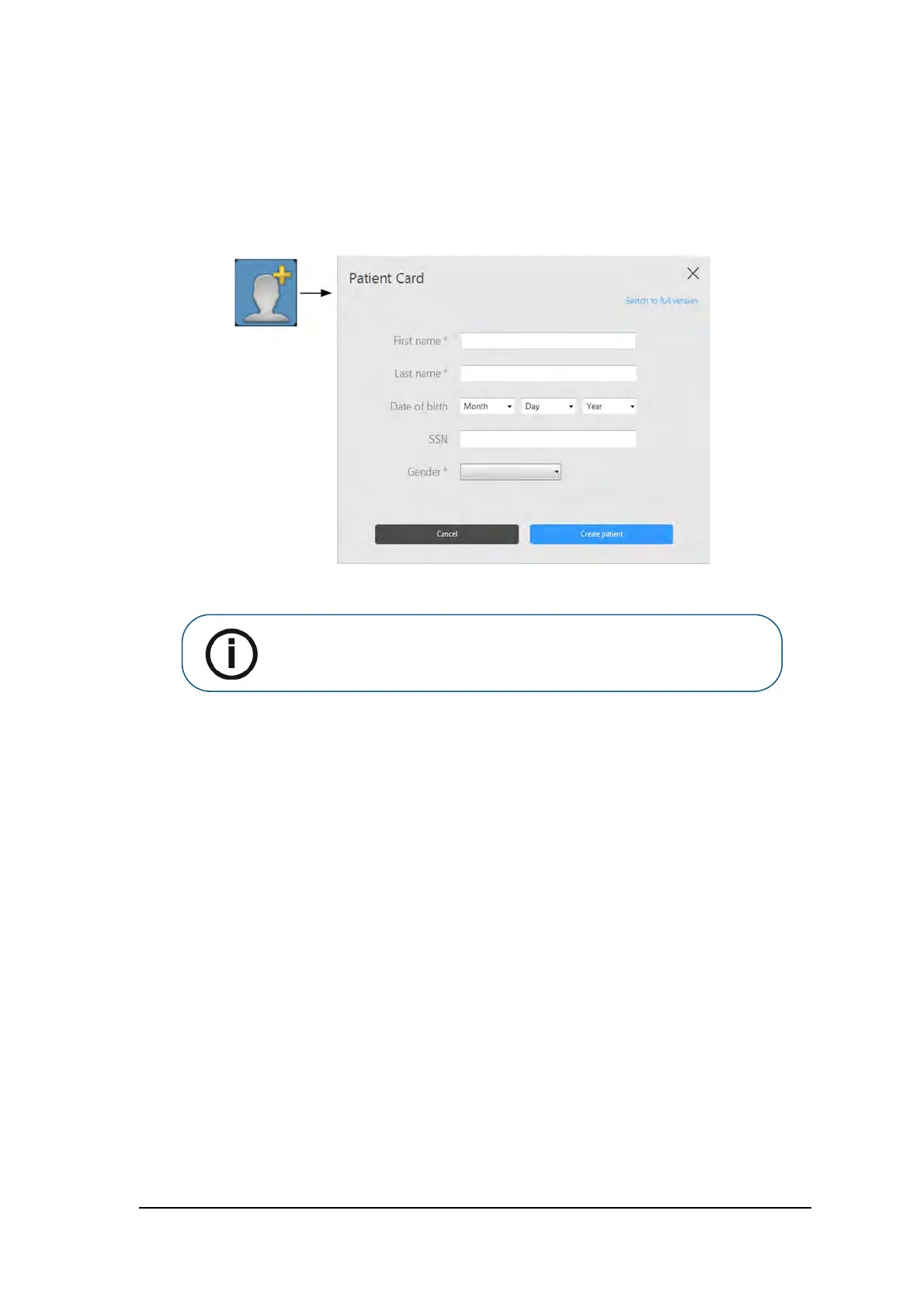
1. In the Patient Browser toolbar, click the Create New Patient Card button.
The Patient Card window is displayed:
2. In the Patient Card window, enter patient information.
3. Click Create patient to save the patient card.
4. The Patient Card window closes and the new patient appears in the patient list.
Note: First Name, Last Name and Gender are mandatory fields. All other
fields are optional. Grayed out fields are not editable.



 To Next Page