40 Chapter 4 CS Imaging Software Overview
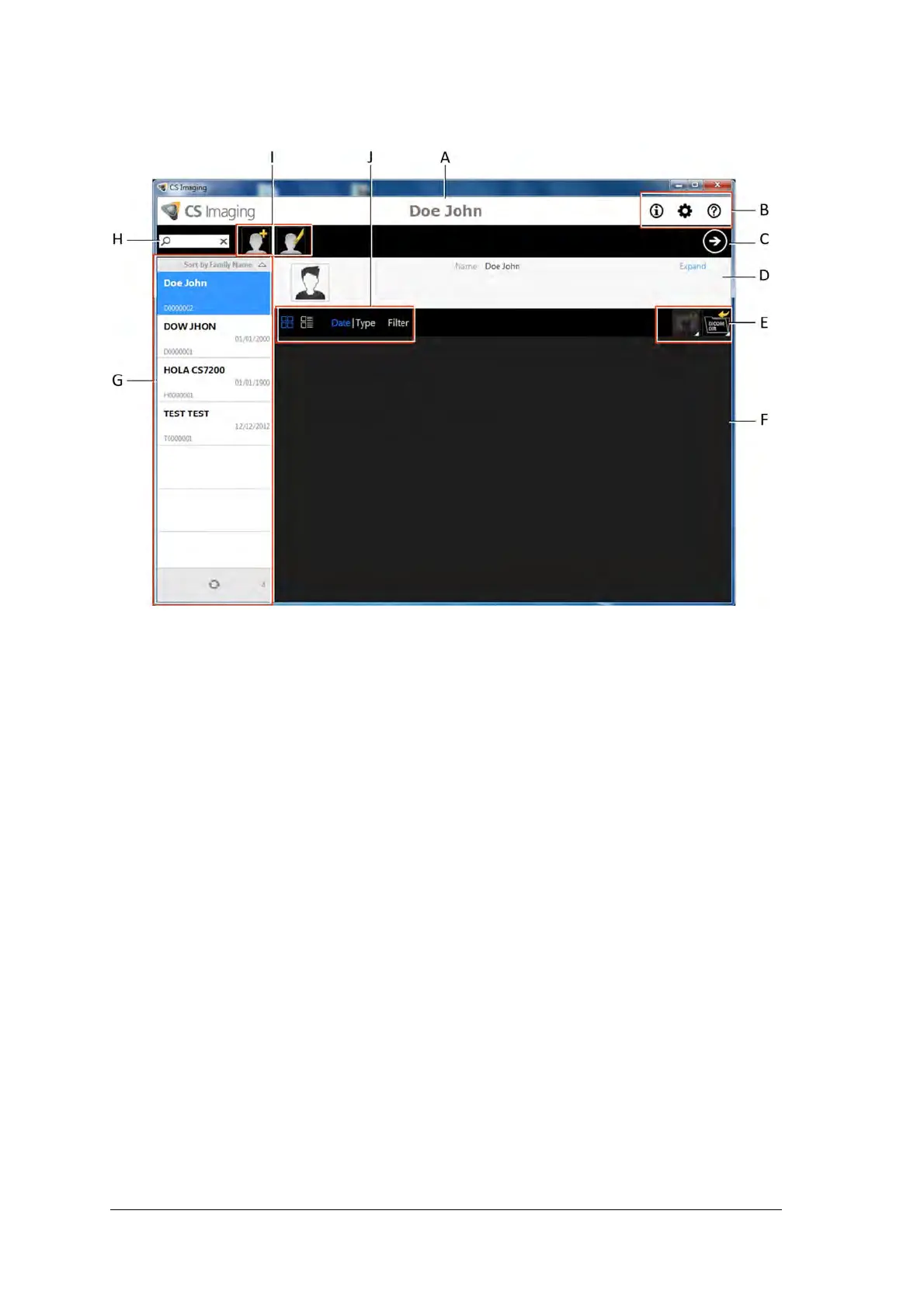
Patient Browser Window Overview
A Title bar: name of the selected patient.
B System icons: About, Prefernces and Online Help.
C Imaging Software Button: click to open the Imaging Window.
D Patient Card:information on the selected patient..
E
Image Management Tools: import/export and print functions.
F
Patient History: displays the list of available patients.
G Patient List: displays the list of available patients.
H Patient Search: allows searching in the patient list.
I Patient Management Tools: contain create/modify patient functions.
J Patient History Tools: contain patient history functions.



 To Next Page