72 Chapter 8 Appendix
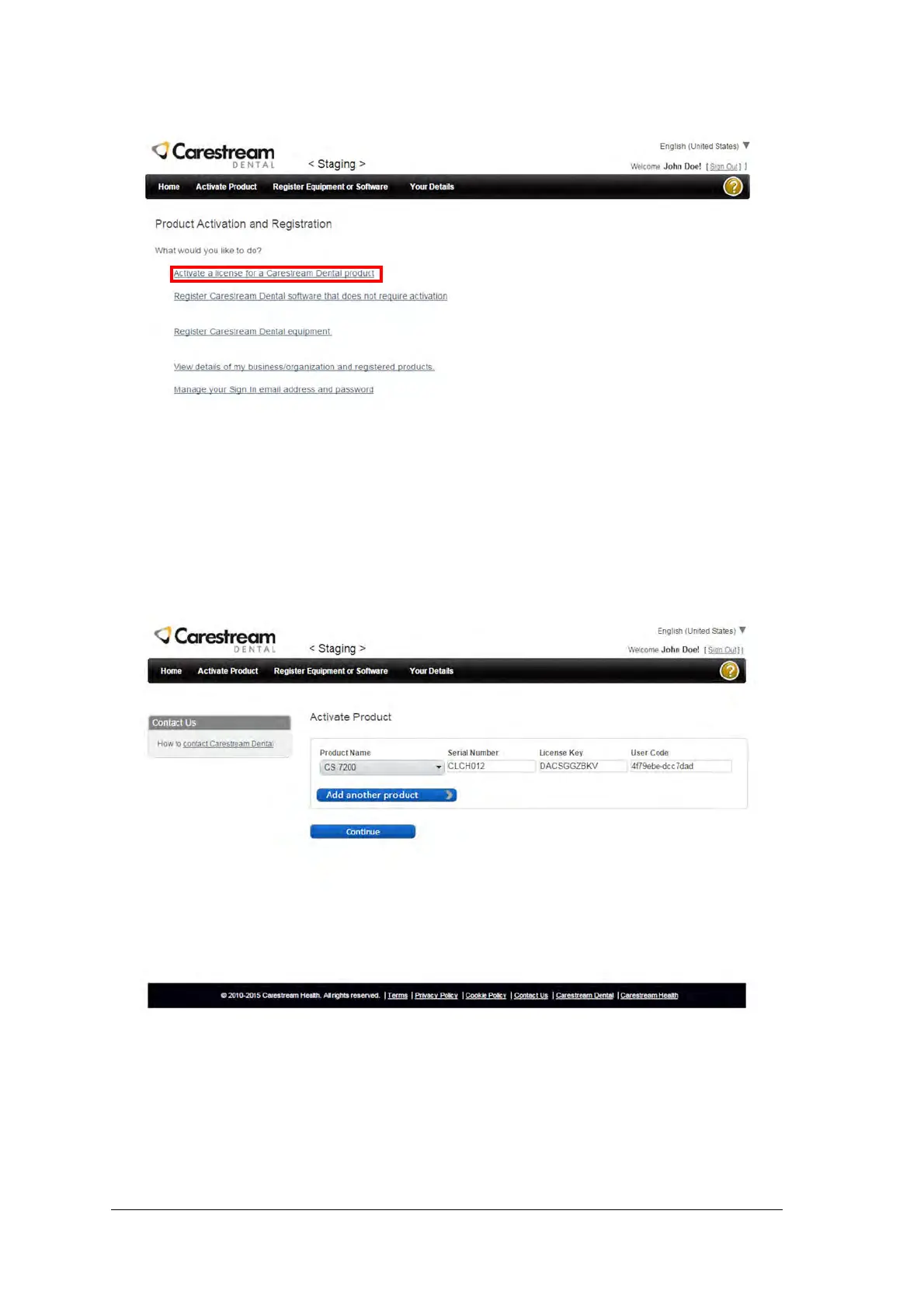
11. Select Activate a license for a Carestream Dental Product.
12. Fill in the required product details as follows:
Product Name: select CS 7200 from the available products list.
Serial Number: type in the serial number that appears on the Data Plate label located on the
bottom of the scanner.
License Key: type in the license key that appears on the post card received with the scanner.
User Code: type in the user code that appears in the Offline License Activation window.
13. Click Continue. An email that contains product nem, product license number and activation code is
sent to your email address.



 To Next Page