5–11 62-12259
2. Press the “PC MODE’ soft key. DO NOT remove USB or cable at this time.
3. The MessageCenter will display “PC MODE”. The system is now in PC mode. The purpose of PC mode is to
allow demonstration of the system features and allow changes to the system while the engine is not actually
running. It is important to note that any changes saved to memory while in PC mode will remain after leaving
PC mode.
NOTICE
Technician mode should be canceled when work is complete. If Technician mode is not
canceled, Technician mode will be available for 60 minutes after the last key press without
requiring a code, even after placing the SROS in the OFF and then back in the RUN/STOP
position.
4. If Technician mode is entered while in PC mode, once the Technician mode activity is complete, re-enter the
Technicians Menu, highlight “CANCEL TECHNICIAN MODE/PIN ACCESS” and then press the “=” key to
take the system out of Technician mode before taking the system out of PC mode.
5. When use of PC mode is completed, remove the USB or cable. “SHUTTING DOWN - PLEASE WAIT” may
be displayed or after a few seconds, the display will go blank. Replace the cover on the USB port.
5.3.3 Downloading Data Files
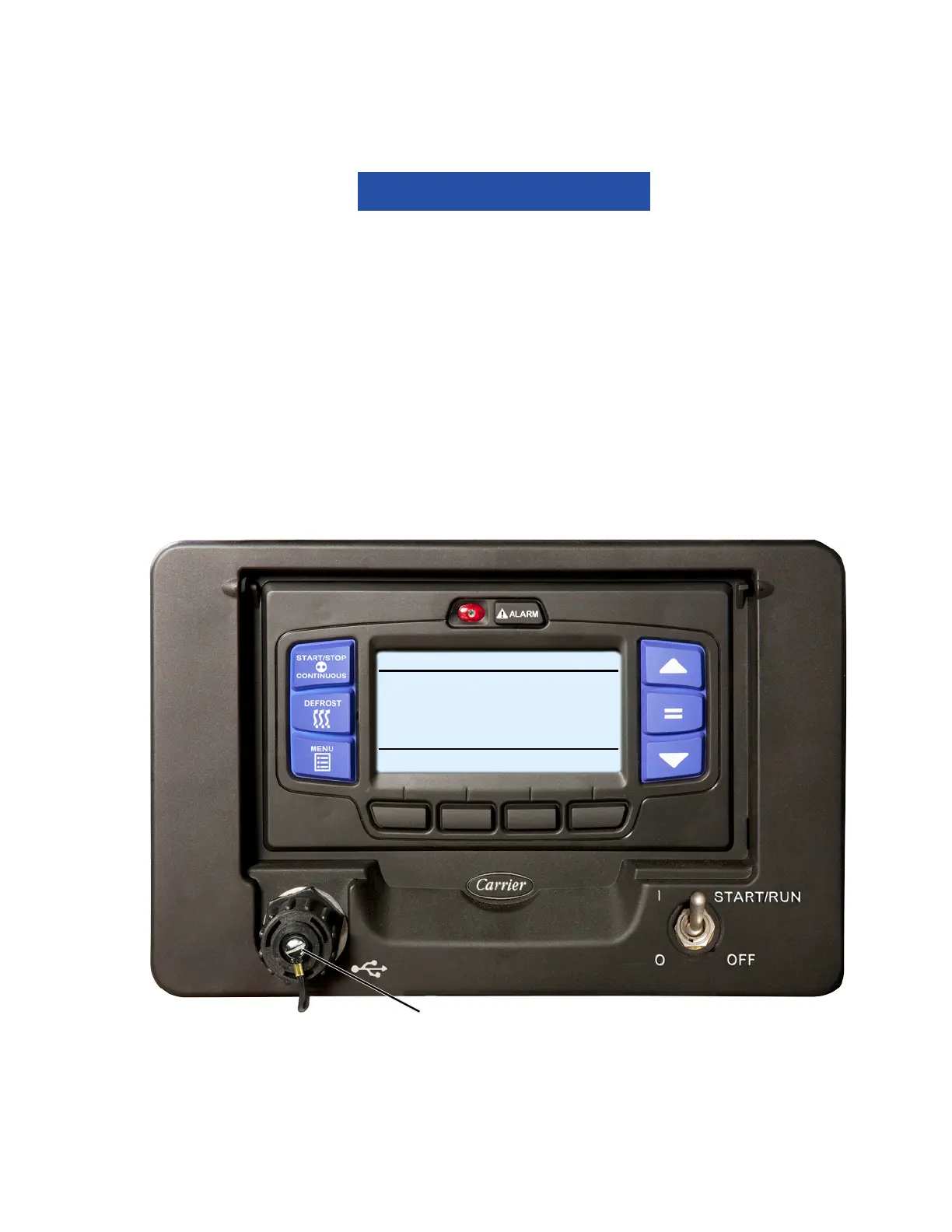
Instructions for downloading data from the data recorder to a data transfer USB memory device are provided in
Figure 5.7.
Figure 5.7 Downloading Data Files
1. Data may be downloaded with the system powered up or turned off. Remove protective cover from the USB
interface port and insert the Carrier Transicold APX USB flash drive. The MessageCenter will display
READING USB.
NOTE
If Configured to do so, the system will prompt for entry of the data protect PIN code (refer to “PRO-
TECT DATA WITH PIN”, Table 5–1).
USB Port
START/STOP DIESEL COOL
BOX TEMPERATURE
o
F SETPOINT
o
F
READING USB
34.3
34









 To Next Page