3–19 62-12259
3.14 Advanced User
NOTES
• As shipped from the factory, the system will operate in the Driver mode. In the Driver mode, some
data and menu items covered in this publication will not be available.
• The system may be configured to operate in the Advanced User mode. If configured to operate in the
Advanced User mode, that additional data and those menu items will be available at all times.
• If the System is not configured to operate in the Advanced User mode, the mode may be entered as
follows:
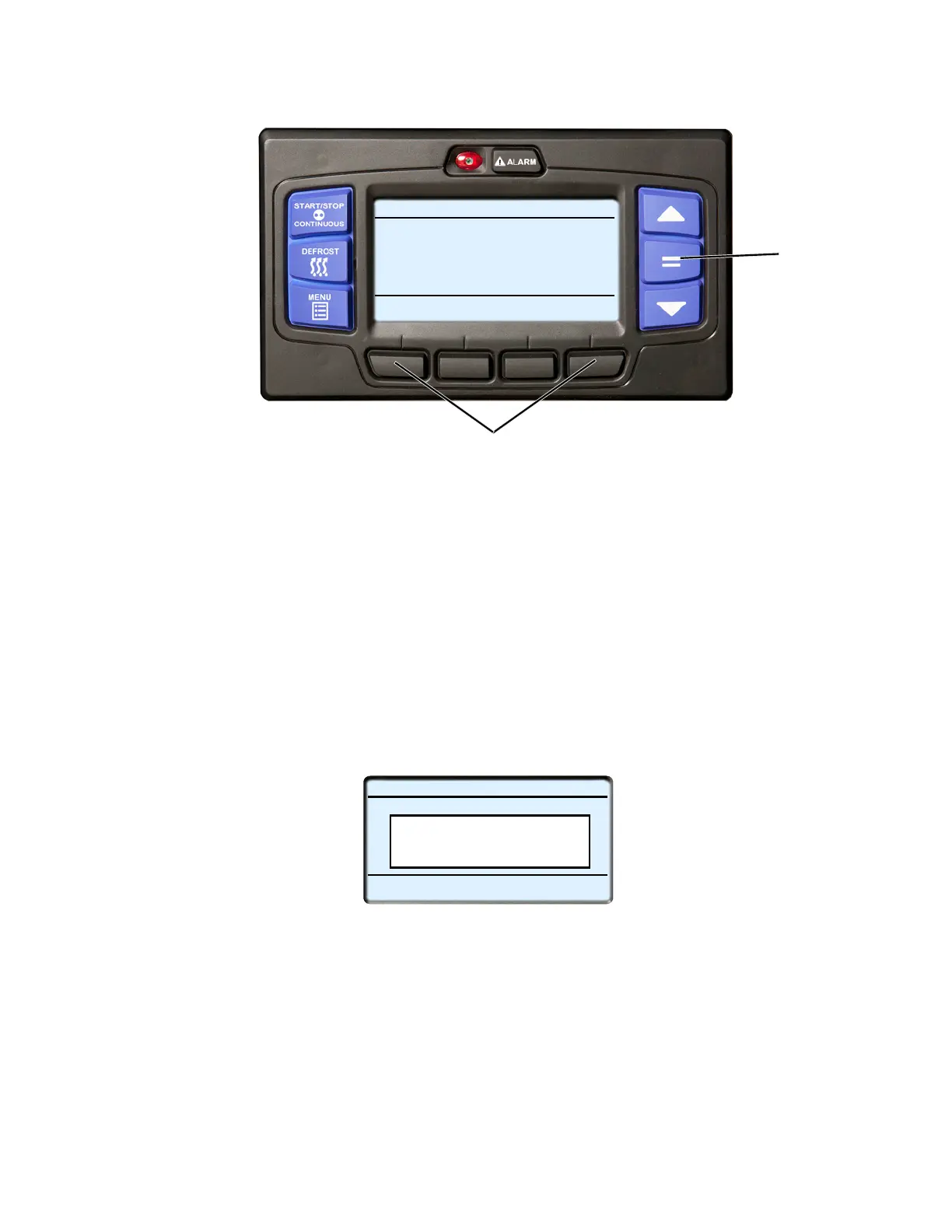
1. With the system powered up (START/RUN-OFF switch in the START/RUN position) or in PC mode press
and then release the two outside soft keys simultaneously. (NOTE: The system will not respond.)
2. Then, press the “=” key within five seconds. The operator message panel will display the acknowledgment
message.
3. The Advanced User menus will be available for 60 minutes or until the START/RUN-OFF switch is placed in
the OFF position.
4. The system can be toggled between Driver mode and Advanced User mode by pressing and then releasing
the two outside soft keys simultaneously, and then pressing the “=” key.
When toggling from Advance User mode to Driver mode, “DRIVERS MODE ENABLED” will display for
five seconds.
When toggling from Driver mode to Advance User mode, “ADVANCE USER MODE ENABLED” will dis-
play for five seconds.
START/STOP DIESEL COOL
BOX TEMPERATURE
o
F SETPOINT
o
F
STATUS OK
34.3
34
2
1
START/STOP DIESEL COOL
BOX TEMPERATURE
o
F SETPOINT
o
F
STATUS OK
34.3
34
Advanced User Mode
Enabled










 To Next Page