62-12259 3–16
3.11.3 Data Downloading
The data within the data recorder can be downloaded using either the TRU-Tech/TRU-View program with a PC-
USB service cable connected to the USB interface port or with a data transfer USB memory device (refer to Sec-
tion 5.3.3).
3.11.4 Data Recorder Power-Up
The data recorder records data the entire time the START/RUN - OFF switch is in the START/RUN position. A
Configuration exists which allows the user to select whether an additional eight hours of sensor data be recorded
after the switch is placed in the OFF position, or to stop recording at the same time the switch is placed in the OFF
position. The factory setting is to record the additional eight hours so the temperatures will be recorded during the
unloading, fueling or other times when it may be necessary to turn the unit off. (Refer to Section 5.2.3.)
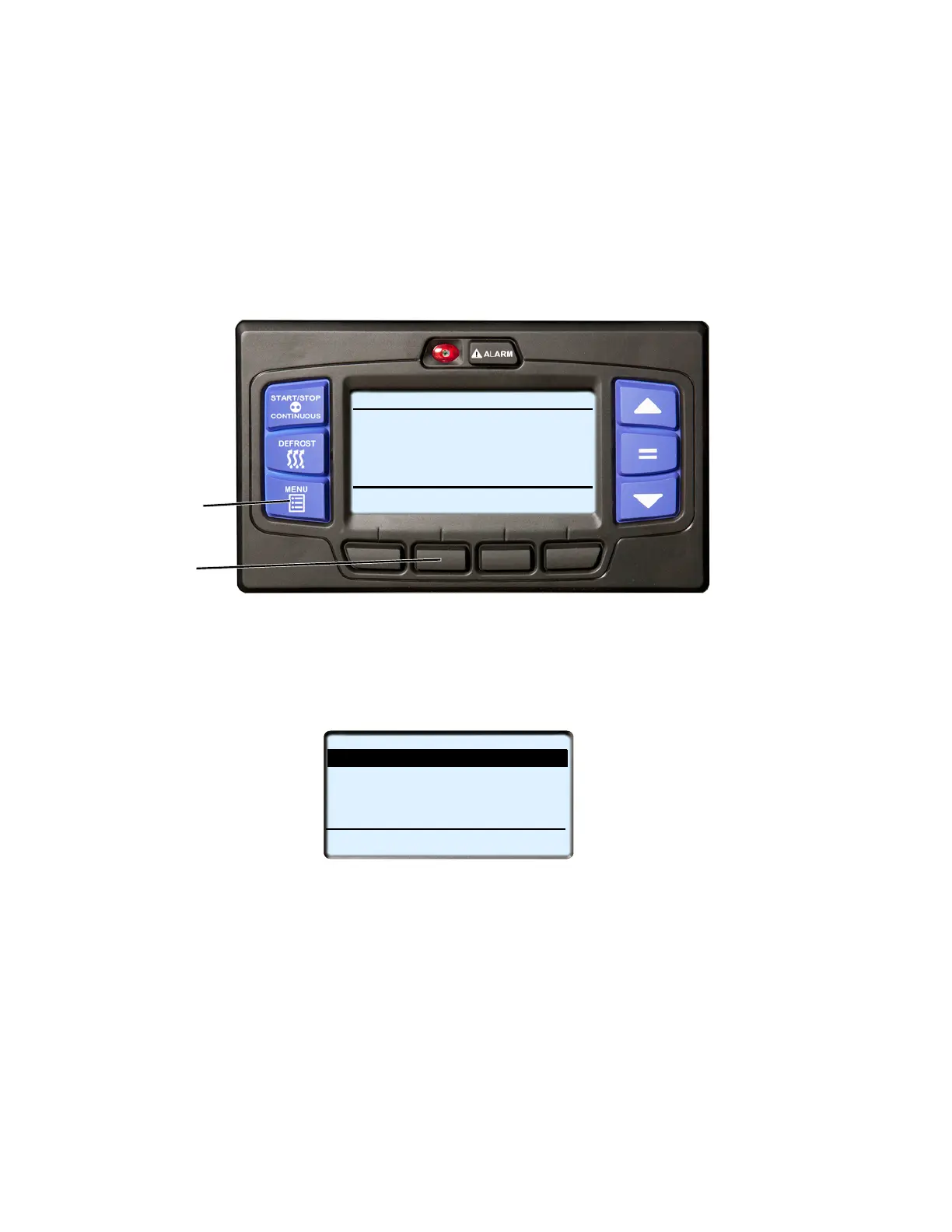
1. With the system powered up (START/RUN-OFF switch in the START/RUN position) or in PC mode press
the MENU key until DATA RECORDER is displayed.
2. Press the DATA RECORDER soft key to display the sub menus.
3. The Data Recorder screen will display with a 15-second timeout. Press the
▲ or ▼ key
to scroll through the
available sub menus. With the desired sub-menu highlighted, press the “=” key to enter the menu.
Mark Trip Start
Trip Start places the present time and date as a stamp in the data recorder memory to allow easy review of
the data from the last trip, and to allow downloading data from a specific trip. A trip begins at a Trip Start
and ends at the next Trip Start.
To enter a Trip Start: with MARK TRIP START highlighted, press the “=” key. If trip start is acknowledged
by the data recorder, “TRIP START ENTERED” will be displayed for five seconds and then the display will
revert back to the normal display. In the unlikely situation that the data recorder is not functioning properly
“CANNOT ENTER TRIP START” will flash and then the display will revert back to the Data Recorder
menu.
START/STOP DIESEL COOL
Viewing Menu Soft Key
LANGUAGE
DATA
EXIT
Selections
Press Menu Key to Scroll
RECORDER
2
1
DATA RECORDER (1 of 5)
MARK TRIP START
BACK
EXIT
PRINT TO SCREEN
PRINT TO PRINTER
SCREEN SETUP
PRINTER SETUP










 To Next Page