62-12259 2–16
2.5.4.10 Display Module Keys
• ALARM: The ALARM key allows viewing of the alarms stored in the system.
• UP ARROW and DOWN ARROW: These keys allow scrolling through the selections presented.
• EQUAL (ENTER): The EQUAL key is used to confirm a selection and lock it into memory.
• START-STOP/CONTINUOUS: Pressing this key toggles between Start-Stop and Continuous Operation.
• DEFROST: Used to manually initiate a defrost cycle when the required conditions are met.
• MENU: Pressing the MENU key displays the various soft keys in the MessageCenter. The selections offered
are dependent on the operator’s status: Driver, Advanced User or Technician. Refer to Section 3 for Driver
and Advance User mode and Section 5 for Technician mode menu selection descriptions.
• The USB Interface Port: Used for installing software updates, options, configurations, functional parame-
ters and downloading of data from the Data Link data recorder.
2.6 Options
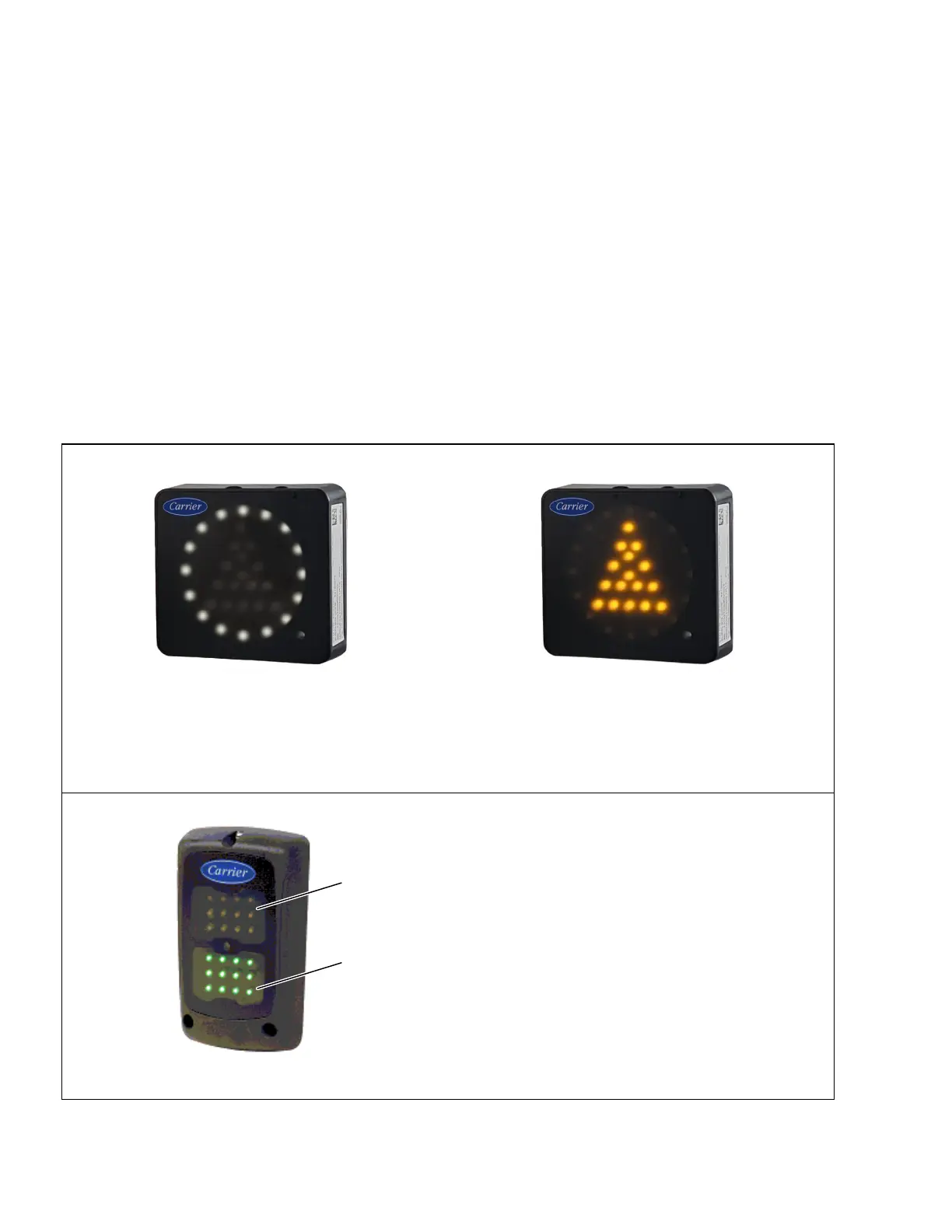
2.6.1 TRU Status Light / Light Bar
The TRU status light / light bar is an external indicator light which can be seen in the driver’s rear view mirror from
the cab of the tractor. Units may be equipped with one of the light bars below.
The white LED circle indicates “STATUS OK”. The amber LED triangle indicates “CHECK UNIT”
The amber triangle is illuminated when the APX Control System illuminates the alarm light. Alarms can be
read on the display. For units with EES installed, the amber triangle will also be illuminated when the EES
system is in Service mode. This does not affect unit operation.
• Green LED indicates “STATUS OK”
• The amber LED indicates “CHECK UNIT”.
The amber light is illuminated when the APX
Control System illuminates the alarm light.
Alarms can be read on the display.
*UHHQ
$PEHU










 To Next Page