3–29 62-12259
3.19 Sleep Mode
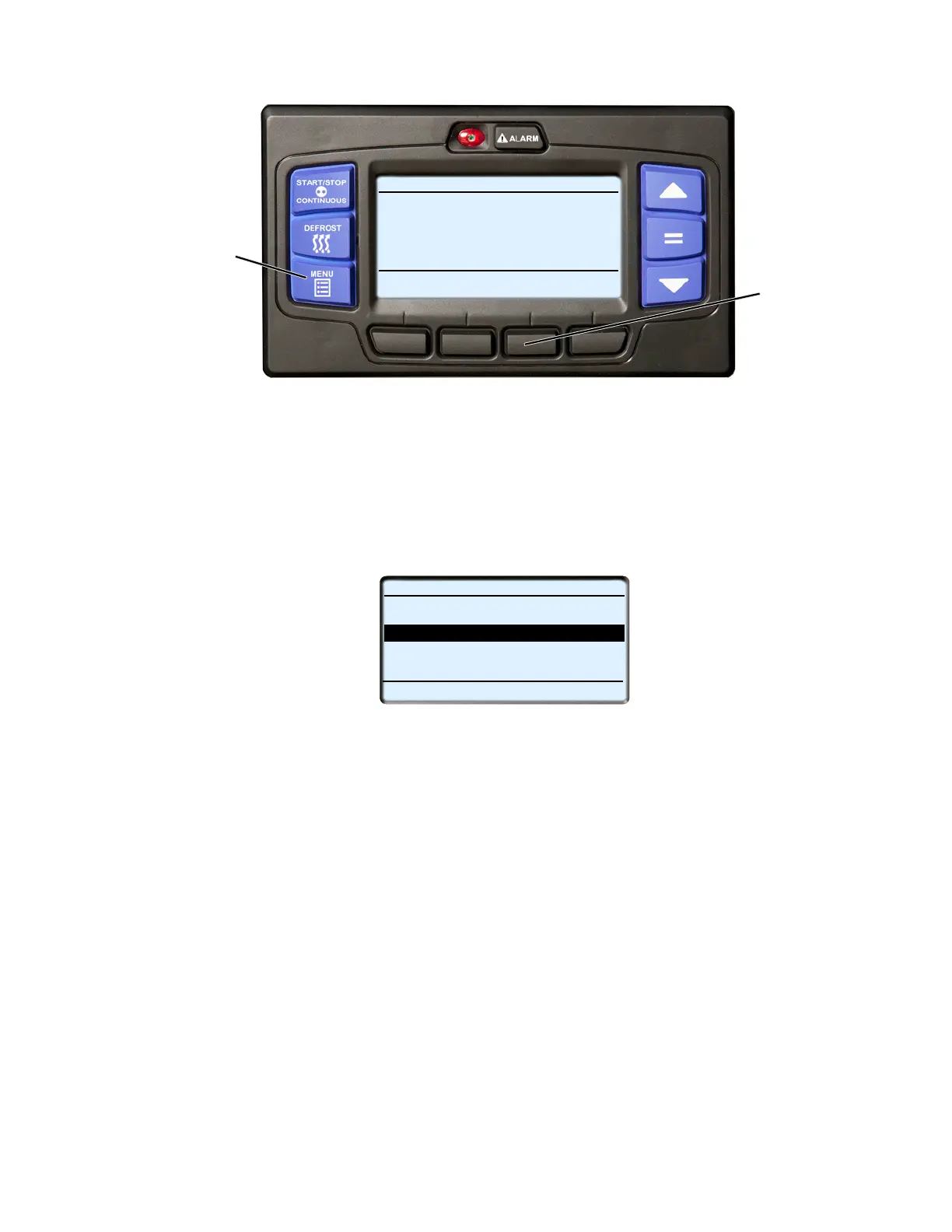
1. With the system powered up (START/RUN-OFF switch in the START/RUN position) or in PC mode, and in
the Advanced User mode, press the MENU key until FUNCTIONS is displayed.
2. Press the FUNCTIONS soft key to display the Functional Parameter Screen.
3. Press the ▼ key until the START-STOP SETTINGS sub-menu is highlighted and then press the “=” key to
enter the menu.
4. Press the ▼ key until the Functional Parameter “SLEEP MODE SETTINGS” is highlighted. Press the “=”
key.
5. Press either the ▲ or ▼ key until “ON” is highlighted. Press the “=” key to save the setting to memory, the
unit is now in Sleep mode.
6. Additional Functional Parameter sub menu selections for “wake up time” and “run pretrip at wake” will now
be available and may be saved to memory following the key stroke sequence in the preceding step. Refer to
the following for information on these settings.
To Exit Sleep Mode:
1. Place the START/RUN-OFF switch in the OFF position and then back to the START/RUN position.
Sleep mode is generally used in cold ambients when the unit will be off for an extended period with no product
inside the refrigerated compartment. Many times units are difficult to start due to a discharged battery, thickened
engine oil, etc. after time in cold ambient.
There is NO TEMPERATURE CONTROL in Sleep mode and it should never be used if the compartment contains
perishable or frozen products.
In Sleep mode the unit will “Wake Up” periodically and start the engine to keep the battery charged and the engine
warm.
START/STOP DIESEL COOL
Viewing Menu Soft Key
LANGUAGE
DATA
FUNCTIONS
EXIT
Selections
Press Menu Key to Scroll
2
1
RECORDER
FUNCTIONAL PARAMETERS (3 OF 5)
ECONOMY SETTINGS
BACK
EXIT
START STOP SETTINGS
TEMPERATURE SETTINGS
OVERRIDE SETTINGS
END OF LIST
VIEWING PREFERENCES










 To Next Page