6-MAINTENANCE
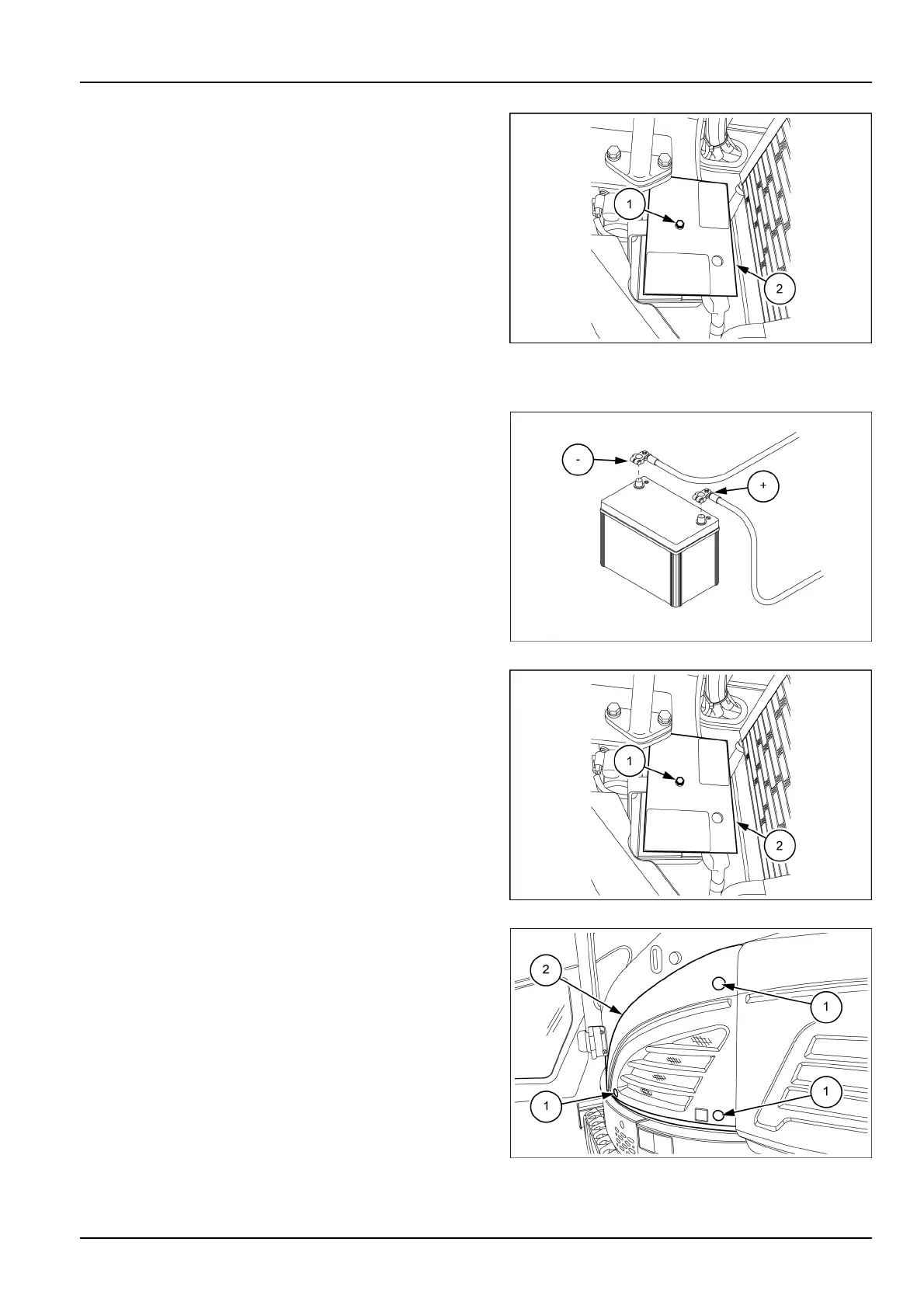
4.Useawrench[13mm]toloosenthebolt(1),then
removethecoverbattery(2).
5.Theaccesstothebatteryiscompleted.
SMIL17MEX2718AB2
Cleaningofthebattery
6.T ocleanthebatteryterminalsdisconnectthetwoca-
blesfromtheterminals.
7.Washthemwithhotwater,andapplygreasetothem
afterwashing.
SMIL16MEX2595AB3
8.Installthecoverbattery(2)anduseawrench[13mm]
totightenthebolt(1).
9.Useawrench[13mm]totightentheboltsindicatedin
thegure.
10.Installtheprotectivecaps.
SMIL17MEX2718AB4
11.Installtheleftsidebatterypanel(2).
12.Useawrench[13mm]totightenthethreebolts,and
theninserttheprotectivecaps(1).
13.Rellthehydraulicoilcircuitwiththerecommended
hydraulicoil.
SMIL17MEX2385AB5
6-35













 To Next Page