CHAPTER 6 - MAINTENANCE AND ADJUSTMENTS
6-17
6-34551NA Issued 8-04 Bur
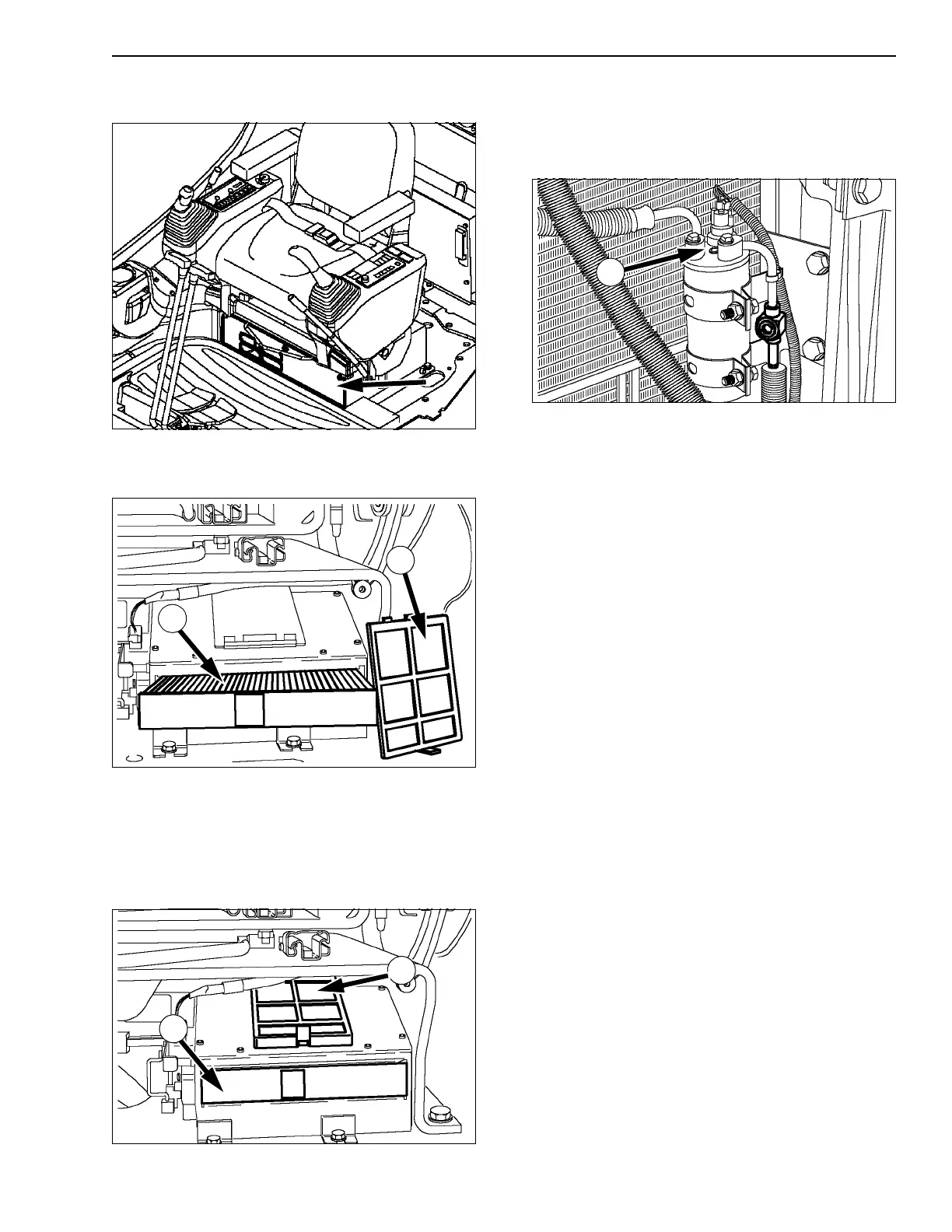
CLEANING THE AIR INTAKE AND AIR
RECYCLING FILTERS
CT02D231
Figure 46
1. Remove the screws and the cover plate located
under the operator’s seat.
CT02D233
Figure 47
2. Take out the filters (1) and (2). Use compressed
air to clean the filters. If they are damaged,
replace them.
IMPORTANT: Always protect your face before using
compressed air.
CT02D232
Figure 48
Put the filters (1) and (2) in their respective housings
and install the cover plate shown in figure 46.
CHECKING THE CHARGE STATE OF THE
SYSTEM
CT02D234
Figure 49
1. Turn on the air conditioning system, increase
engine speed slightly (1400 to 1600 rpm) and
look for bubbles through the sight glass (1).
2. This check should be made approximately one
minute after turning on the air conditioning.
A. Very few bubbles observed, then transparent
at first, then whitish: "Normal".
B. The bubbles are numerous: check the unions
and consult your Dealer.
C. No bubbles are visible: check the unions and
consult your Dealer.
Check if the hydraulic line and air-conditioning hose
connectors are dirty, dusty or in need of replacing.
PLASTIC AND RESIN PARTS
When cleaning the plastic windows, the console, the
instrument panel, the indicators, etc. do not use
gasoline, kerosene, paint solvents, etc. Only use
water, soap and a soft cloth.
The use of gasoline, kerosene, paint solvents, etc.
will cause discoloration, cracks or deformation of
these parts.
1
2
1
2
1



 To Next Page