99
User’s Manual
CellaVision
®
DM1200
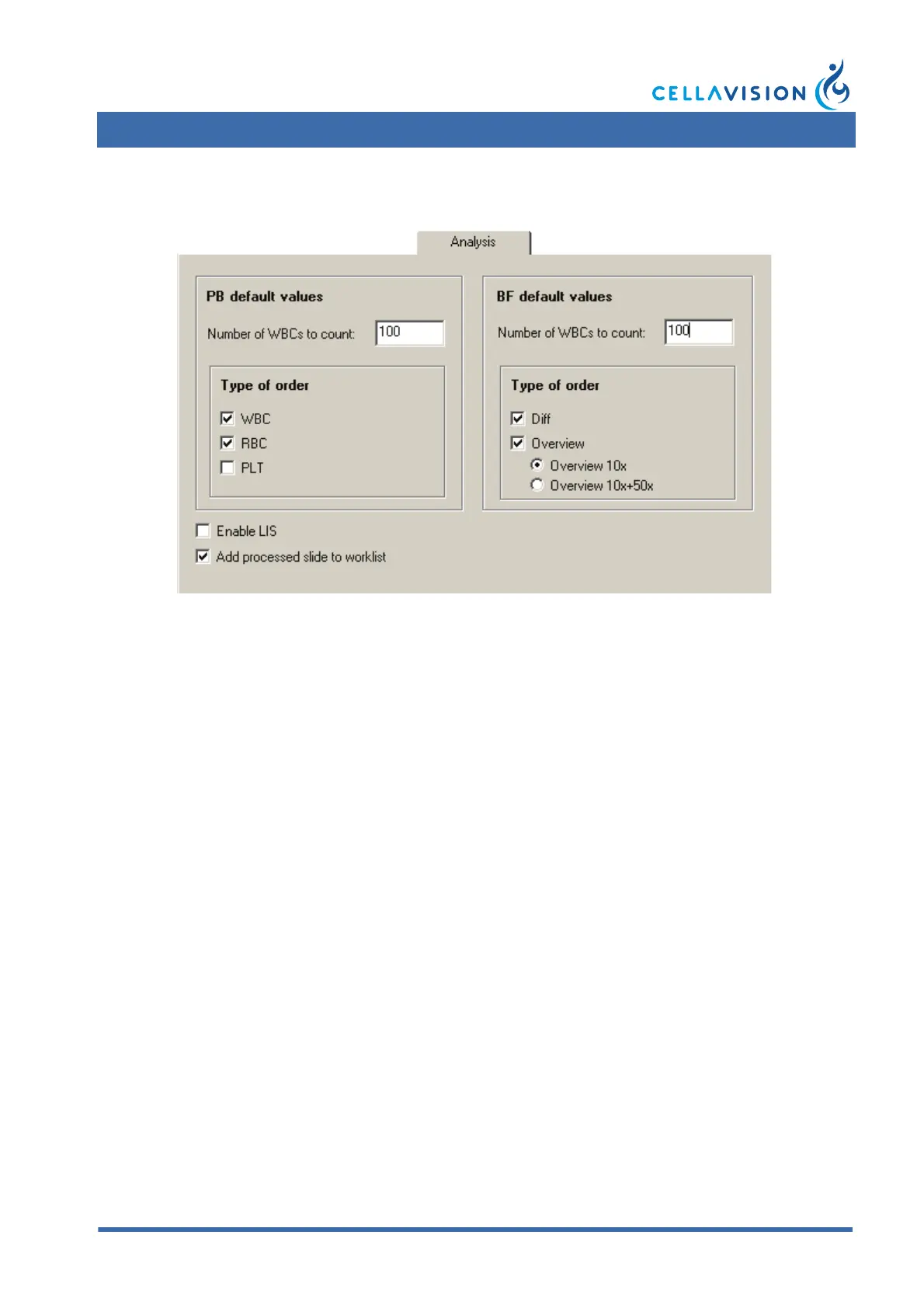
9.3 Adjusting Analysis Settings
Default values
These values are used if the order to analyze is not found in the database or in the
LIS. Type of order is the analysis to perform.
Enable LIS
Activate this checkbox and restart the program if the LIS will be used.
Add processed slide to worklist
If this checkbox is activated, processed slides will automatically be added to the
Worklist.
Note! BF slides are not automatically added to the worklist.



 To Next Page