83
User’s Manual
CellaVision
®
DM1200
7.2 Scan Overview Image
Opening a scanned slide leads directly to the Scan Verification View. To open a
slide, see 6.1.3 Opening an Order/Slide.
7.2.1 Overview
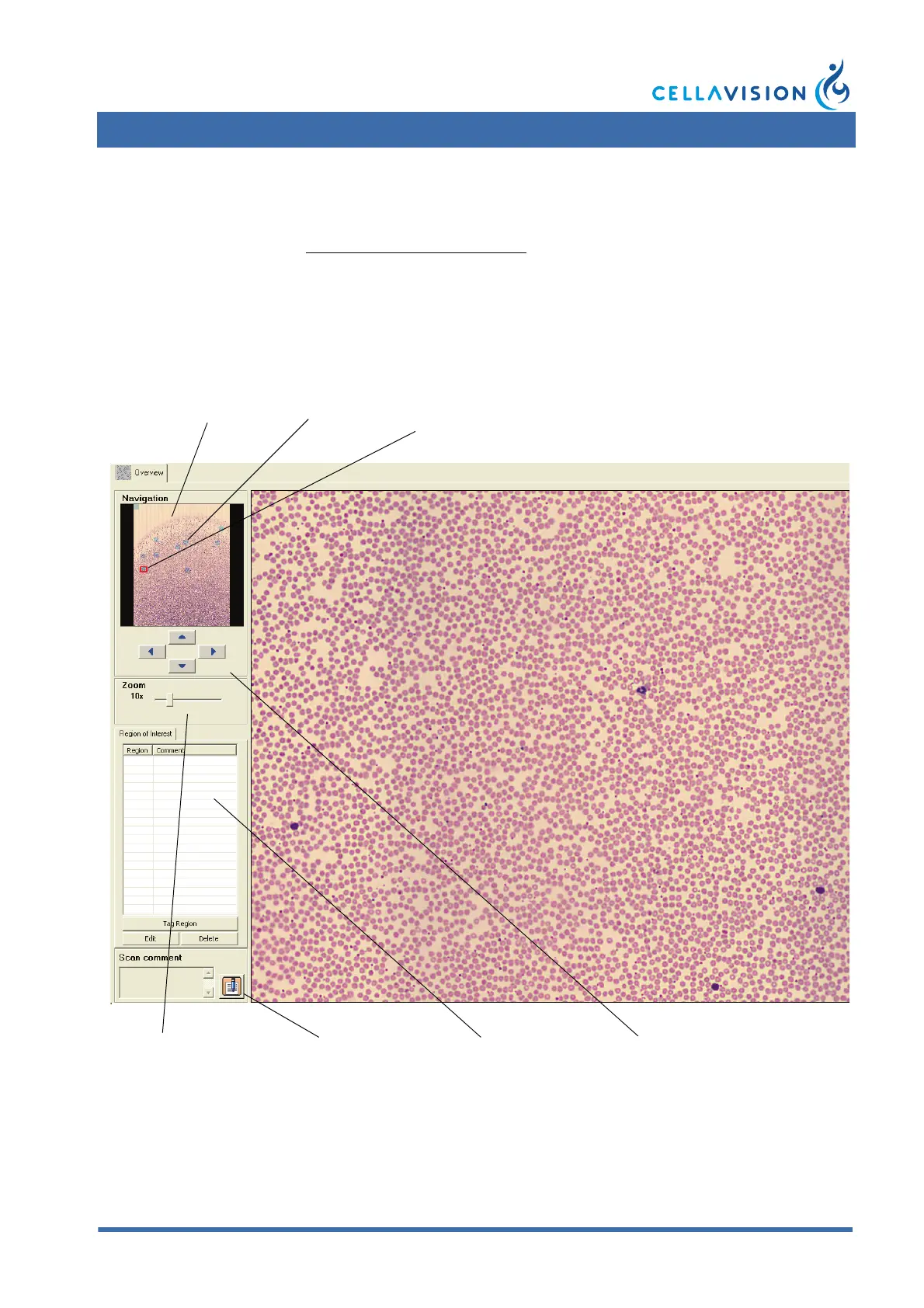
The Mini Map shown in the Overview displays the entire sample area. To enlarge a
specific area of the sample, click in the Mini Map. The magnified area will be
displayed in the large image on the screen. On the Mini Map, a red rectangle marks
the area requested for enlargement. A blue trace marks an already viewed area.
The enlarged area can either have a 10x zoom or a combined 10x and 50x zoom.
Using both zoom levels will increase the processing time.
Mini Map Trace Current
position
Zoom panel Add scan comment Region of interest
panel
Navigation buttons



 To Next Page