22
User’s Manual
CellaVision
®
DM1200
(Cont'd)
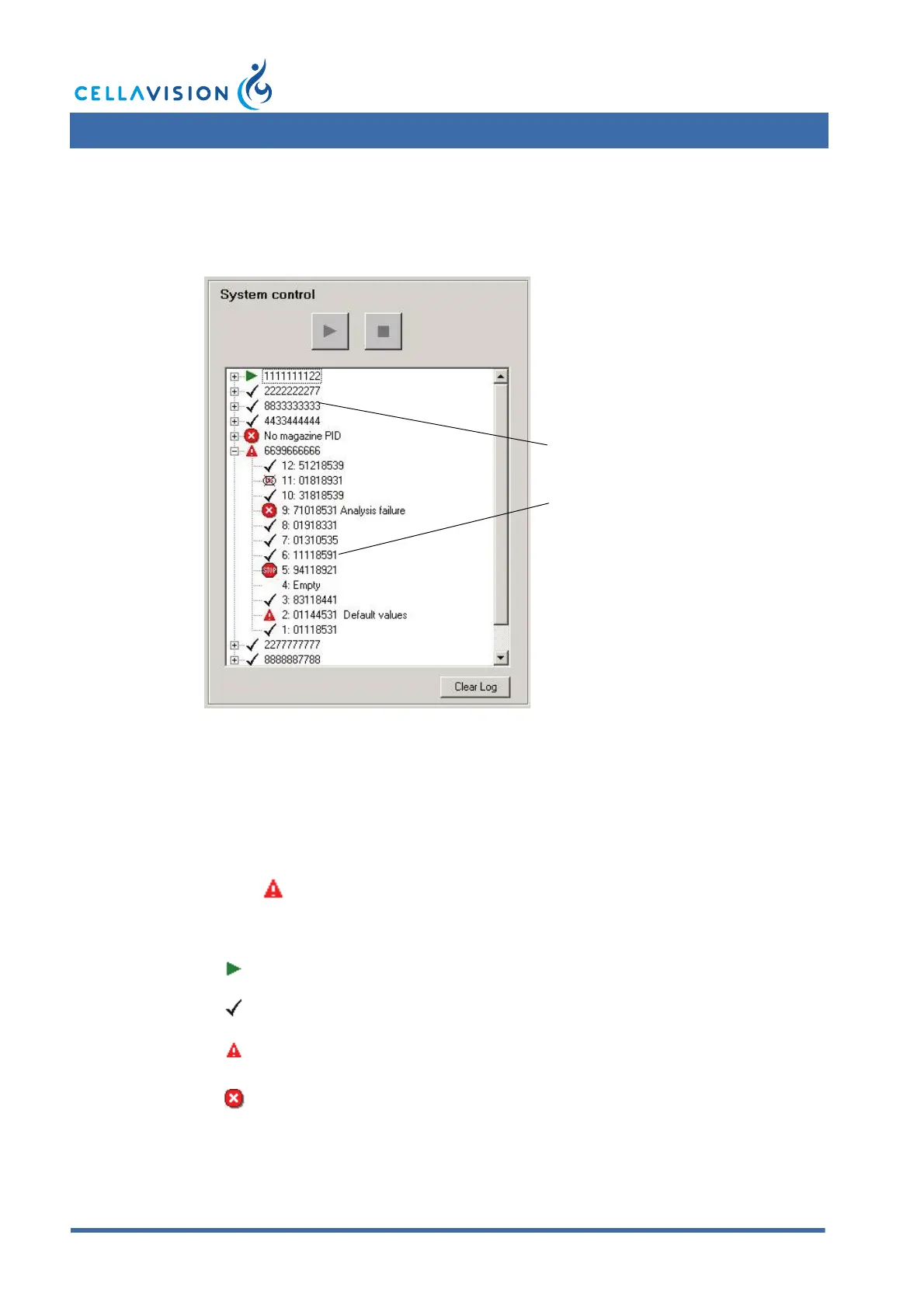
The tree in the System Control panel displays a status log of processed magazines
and slides.
To empty the log from all information, click Clear Log.
2.5.3 Magazine Status
The following information is available for each magazine:
Magazine Status:
Magazine status Magazine ID (barcode).
PB2345678912
Analyzing
Finished The slide holder is processed and all slides have status OK.
Warning
A slide with status Warning, Stopped, Failed or Cancelled
exists in the magazine.
Failed The magazine has no magazine ID.



 To Next Page