80
User’s Manual
CellaVision
®
DM1200
6.4 Usage Log
The system continuously saves data of processed slides and stores it in a Usage
Log. To view the log select Tools and View Log. The log consists of two pages:
Statistics and Specification.
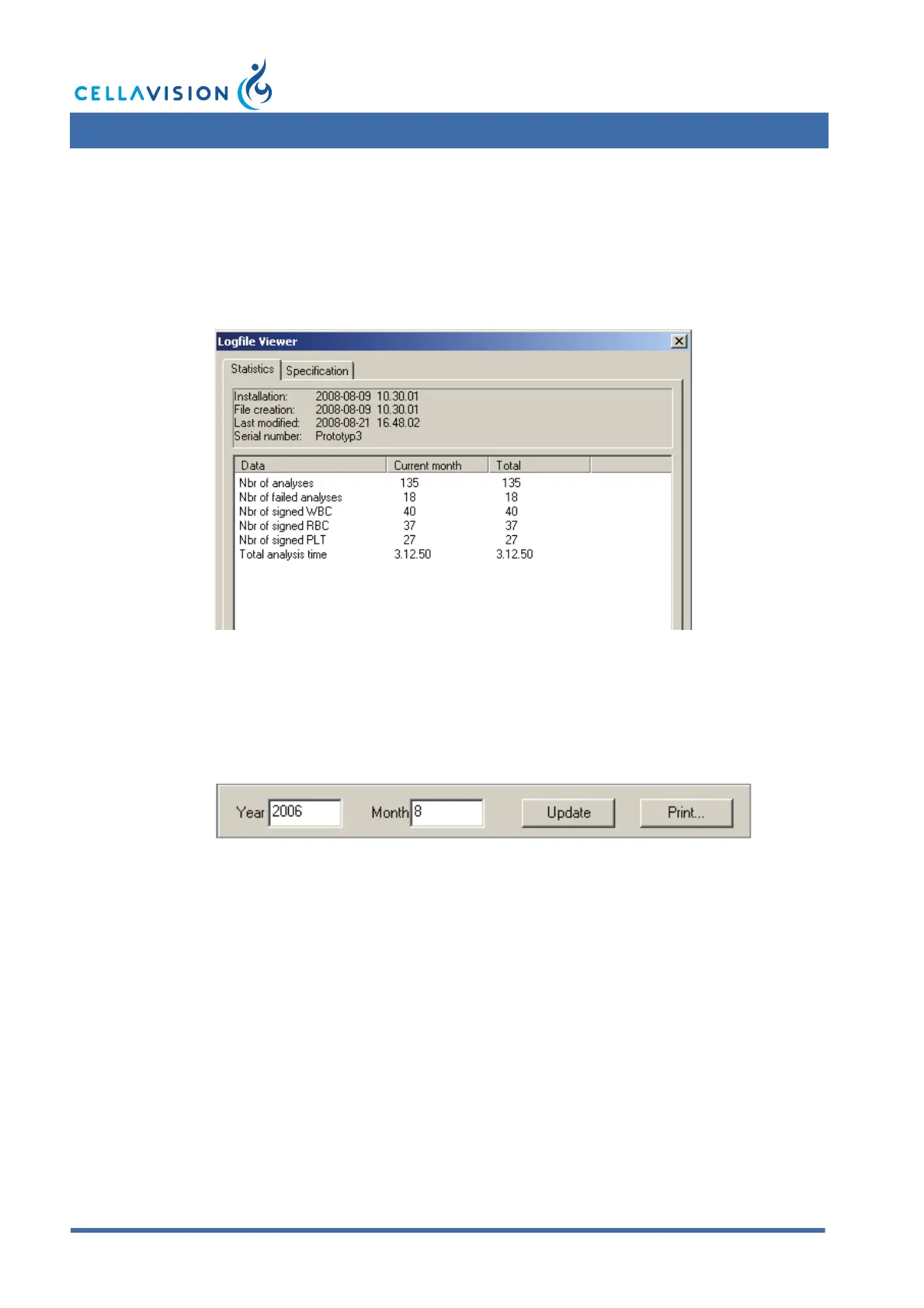
6.4.1 Statistics
The Statistics page contains dates and times of program installation and creation
and modification of the Usage log. It also displays the number of successfully
processed and failed slides, the number of signed analyses and the total processing
time. The information can be selected for a specific month by entering Year and
Month and clicking Update.
6.4.2 Specification
The Specification page is only accessible to Administrators. It contains a list of
dates and times for events that have occurred in the system, e.g. start and
completion of slide processing and hardware malfunctions. You may specify the
month the same way as described above.



 To Next Page