95
User’s Manual
CellaVision
®
DM1200
9.1.1 Creating a New Database
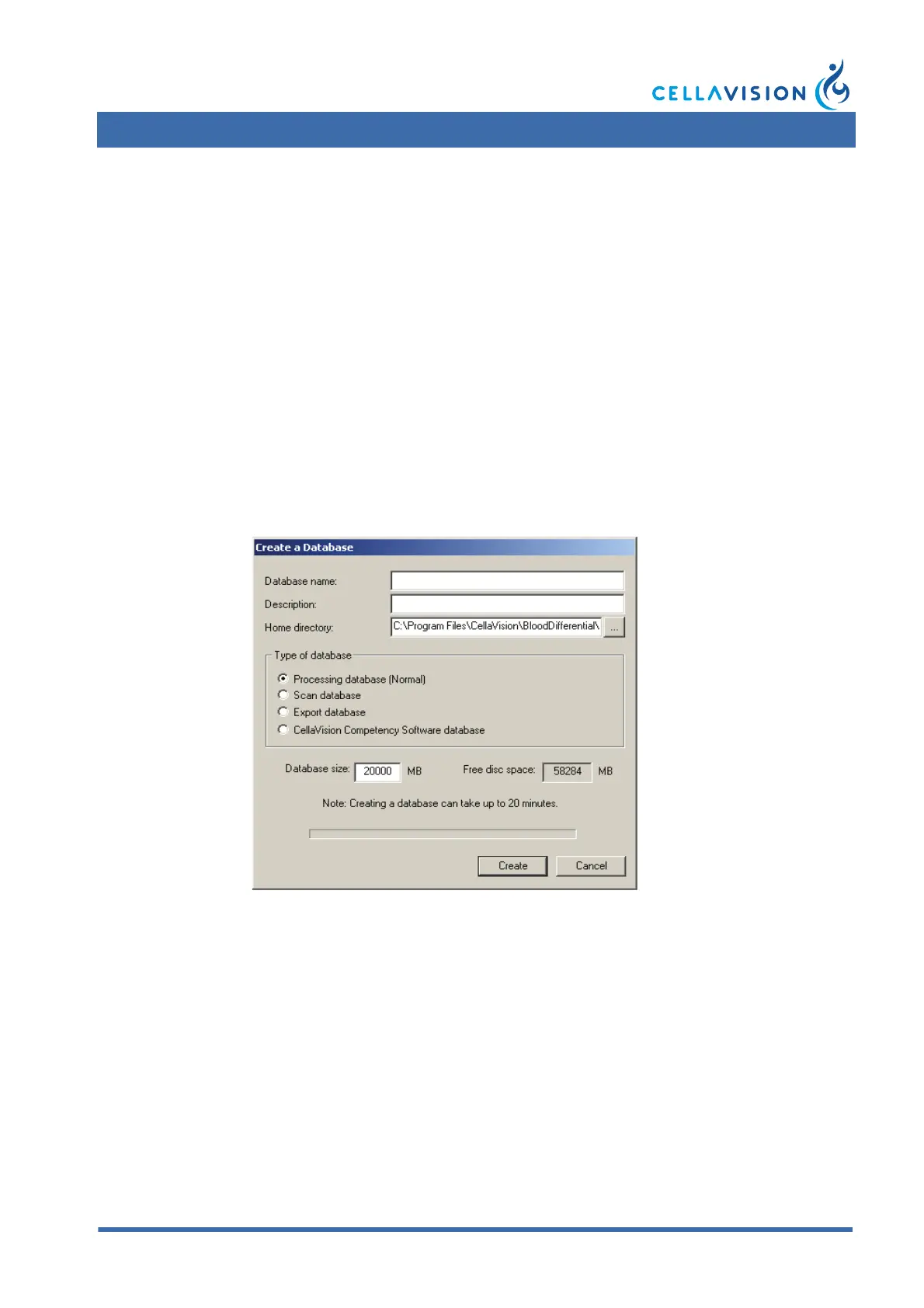
1. Click Create. A dialog appears, where you may enter Database name,
Description, Home directory and Database size.
2. Select one of the following types of database:
• Processing database, a database for processing slides.
• Export database, a database that is used when you want to export orders from
another database. This type cannot be used for processing slides.
• CellaVision Competency Software database, a database for use with
CellaVision Competency Software. A CellaVision Competency Software
database cannot be used for processing slides.
• Scan database, a database for scanned slides.
3. Click Create. A new folder with the chosen Database name will be created in
the specified Home directory.
Creating a database requires that there is sufficient free disk space. A processing
database requires 20 GB, a scan database requires 20 GB, an export database
requires 1 GB and a CellaVision Competency Software database requires 100 MB.
Note! Having many databases affects system performance negatively.
Note! A database can be created only on your local computer.



 To Next Page