124
User’s Manual
CellaVision
®
DM1200
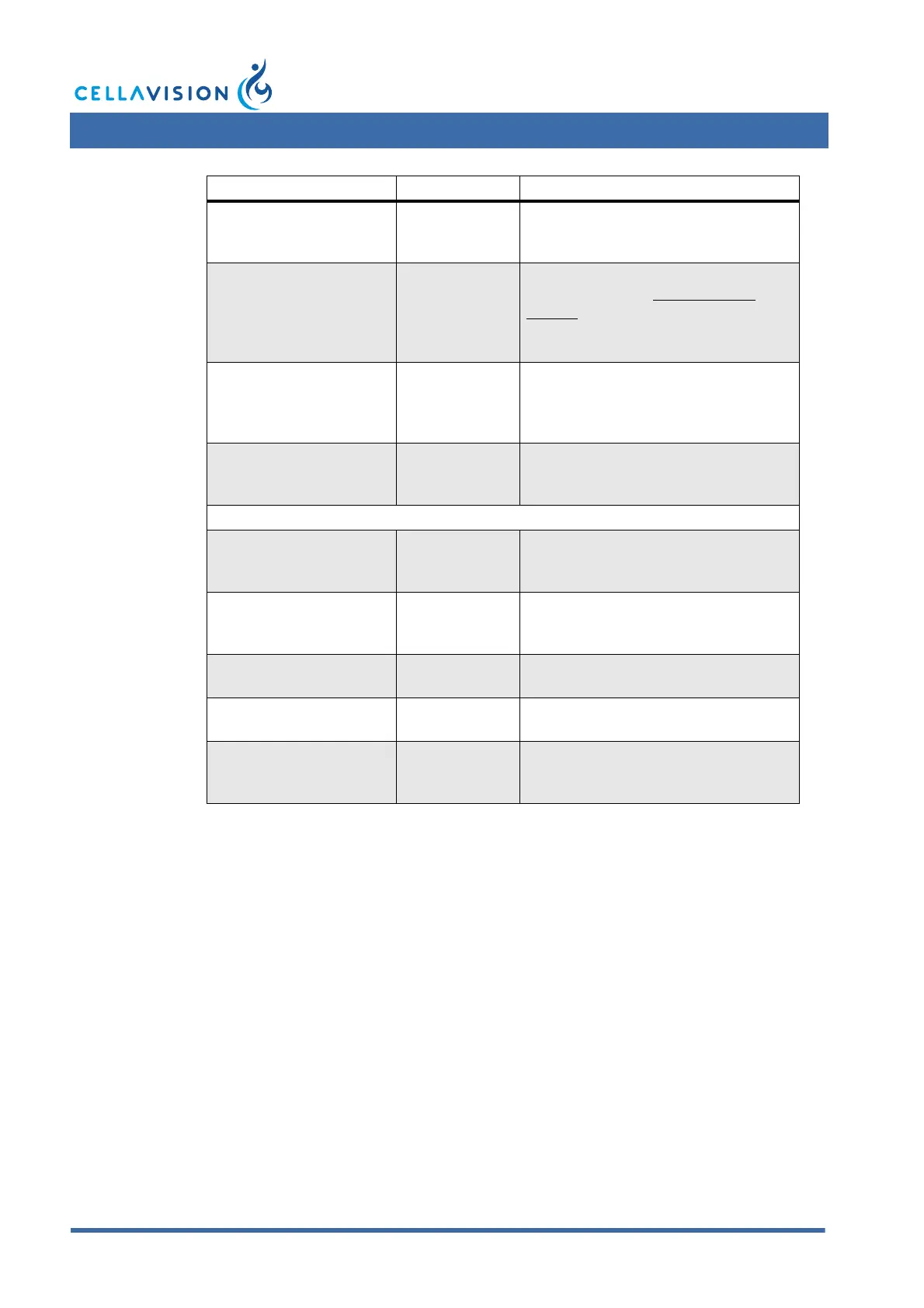
Error Message Cause Action
The slide gripper has
unexpectedly lost the
slide
Gripper has
dropped the
slide.
Pull out bottom tray and remove slide.
Restart the SSU and the program.
The slide could not be
returned to the magazine
Magazine is
broken, and
fragments are
blocking the
slide.
Move gripper to service position and
remove slide (see 11.2.8 Gripper
Service). Restart the SSU and the
program.
Barcode reader failure The barcode
reader cable is
disconnected.
Make sure that the barcode reader
cable is connected to both the barcode
reader and the system computer.
Restart the program.
A slide is not fully inserted
in the Magazine
Slides not fully
inserted.
Eject the magazine and insert the slide
fully. Restart the SSU and the
program.
Errors during analysis
No camera found The camera
cable is
disconnected.
Make sure that the camera cable is
connected to both the camera and the
system computer. Restart the program.
Critical error. No
connection with the
database
Connection with
the database
has been lost.
Check network connection. Restart the
system computer, or the computer on
which the database resides.
Critical internal error
during cell collection
Temporary
software error.
Restart the SSU and the system
computer.
Critical internal error Temporary
software error.
Restart the SSU and the system
computer.
Camera initialization error The camera
cable is
disconnected.
Make sure that the camera cable is
connected to both the camera and the
system computer. Restart the program.



 To Next Page