69
User’s Manual
CellaVision
®
DM1200
(Cont'd)
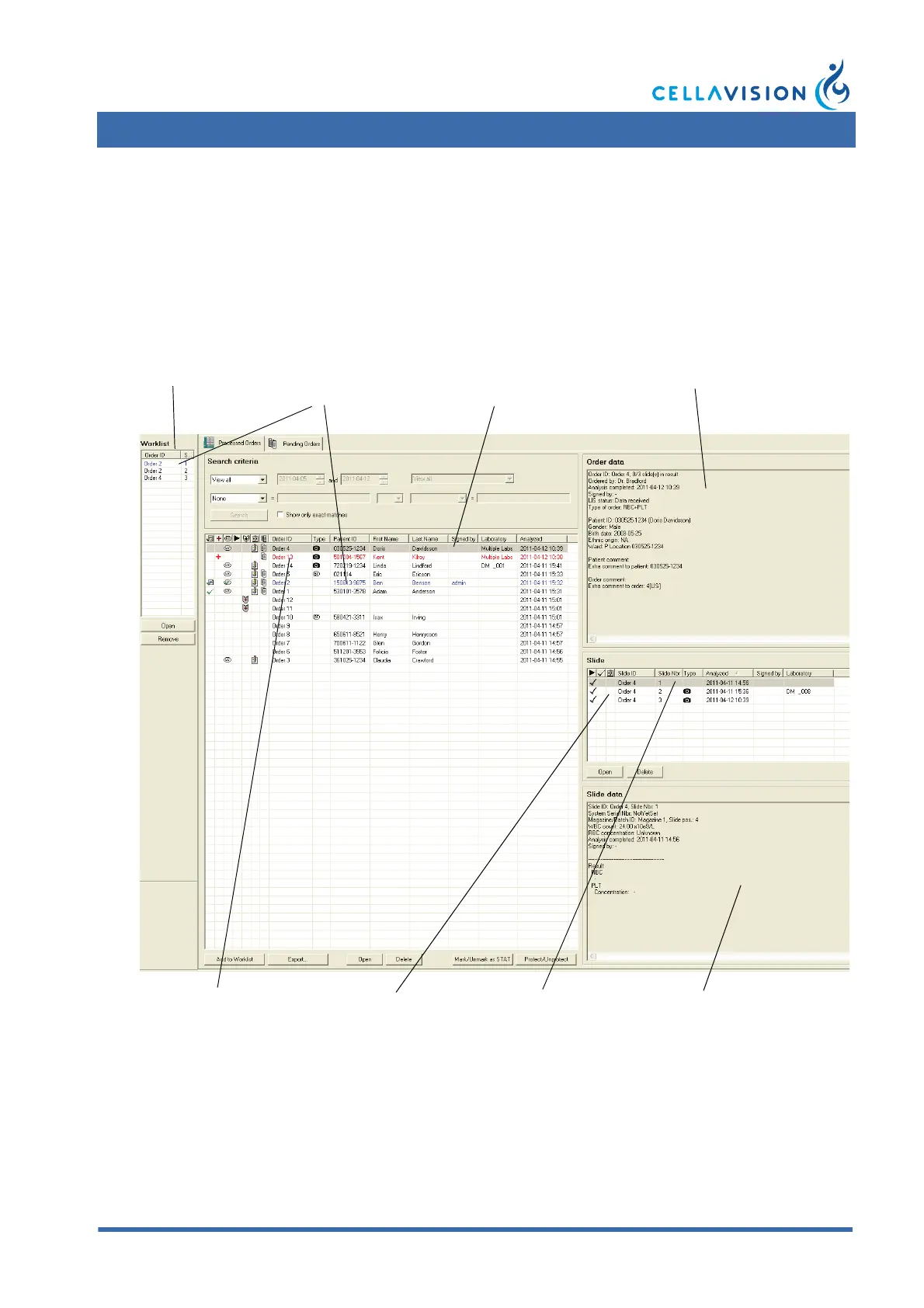
In the Processed Orders tab and Worklist the text colors indicate:
• Blue: opened order and slide.
• Red: order is locked by another user.
• Highlighted in blue or grey: selected order or slide.
An order/slide opened by another operator on a CellaVision Remote Review/
CellaVision DM is written in red text. In the Order data and Slide data panels,
Locked by indicates who has opened the order/slide (the person logged on to
Windows) and on which computer.
Worklist
Opened order and slide
(written in blue text)
Data for selected order
Selected order (marked
blue or grey)
Orders locked by another
user (written in red text)
Slides in
selected order
Data for selected slide
Selected slide (marked
blue or grey)



 To Next Page