Operating instructions
CF Control 100
4 Electrical connection
4.1 Opening the unit
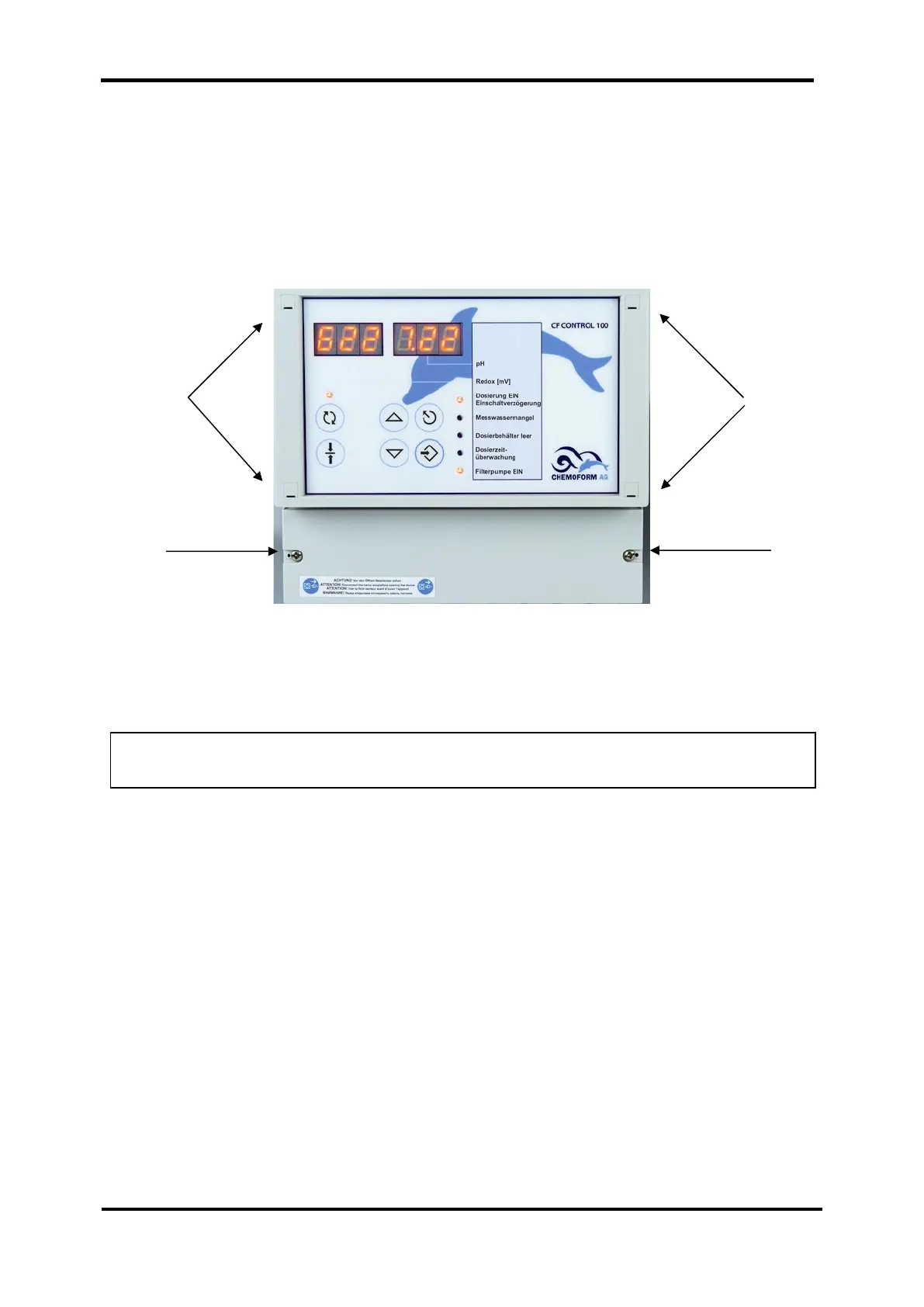
The terminal box for the connections is located in the lower quarter of the housing.
To open the housing, loosen the two screws as shown in the photo.
The two measuring cables for redox and pH electrodes are connected at the works.
These connections are located in the upper right corner in the housing. If you have to
work on these connections, remove the four clips using a suitable screwdriver (width)
to reach the housing screws. Remove the housing cover with care.
WARNING: Remove the housing cover with care, otherwise the connection cable
to the main board may break away.
Clips Clips
Terminal box


 To Next Page