CF Control Operation and functions
6 Operation and functions
To switch the dosing function on or off, press .
All other settings are accessible via so-called setting parameters.
These are explained in the "Table of setting parameters" in the next section. The
procedure is always the same. An example is used to demonstrate the steps.
6.1 Changing the setting parameters (example)
It is assumed that you want to change the set point for the control of pH:
1) Look for the appropriate entry in the table below, in this case at parameter 1:
Parameter
Function / Value
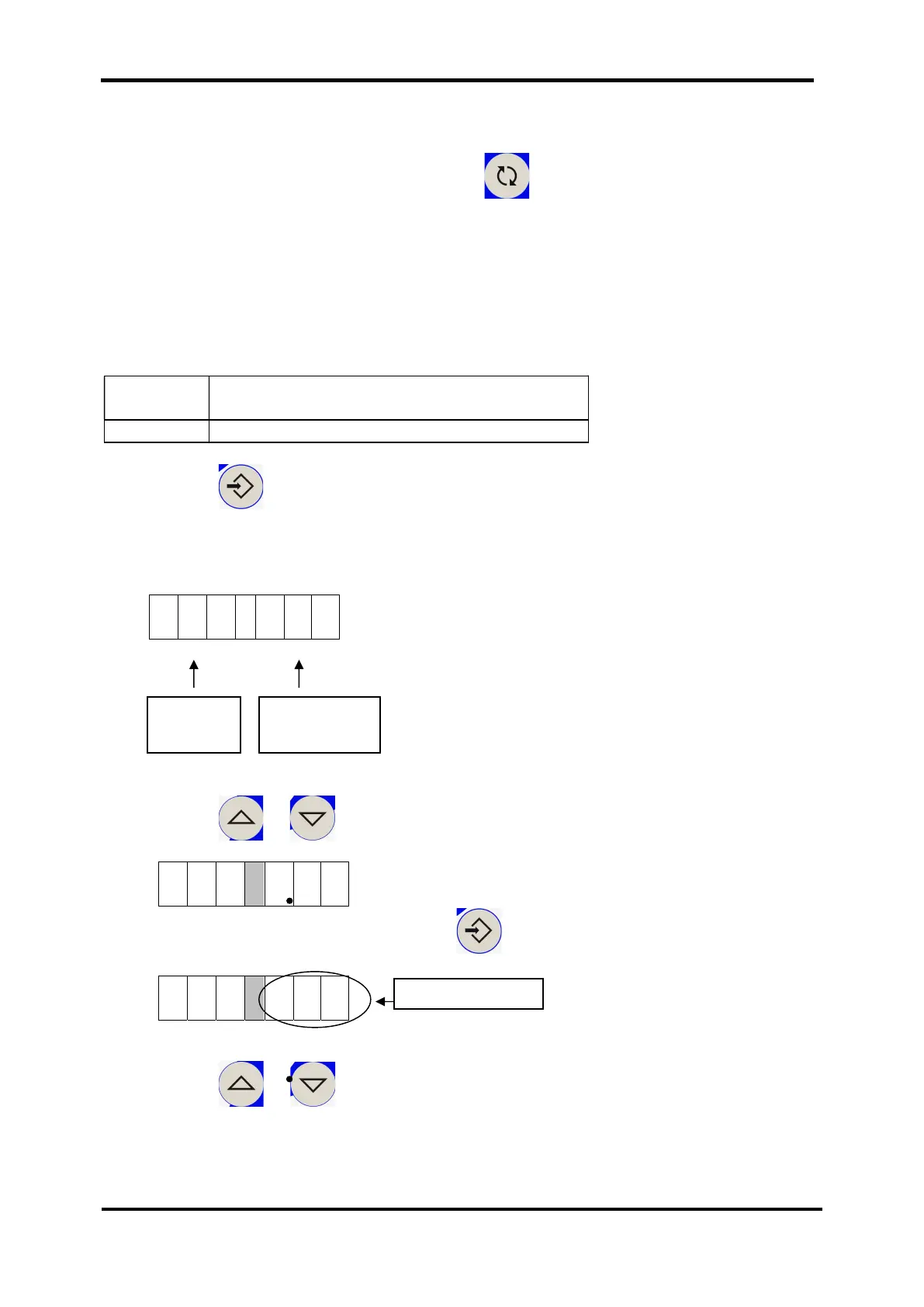
2) Press Eingabe / ENTER:
The display changes: Instead of the redox and pH value, the parameters and their
functions or values are displayed.
3) Press or to select the desired parameter on the left:
4) Confirm your selection by pressing , the value on the right starts flashing.
5) Press or to select the desired parameter on the right:
Value flashes
Parame
ters
Function/
Value


 To Next Page