Operating instructions
CF Control 100
8 Setting the heating and the solar heating
You can heat your pool water via your domestic heating system or alternatively via a
solar system
11
.
A mixed operation with both system is not possible.
The following chapters 8.1 and 8.2 are applicable for both heating modes:
8.1 Reading the water temperature [parameter 7]
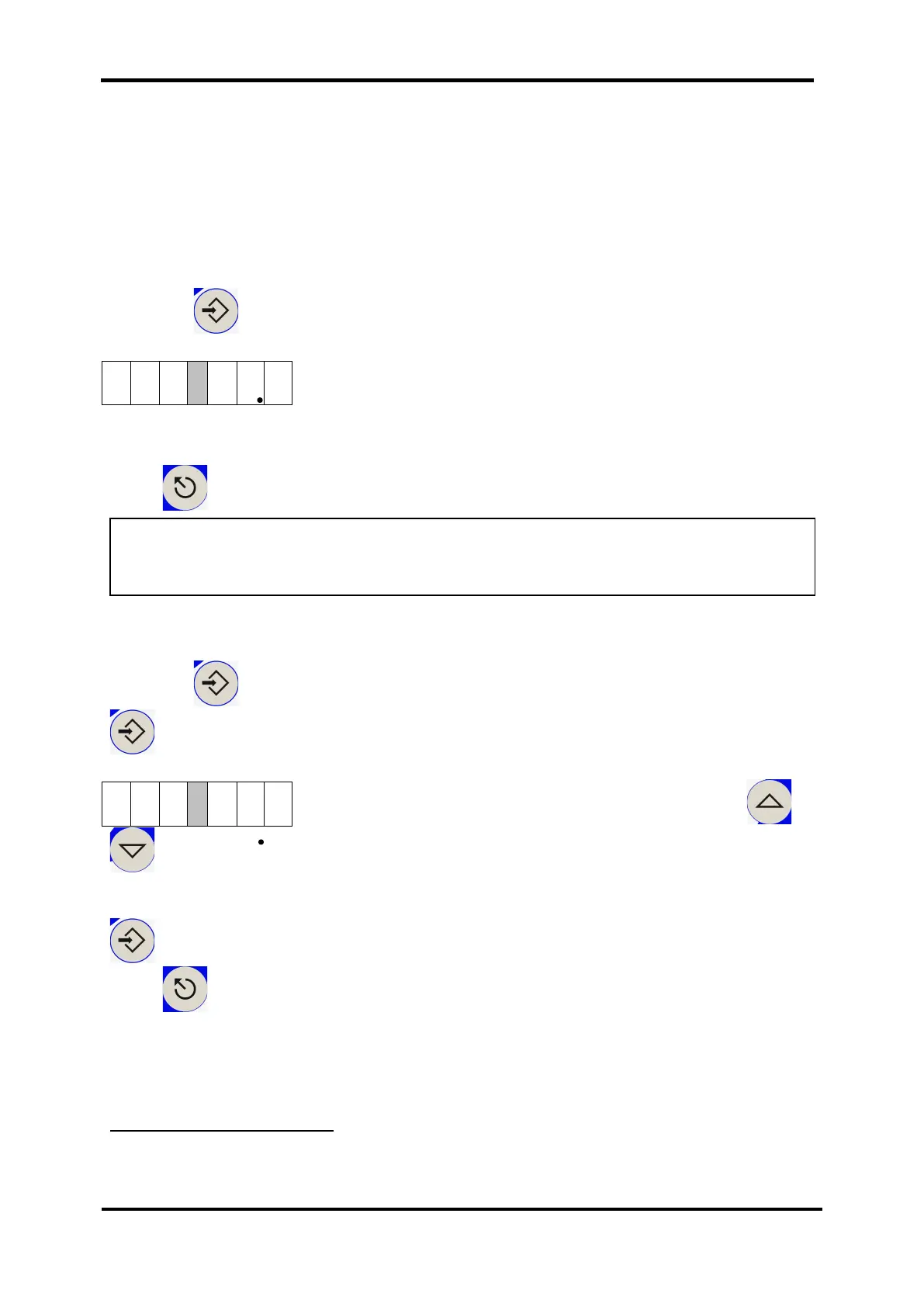
Press the Eingabe / ENTER button and choose parameter P 7.
The water temperature is displayed in tenth of a degree.
Press to return to the display level.
8.2 Setting the temperature set point [parameter 9]
Press the Eingabe / ENTER button and choose parameter P 9 (confirm with
).
Adjust the set point to the required temperature using or
, in this case 28°C.
The setting is made in tenth of a degree.
Eingabe / ENTER
Press to return to the display level.
The CF Control 100 will then keep your water temperature at this value.
11
If a solar heating is employed, a second temperature sensor PT 1000 is required, which is not
included.
NOTE: Since the water temperature is not measured right in the swimming pool /
whirlpool, it is possible that there are minor deviations between the displayed
temperature and the water temperature measured right in the pool.


 To Next Page