CF Control Settings
8.3 Activation of the heating
The heating circulation is connected by the CF Control 100 when the following
conditions are fulfilled:
1. The actual temperature of the pool water is below the adjusted set point
temperature for one minute.
2. The set switch-on delay has elapsed.
3. Sample water is circulating.
4. The filter pump is switched on.
When the water temperature has exceeded the set point for more then a minute, the
heating is deactivated.
8.4 Changing from heating control to solar heating control (parameter 94)
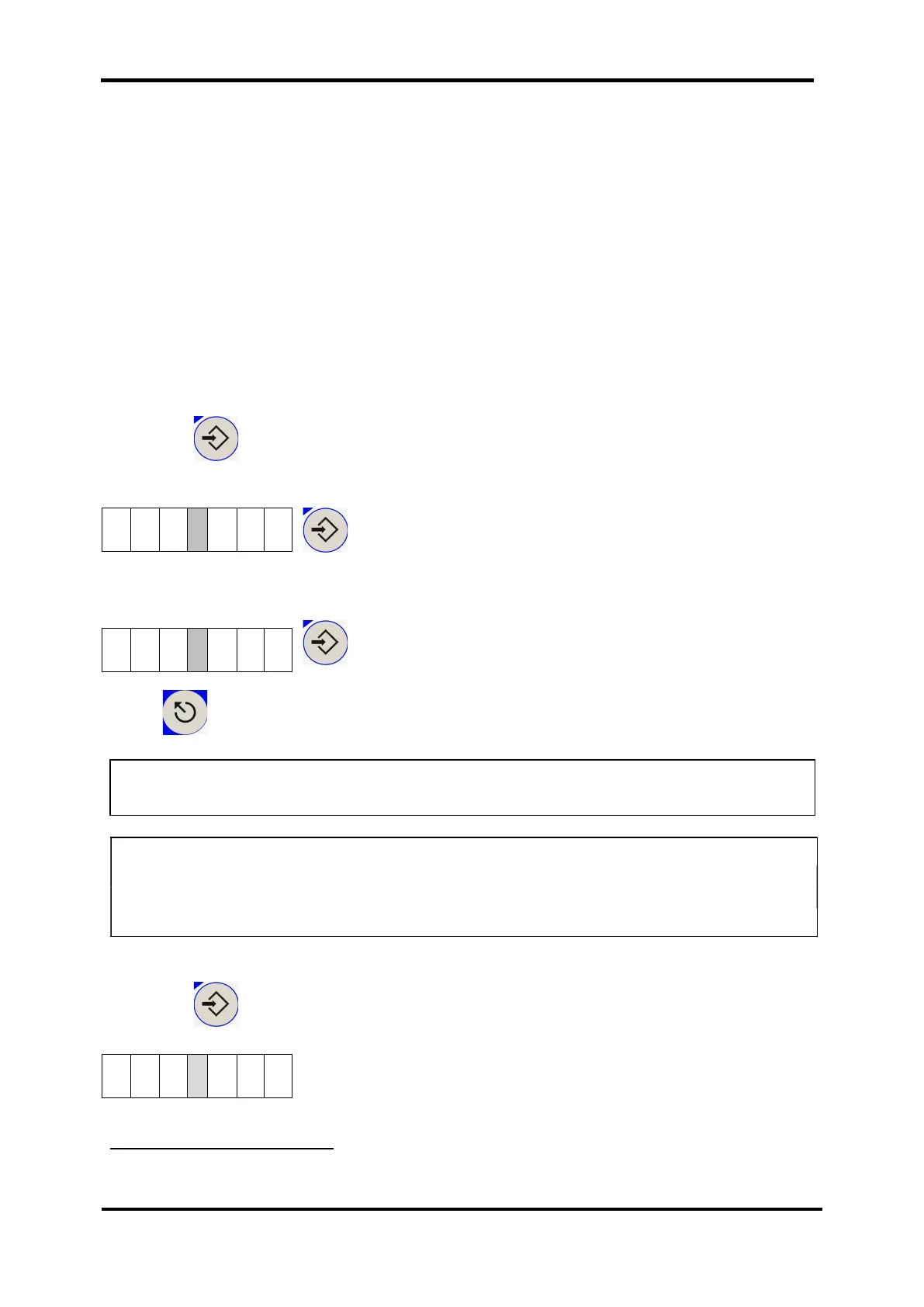
Press the Eingabe / ENTER button and choose parameter P 94.
When the value on the right is set to 0, only heating is activated.
/ ENTER
Set the value on the right to 1; as a result, the solar operation is activated:
/ ENTER
Press to return to the display level.
8.5 Reading the temperature of the solar sensor [parameter 8]
Press the Eingabe / ENTER button and choose parameter P 8.
The temperature is displayed in tenth of a degree.
12
The solar temperature sensor is not included.
WARNING: It is mandatory that a second solar temperature sensor is available for
the solar operation. It should always be positioned at the highest
place of the solar system.
12
NOTE: You can select either the heating operation or alternatively the solar


 To Next Page