CF Control Commissioning
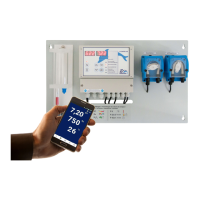
10.4 dinoAccess remote visualization / remote control (option)
Requirements:
Apple iPhone from iOS9 or
Android smartphone from Android 6.0 (Marshmallow)
Internet-enabled 2.4Ghz WiFi access point 5Ghz is not supported
Automatic IP address assignment (DHCP) must be enabled
WiFi access data
Download the dinoAccess app from the Apple App Store or Google Playstore.
1. Open app
2. Create account
3. Add CF Control (yellow "+" symbol)
4. Enter individual device name and device location -> Next
5. Enter WiFi access data -> Next
6. Switch to the WiFi settings on the smartphone and select the new device (starts
with CF100). Switch back to dinoAccess.
7. The device connects automatically. After a successful connection, the app
switches to the overview page.
10.4.1 Reset of WiFi settings
Attention – all settings and all connections to the app are lost during this operation. The
data cannot be restored. After resetting, the device must be configured as a new device
in the dinoAccess app. This does not change the configuration of the CF Control 100.
Resetting the WiFi settings: Go to the menu item "Device settings" in the dinoAccess
app, click on "Delete system". Or set the value for parameter 0 to 800 directly on the CF
Control 100.
10.4.2. Remote control (adjustment of setpoints, calibration of pH probe) via in-app
purchase
The CF Control can also be operated remotely to adjust the set points and calibrate the
pH probe. This function is available for a fee and can be activated via an in-app
purchase.
10.4.3 Troubleshooting
1. The CF 100 is displayed as offline. Solution: Check the WiFi signal strength. If
necessary, use a repeater or place the the router closer to the device.
2. Registration of the system in the app failed. Solution: Check the WiFi connection.
Check the access data. If necessary, the WiFi configuration must be reset as
described in 10.4.1.


 To Next Page