ECO 2 Ultrasound Diagnostic System
Page 96 / 189
7.2.2 Measurement formula setting
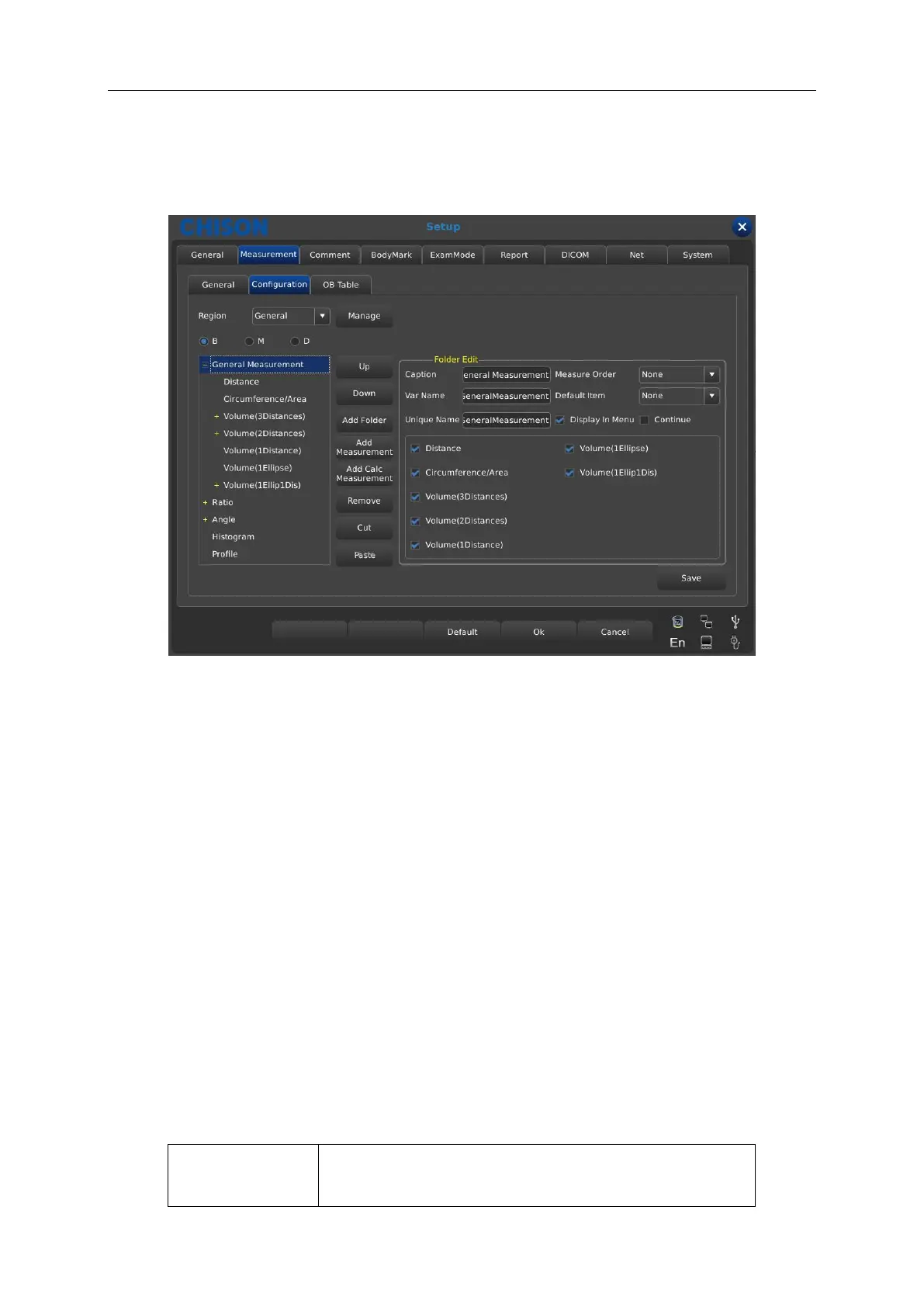
7.2.2.1 Interface Description-Measurement Menu
Region: pull down and select needed measurement menu.
Manage: pop up measurement software edition interface, add modify delete change
marshalling sequence in measurement menu.
B, M, D: display measurement of each Exam mode.
Up: press this button to move selected measurement term up.
Down: press this button to move selected measurement term down.
Add Folder: add a measurement item. In the left column when the term is fold there is “+”
otherwise “-”.
Add Measurement: add a measurement item for a term in the right column there is selected
item and detailed parameter.
Add Calc Measurement: add a calc item for a measurement term.
Remove: remove selected measurement term or item.
Cut: select to cut the measurement option you want to paste.
Paste: paste the measurement option you have cut.
Folder Edit content description
Display names of all items that is displayed name in
measurement menu



 To Next Page