ECO 2 Ultrasound Diagnostic System
Page 190 / 189
NOTE: if windows turns off password protected sharing, then in set up, you can type in
user’s name and password arbitrarily.
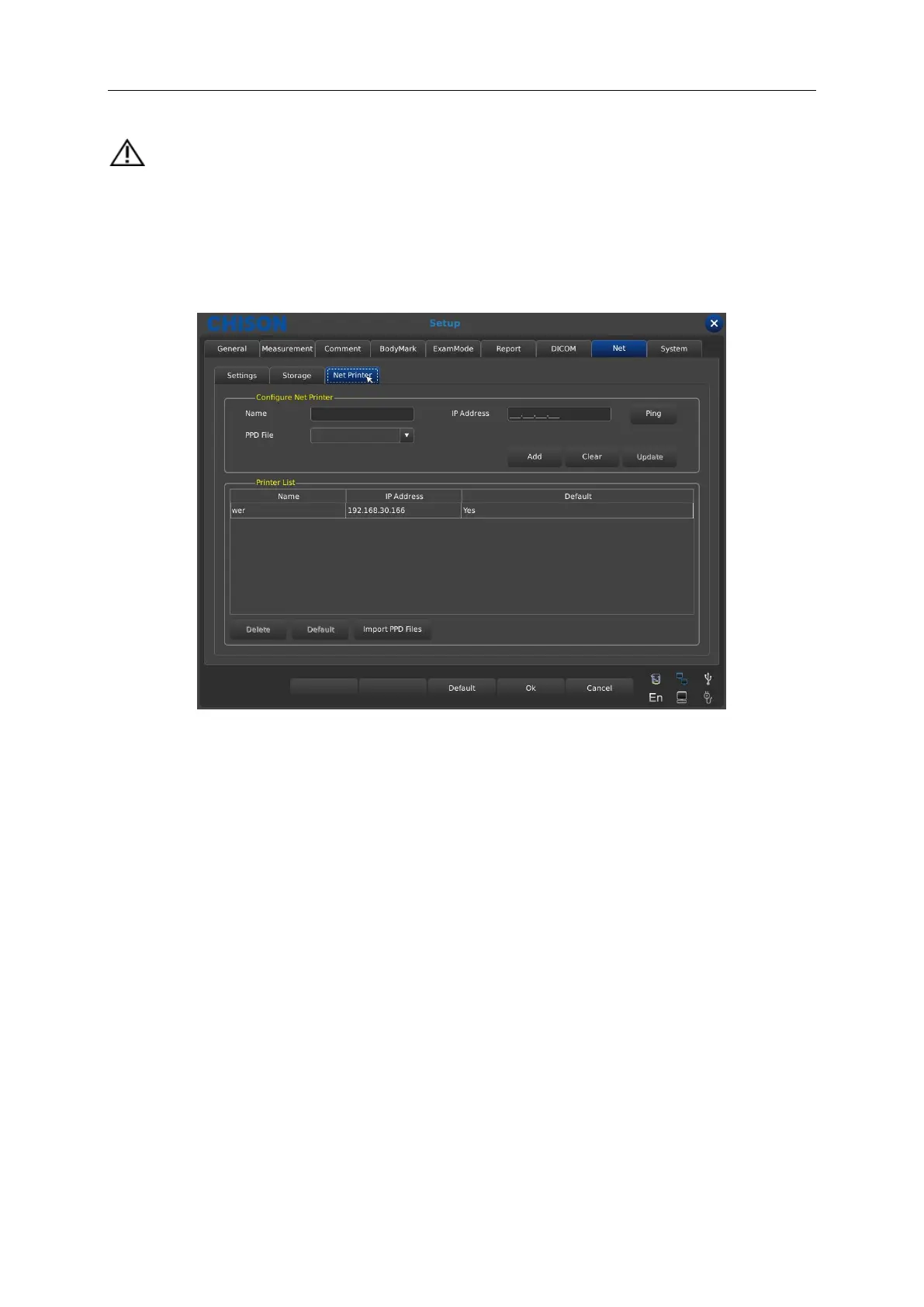
Net Printer Setup
1. Press [Setup] key to enter into the Setup interface, then select Net and Net Printer.
2. Configure Net Printer
Operation:
a) Input name and IP Address which has installed printer equipment.
b) Choose [Ping] to confirm whether the net connect normally.
c) Select PPD File and press [Add], the net connecting information can be saved on the Printer
List.
3. Choose the information on the Printer List to finish the printing according to the requirement.



 To Next Page