ECO 2 Ultrasound Diagnostic System
Page 189 / 189
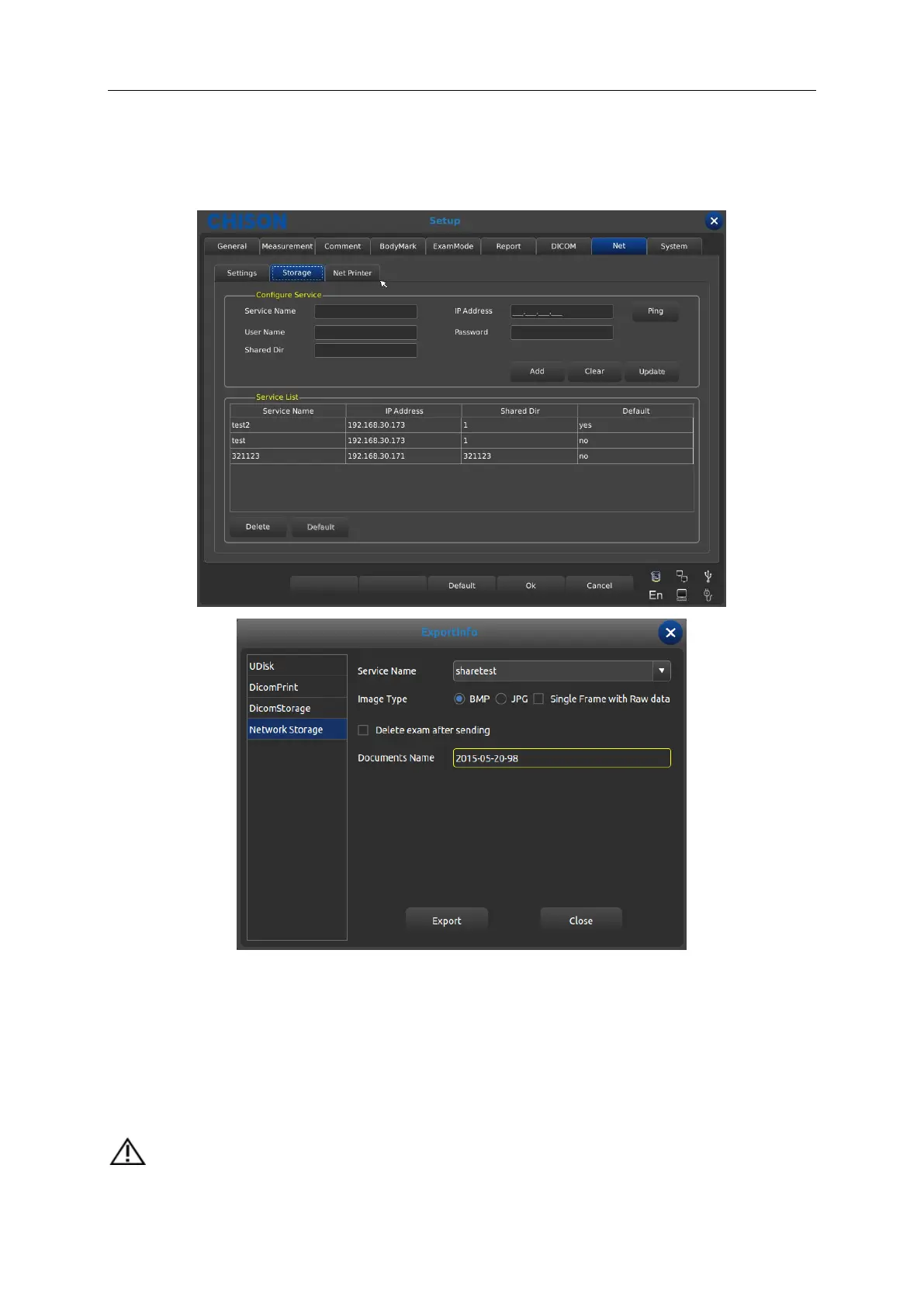
3. Choose net “storage” interface, type in service name, IP address, user name, password and
the name of shared files, click “add” to add a network storage, you can choose the export route. As
shown in the picture.
Ping: test if the IP is connected or not.
Clear: clear all the IP address, user name, password and names of shared file
Update: update the content to the chosen item.
Delete: delete the chosen service item.
Default: set the chosen item as the default net route.
NOTE: you can add multi-numbers of network storage service to realize the transmission
among multi systems.



 To Next Page