90
RS30 Mobile Computer Reference Manual
The mobile computer accommodates two SIM cards and supports dual standby of two
different networks. Both networks will be monitored at the same time, and the phone will
dynamically switch between the two networks during usage. Calls will be placed with either
one of the networks; you cannot switch networks in the middle of a received call or placed
call, or receive or place calls with both networks at the same time.
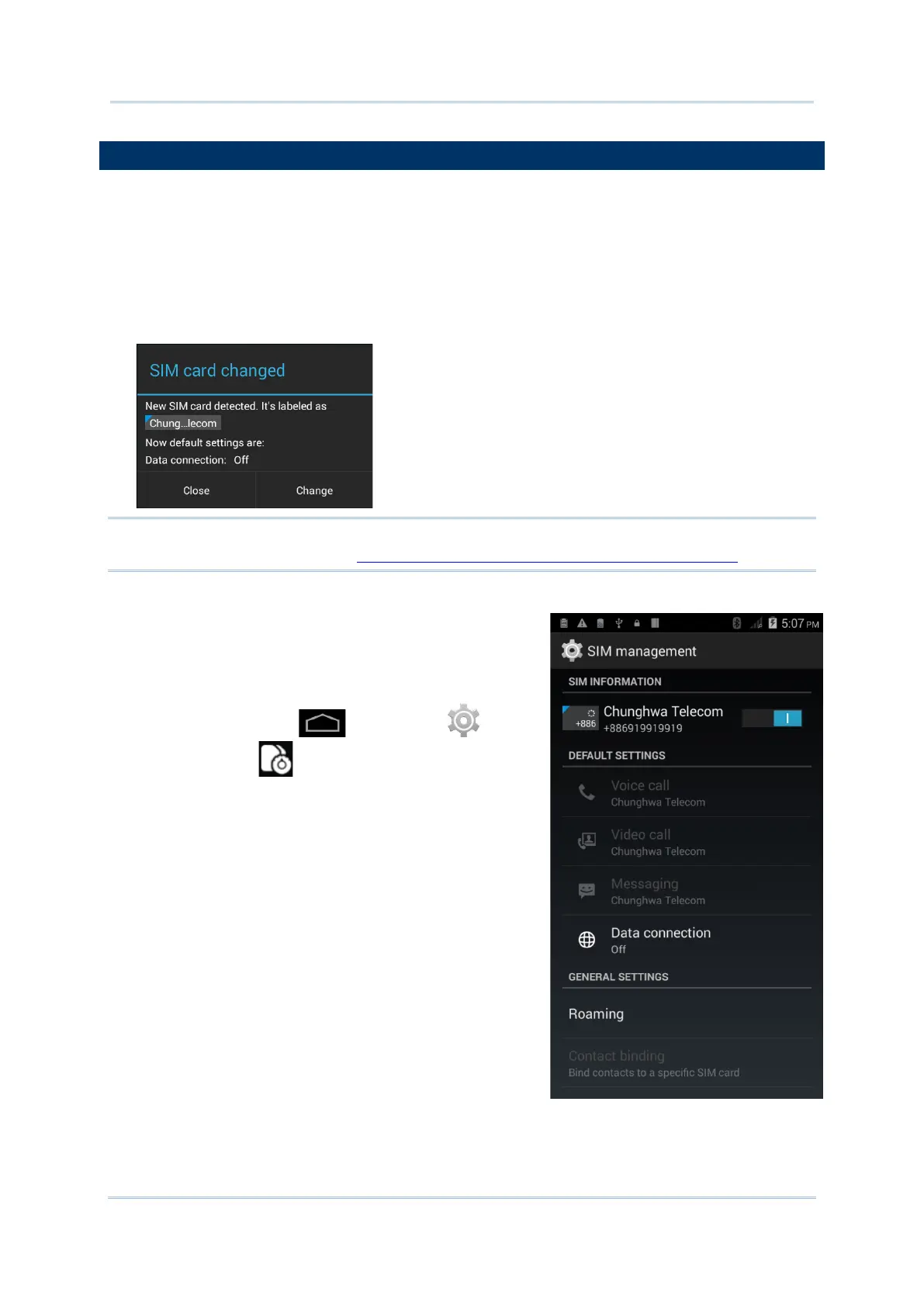
1) When a SIM card is installed for the first time, the phone power is turned on
automatically when the mobile computer is powered on. A dialog box pops-up when the
mobile computer is powered on notifying that a SIM card is detected.
Note: If only one SIM card is installed on the mobile computer, make sure it is installed in
the SIM 1 card slot. See Installing SIM Card, SAM Card and Memory Card.
2) Tap Change in the dialog box.
3) The SIM management screen opens showing the
name of the mobile carrier and the current phone
settings.
4) To open the SIM management screen from other
screens, tap Home | Settings | SIM
management .



 To Next Page