82
RS30 Mobile Computer Reference Manual
To pair Bluetooth devices:
1) Tap Home | Settings | Bluetooth .
2) Tap Search For Devices at the bottom of the screen. The screen shows a list of
Bluetooth devices nearby.
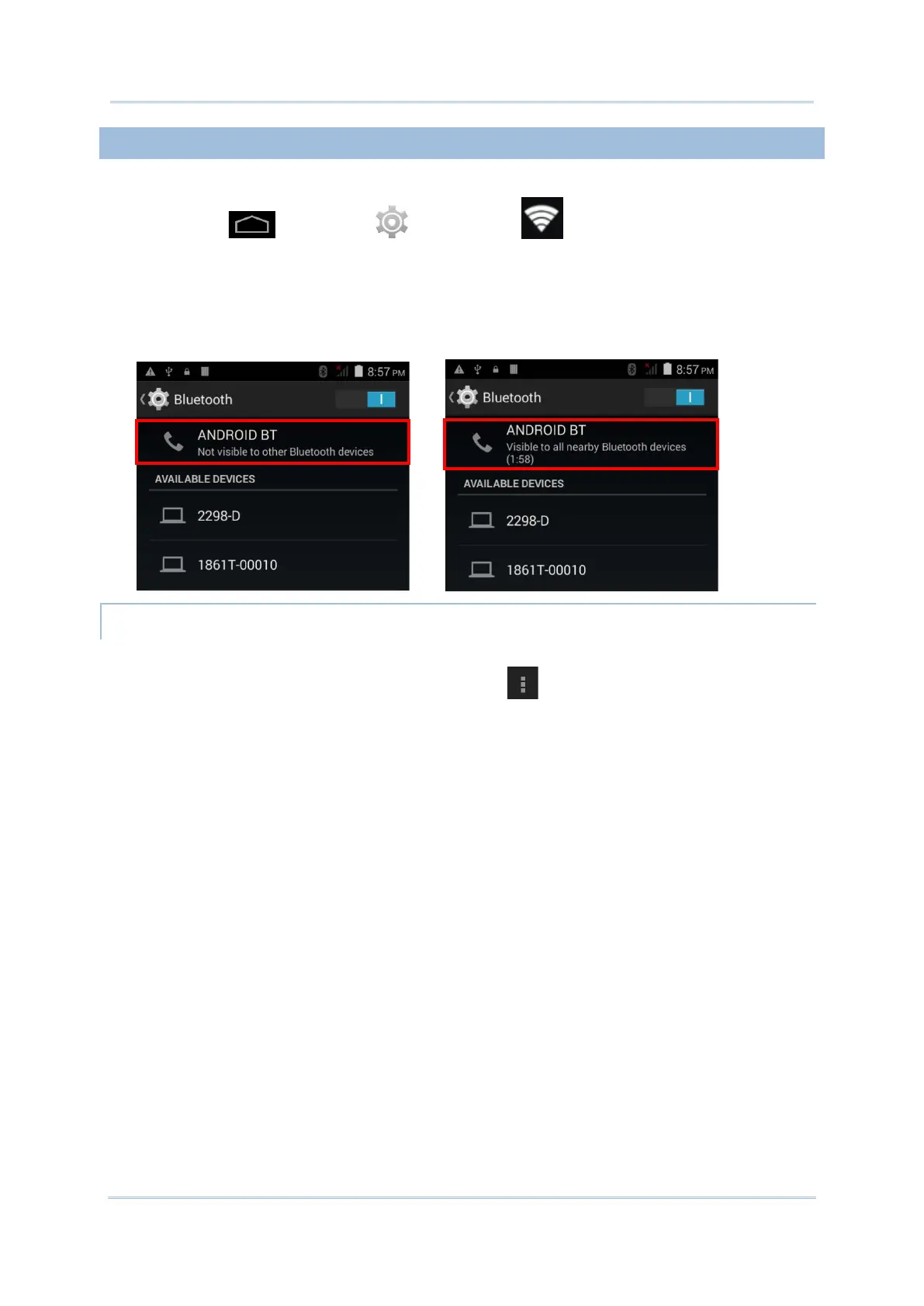
3) By default, Bluetooth visibility is turned off. Tap ANDROID BT at the top of the screen
to turn on Bluetooth visibility. The status will change to “Visibile to all nearby Bluetooth
devices”.
BLUETOOTH VISIBILITY TIMEOUT
To change the timeout period for Bluetooth visibility:
1) On the available Bluetooth devices screen, tap in the bottom right corner.
2) Tap Visibility timeout in the pop-up menu.
3) Select a timeout period for Bluetooth visibility to be automatically turned off.



 To Next Page