10
RS30 Mobile Computer Reference Manual
The Hardshell is a protective cover that shields the mobile computer from impact due to
bumps, drops and scratches.
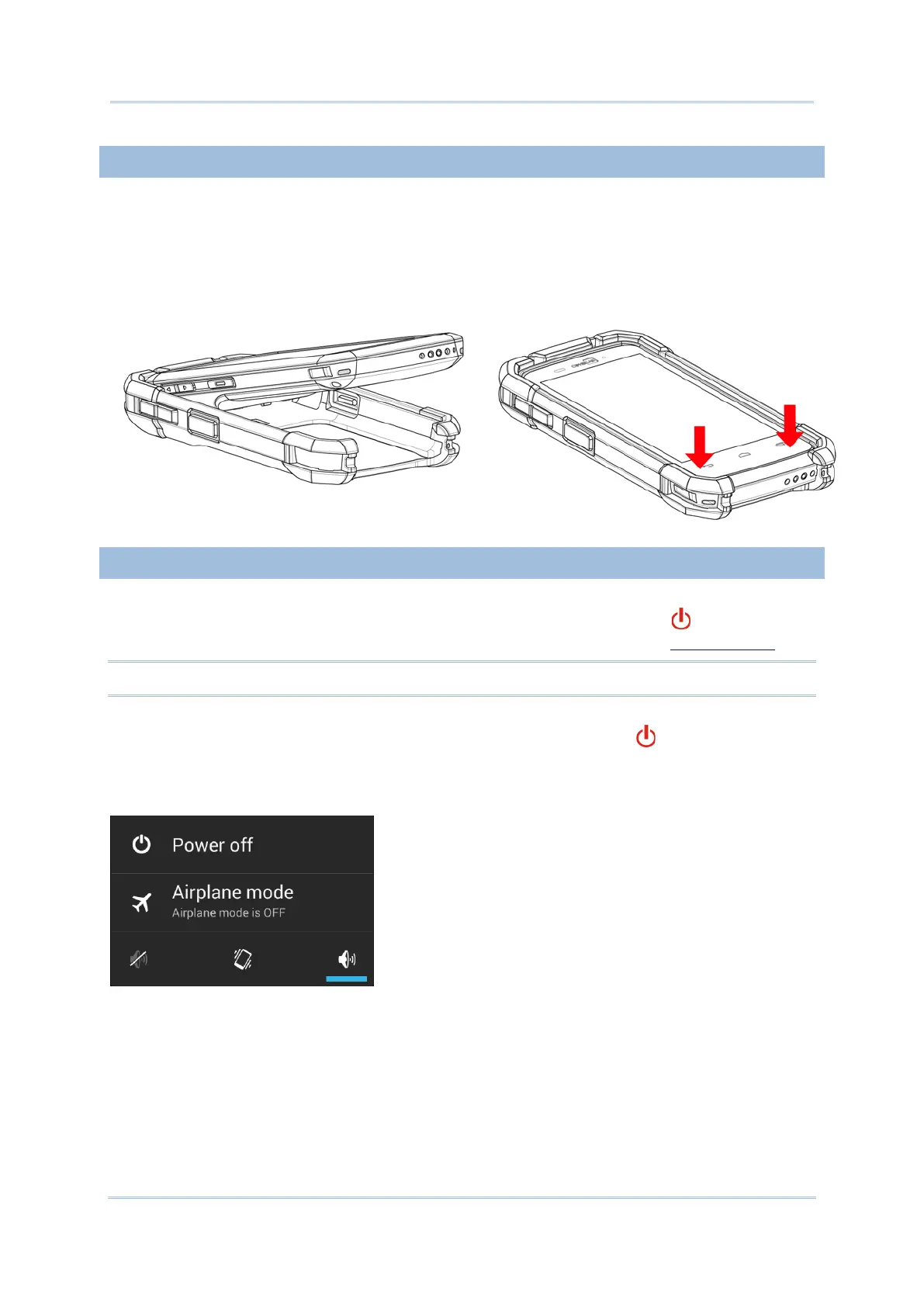
To fit the mobile computer in the Hardshell:
1) Fix the upper end of the mobile computer in at a 45 degree angle.
2) Press the two lower corners of the mobile computer down to secure it inside the shell.
POWER ON/OFF MOBILE COMPUTER
POWER ON
To power on the mobile computer, press and hold the power button located on the
upper right side of the device. The mobile computer opens to show the Home Screen
.
Note: For the mobile computer to power on, the battery cover must be secured in place.
To power off the mobile computer, press and hold the power button for more than three
seconds. A menu will appear on-screen which allows you to power off the device, switch to
airplane mode, or set the system sound to mute or vibrate only. Make sure all user data and
tasks have been stored before tapping Power off.



 To Next Page