49
Chapter 3 Basic Operation
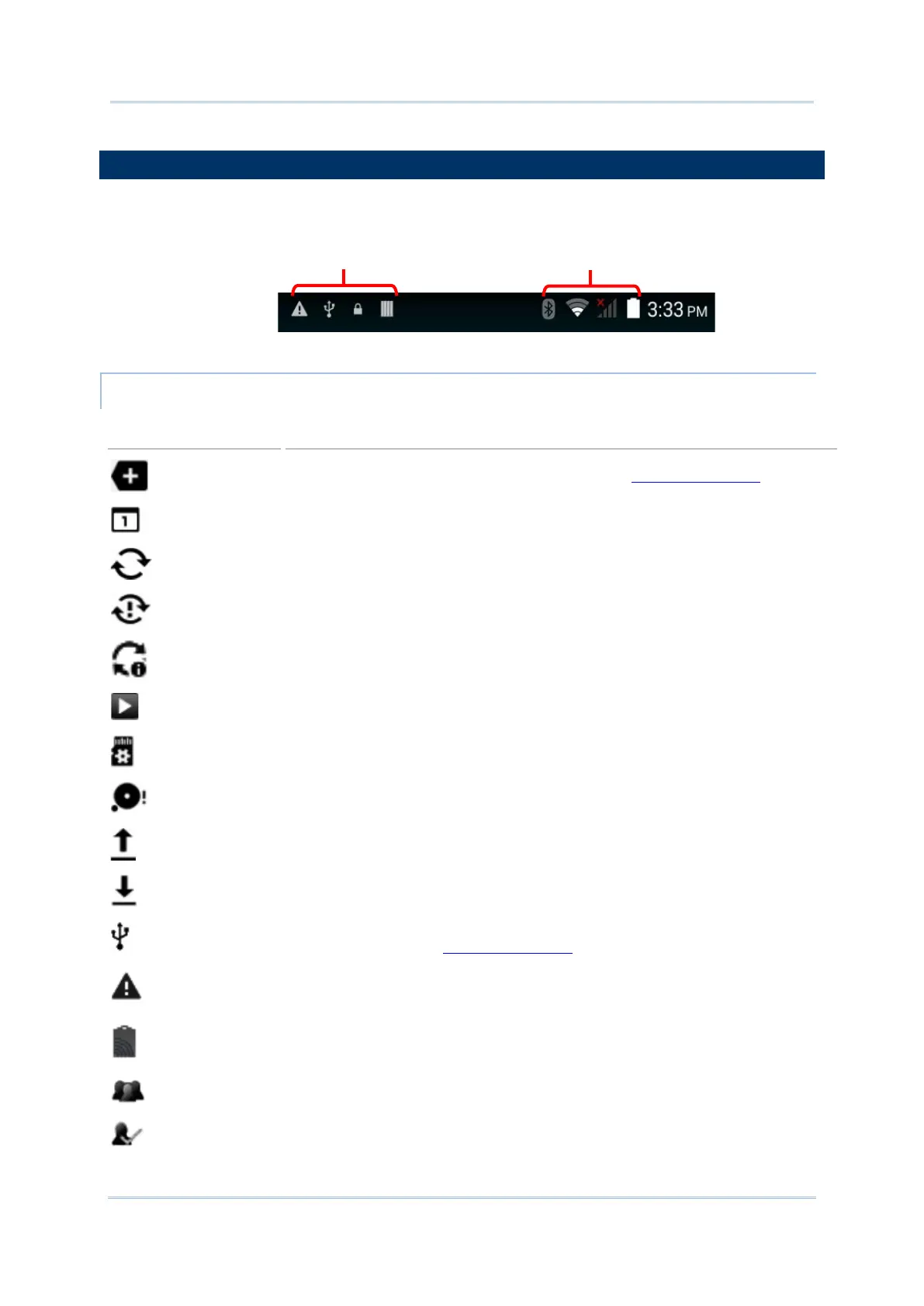
The left side of the status bar shows notification icons, and the right side of the status bar
shows status icons.
More notifications are available, tap to show the Notifications Panel
Upcoming event
Data is syncing
A problem has occurred with sign-in or data sync
A new system update file is available on the server
A song is currently playing
Preparing storage card
Storage card is almost full
Uploading data
Downloading data; when download is finished, icon stops flashing
Connected to PC via USB cable. Change the type of USB connection by viewing
the notification in the Notifications Panel
No SIM card detected in either of the two SIM card slots
NFC is enabled
Multiuser feature is enabled
New user is logged in



 To Next Page