33
Chapter 2 Using the RS30 Mobile Computer
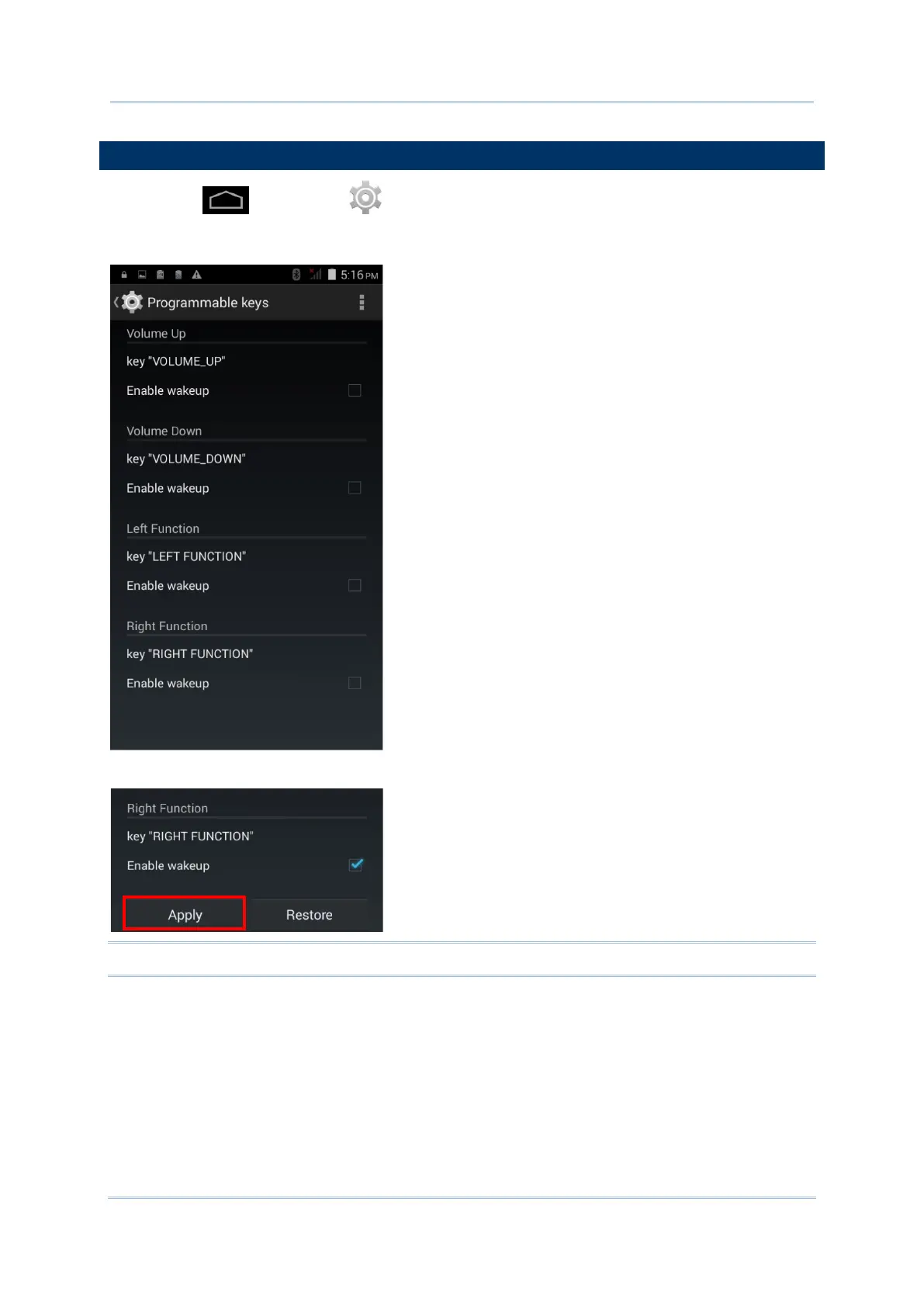
Tap Home | Settings | Programmable Keys to assign specific functions to
the four programmable keys: volume up, volume down, and the left and right function keys
(side keys).
After redefining the programmable keys, tap Apply to allow the changes to take effect.
Note: The newly assigned function will not take effect until Apply is tapped.



 To Next Page