81
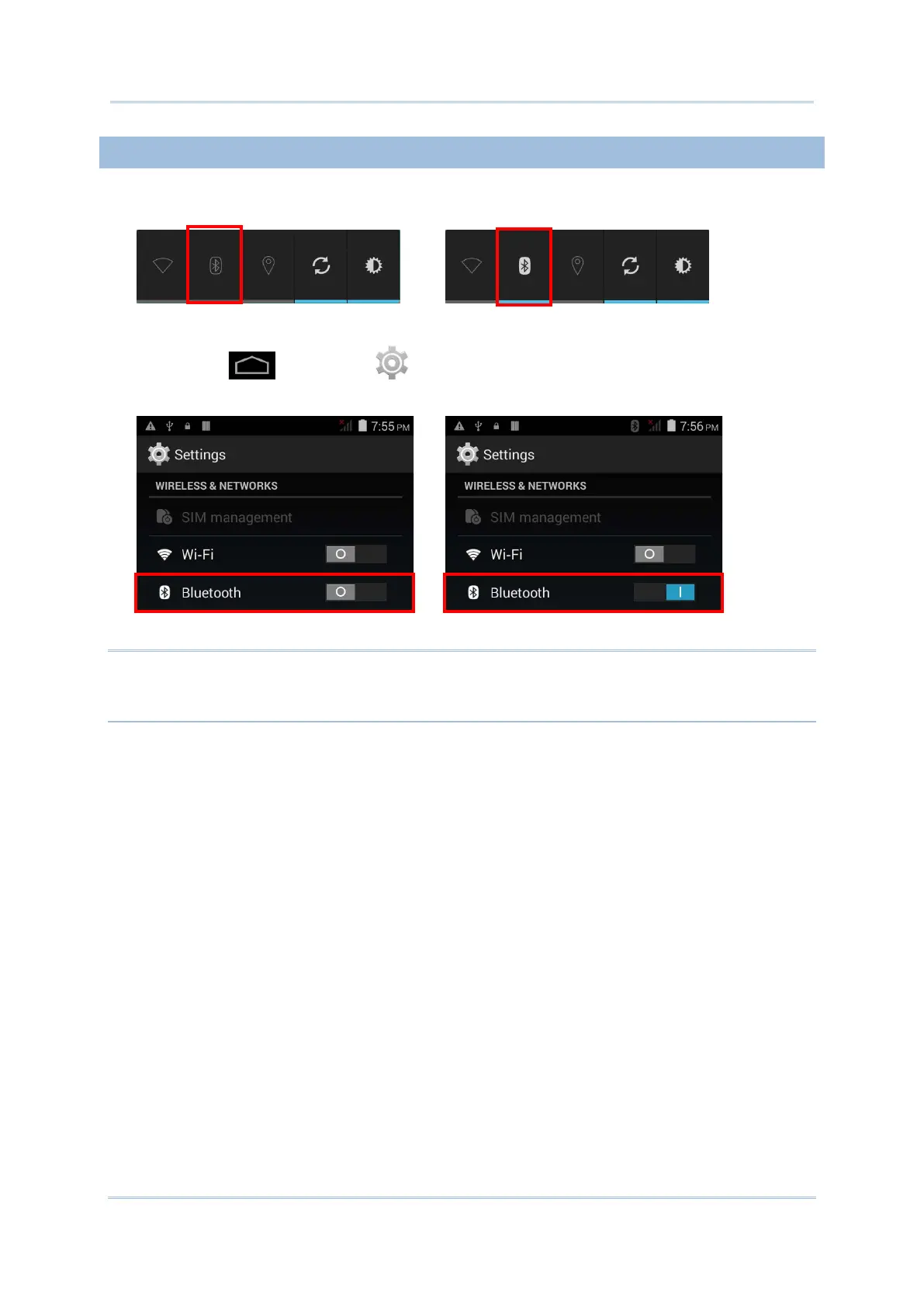
To power on Bluetooth:
1) Tap the Bluetooth icon on the power control widget.
.
OR
1) Tap Home | Settings .
2) Tap the Bluetooth switch to turn on Bluetooth power.
Tap the switch once more to turn off Bluetooth power.
Note: After turning on, Bluetooth power is maintained even when the mobile computer is
suspended. However, if the power mode is switched to Airplane Mode, Bluetooth
power will be turned off regardless of the settings.



 To Next Page