85
USE NEAR FIELD COMMUNICATIONS
Near field communications (NFC) uses close proximity (4 cm or less) to establish radio
communication through electromagnetic fields. With NFC enabled, the mobile computer can
collect information from NFC tags, exchange information with other NFC supported devices,
and even change information on the NFC tag if authorized.
Before starting to communicate through NFC, perform the following:
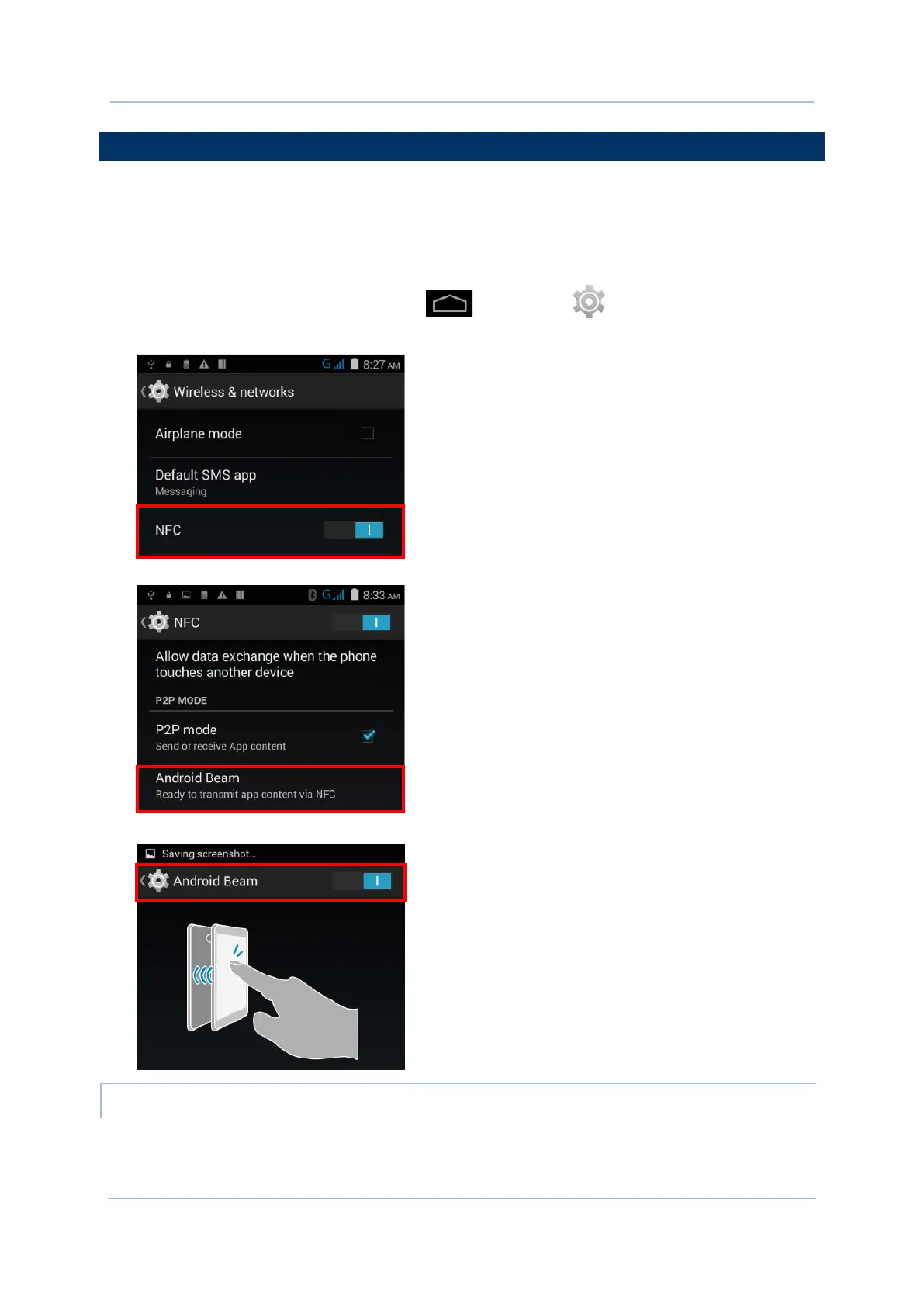
1) On the mobile computer, tap Home | Settings | More….
2) On the Wireless & networks page, make sure the NFC switch is enabled.
3) Tap the NFC label to enter the NFC settings page, and tap Android Beam.
4) Make sure the Android Beam switch is enabled.
PAIR WITH NFC ENABLED BLUETOOTH DEVICES
1) On the device you would like to pair with, make sure NFC is enabled and Bluetooth
discovery is enabled.



 To Next Page