84
RS30 Mobile Computer Reference Manual
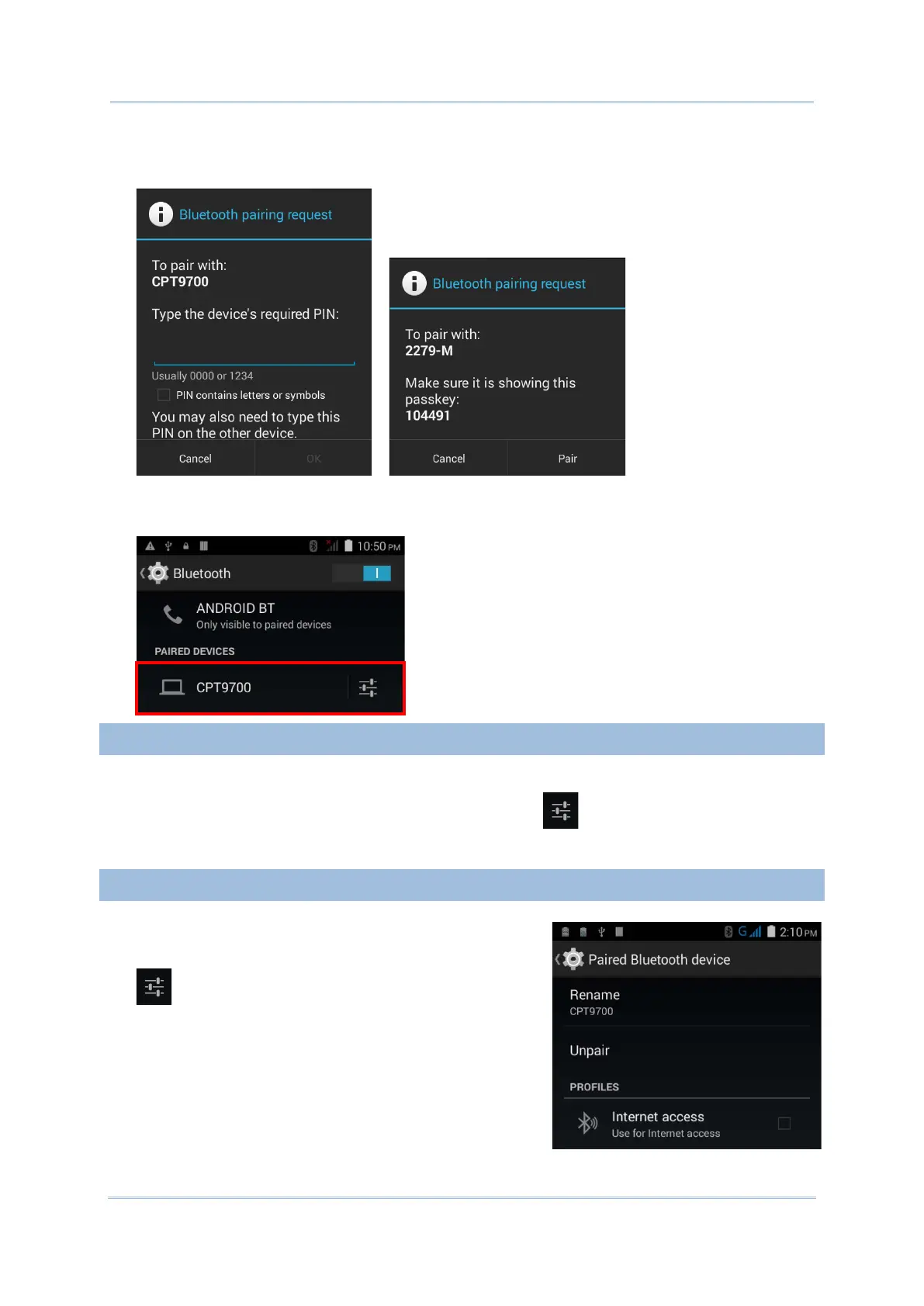
4) The Bluetooth pairing request window opens. Depending on the pairing settings of
the Bluetooth device, you may need to enter a passkey, or confirm the assigned passkey
on the device to pair if a smart pairing method is applied.
5) Enter/confirm the passkey on the device to pair.
6) Once pairing is done, the Bluetooth device will be listed in the Paired Devices list.
To unpair a paired device:
1) In the Paired Devices list, tap the settings button next to the paired device.
2) On the Paired Bluetooth device screen, tap Unpair.
To select the service of a paired device:
1) In the Paired Devices list, tap the settings button
next to the paired device.
2) On the Paired Bluetooth device screen, check the
profile to use.



 To Next Page