68
RS30 Mobile Computer Reference Manual
USE WIRELESS WIDE AREA NETWORK
The mobile computer will be automatically configured to connect to your wireless service
provider’s network when you insert a SIM card and turn on data connection for the first
time.
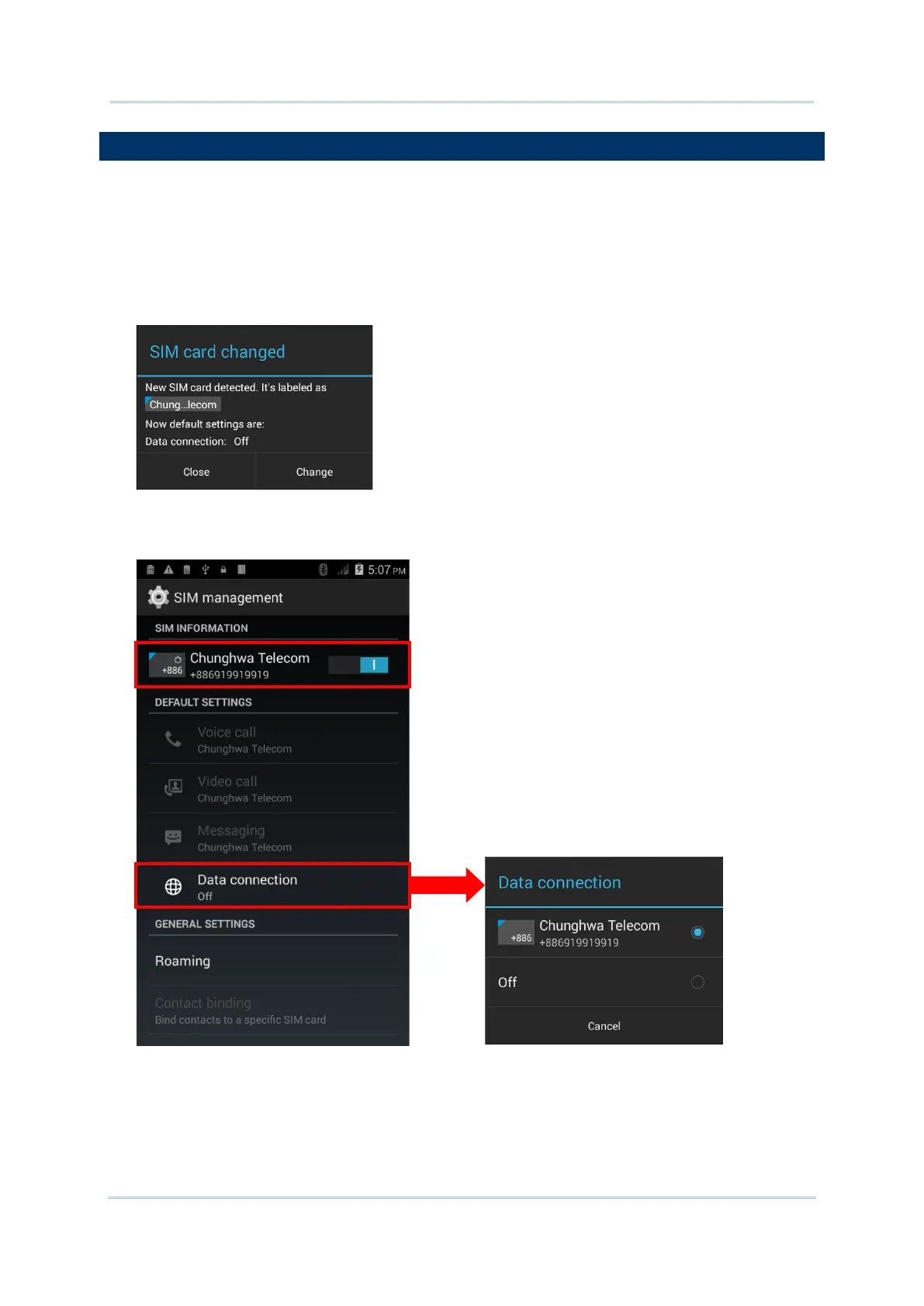
1) When a SIM card is inserted, a dialog will appear confirming the mobile carrier detected.
By default, data connection is set as “off”.
If you would like to change the default settings, tap Change to enter the SIM
management settings page.
2) By default, phone power is turned “on”, and data connection is turned “off”. To enable
mobile data connection, tap Data connection, and select the mobile carrier you would
like to use.



 To Next Page