135
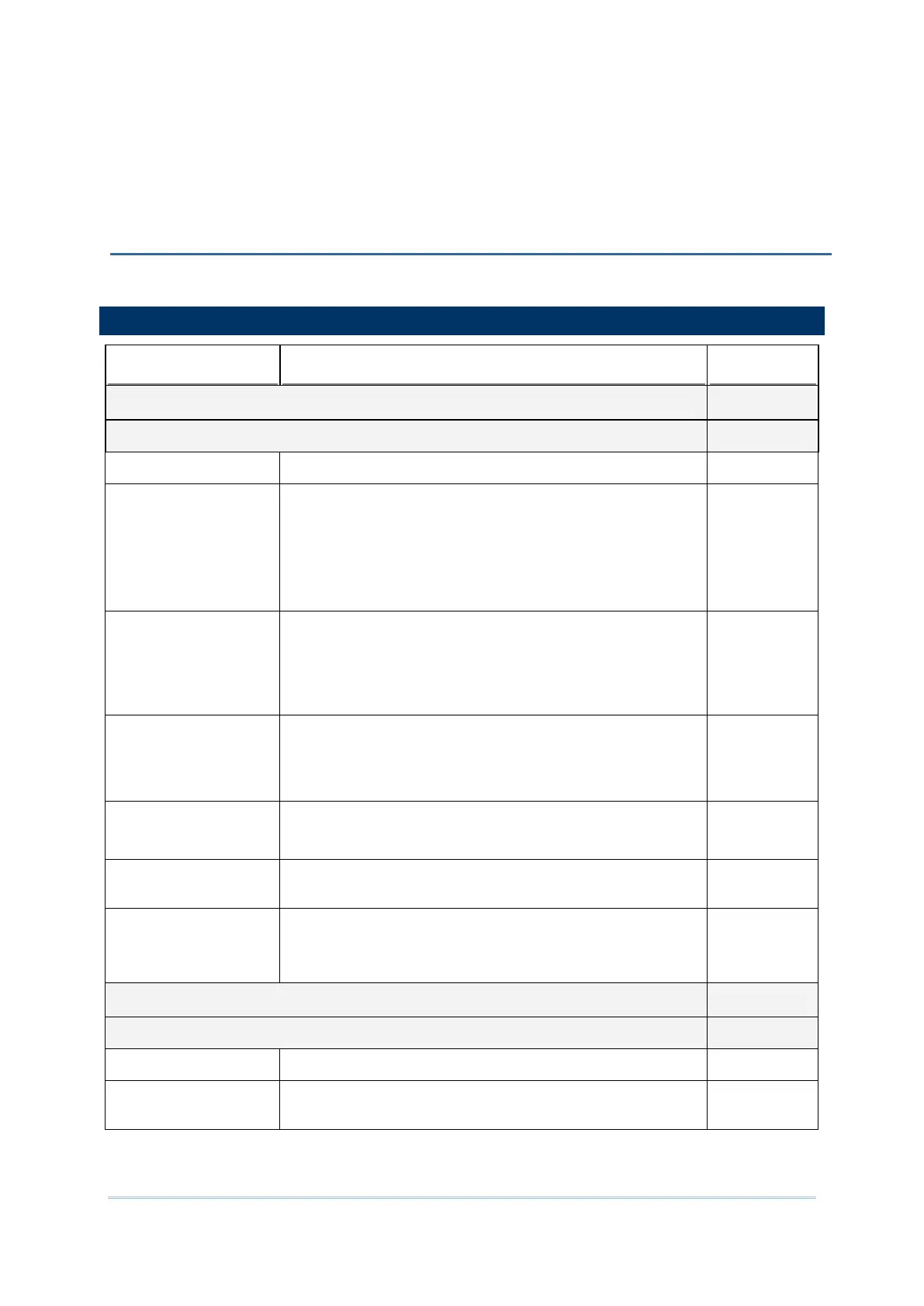
The tables below list the symbologies settings for CCD scan engine (SM1).
Codabar Enable
Codabar Switch to enable Codabar decoding. Enable
Length option Sets the length of the Codabar symbols to decode.
One Fixed length (Length 1)
Two Fixed lengths (Length 1>Length 2)
Max / Min Length (range: 0-55; Length 1<Length 2)
Any Length
Max / Min
Length
(4-55)
CLSI Editing
When applied, the CLSI editing strips the start/stop
characters and inserts a space after the first, fifth, and tenth
characters of a 14-character Codabar barcode.
The 14-
character barcode length does not include start/stop
characters.
Disable
NOTIS Editing
Sets whether to include start/stop characters in the
transmitted data.
NOTIS Editing is to strip the start/stop characters, i.e. to disable
"Transmit Start/Stop Characters".
Disable
NOTIS Editing Type Options are None, ABCD/ABCD, abcd/abcd.
“NOTIS Editing” must be enabled.
None
Verify Check Digit
Selects whether to verify the Modulo 43 check digit. If the
check digit is incorrect, the barcode will not be accepted.
None
Transmit Check Digit
Decide whether to include the check digit in the data to
transmit.
“Verify Check Digit” must be enabled.
Enable
Code 39 Enable
Code 39 Switch to enable Code 39 decoding. Enable
Convert to Code 32
Selects whether to convert decoded data to Italian
Pharmacode.
Disable



 To Next Page