47
Chapter 3 Basic Operation
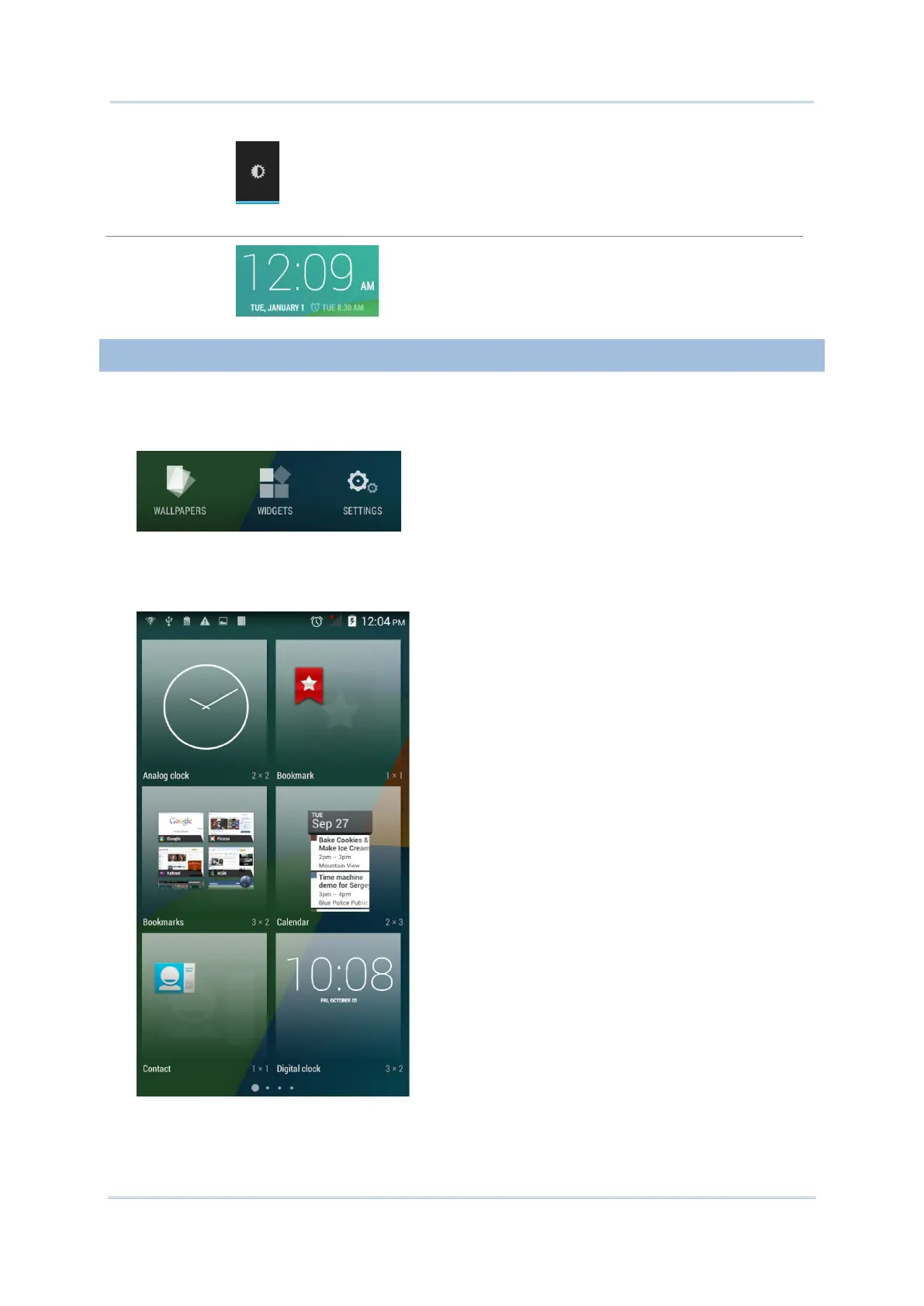
Screen brightness control. Tap to set the screen brightness
profile between full, half, dim or auto.
Digital clock
Shows the current time, date and the set alarm.
To add a widget:
1) Tap and hold any empty area on the Home Screen. A settings menu for the Home Screen
will open at the bottom.
2) Tap WIDGETS in the settings menu.
3) A widget menu opens. Tap and hold a widget and drag it to the Home Screen you would
like to place it on.



 To Next Page