Reports
23
11. Reports
The 4200 Series testers can produce the following reports and labels:
Run Report: Each line of the Run Report shows summary and
statistical information for each DUT tested in a test run. This report
shows information on an entire test run, listing passes and failures.
Batch Test Report: Shows that all cables in a batch passed. This is the
best report to give to a customer with the tested cables.
Test Report: Prints a detailed report for a single device that passed a
test. This report can also be sent to customers.
Error Report: Prints a detailed report for a single device that failed a
test. This report is often used for rework.
Fail Label: Prints a Test Label for labeling a device after it has failed a
test.
Pass Label: Prints a Test Label for labeling a device after it has passed a test.
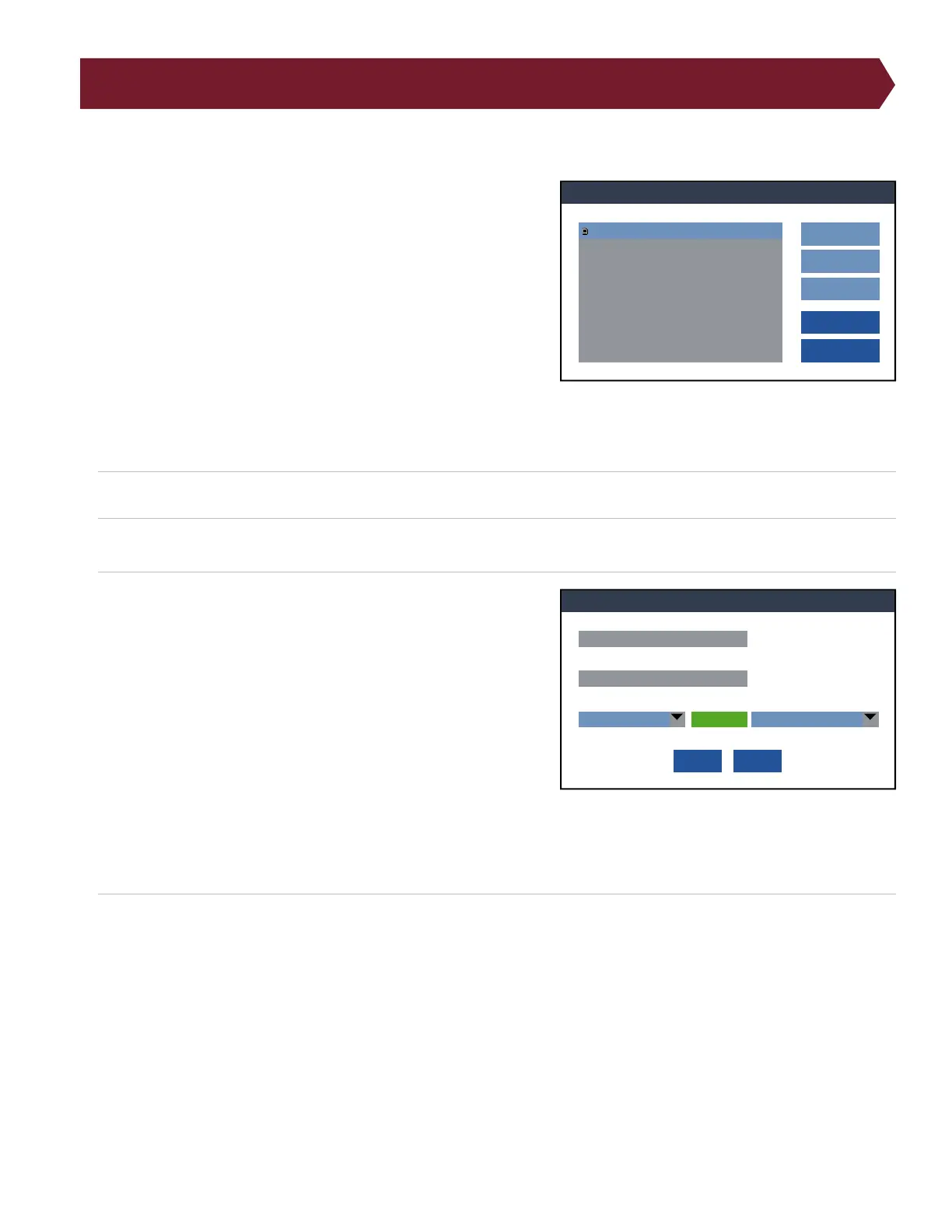
1. Press Add to access the list of available reports.
2. Select a report from the list and press Add.
3. Edit the report to meet your requirements. You can change the
following criteria:
● Report Name: Change the name of the report to your prefer-
ence.
● Template: Use a built-in template or a custom template de-
signed in Cirris Hub Software.
● Printer: Select which printer you would like to print the
report. You may have several network printers to choose from,
or you may select a label printer.
● Auto Print: Choose whether the report prints automatically or
the operator presses a button.
● Event: If the Auto Print option is turned on, select the event that triggers the report to print.
4. Press OK to save the Edits.
Note: If Auto Print is turned o, you will be able to select which report you want to print after testing a cable or batch of
cables. After pressing the Print button, a list of available reports will open in a window. Select which report you would like
to print and press OK.
Reports
OK
Cancel
Add
Edit
Remove
Run Report
Reports:
Edit Report
OK
Cancel
Run Report
Edit Report Name:
<RunReport.cprn>
Change Template:
Network On End Test Run
Printer Auto Print On Event:



 To Next Page