Four-Wire Kelvin Testing
47
24. Four-Wire Kelvin Testing
To measure resistance, the tester sends a current through a wire and measures how much the voltage drops. It then
calculates the resistance using Ohm’s Law. Since voltage is measured through the xturing, any resistance caused by
xturing is included within that measurement. four-wire Kelvin testing eliminates the resistance of xturing and can
measure resistances down to .001 Ohm. The cost of this measurement accuracy is that twice as many test points are
required.
The four-wire measurement requires two correctly paired test points for every connection.
● One test point supplies current (referred to as “force”)
● The other senses voltage (referred to as “sense”)
For the purpose of four-wire testing using the 4200 Series, test points are considered either Type 1 (T1) or Type 2 (T2) points.
The tester uses T1 points as either force or sense; it uses T2 points as the compliment. Each four-wire pair from the tester
must have one of each point.
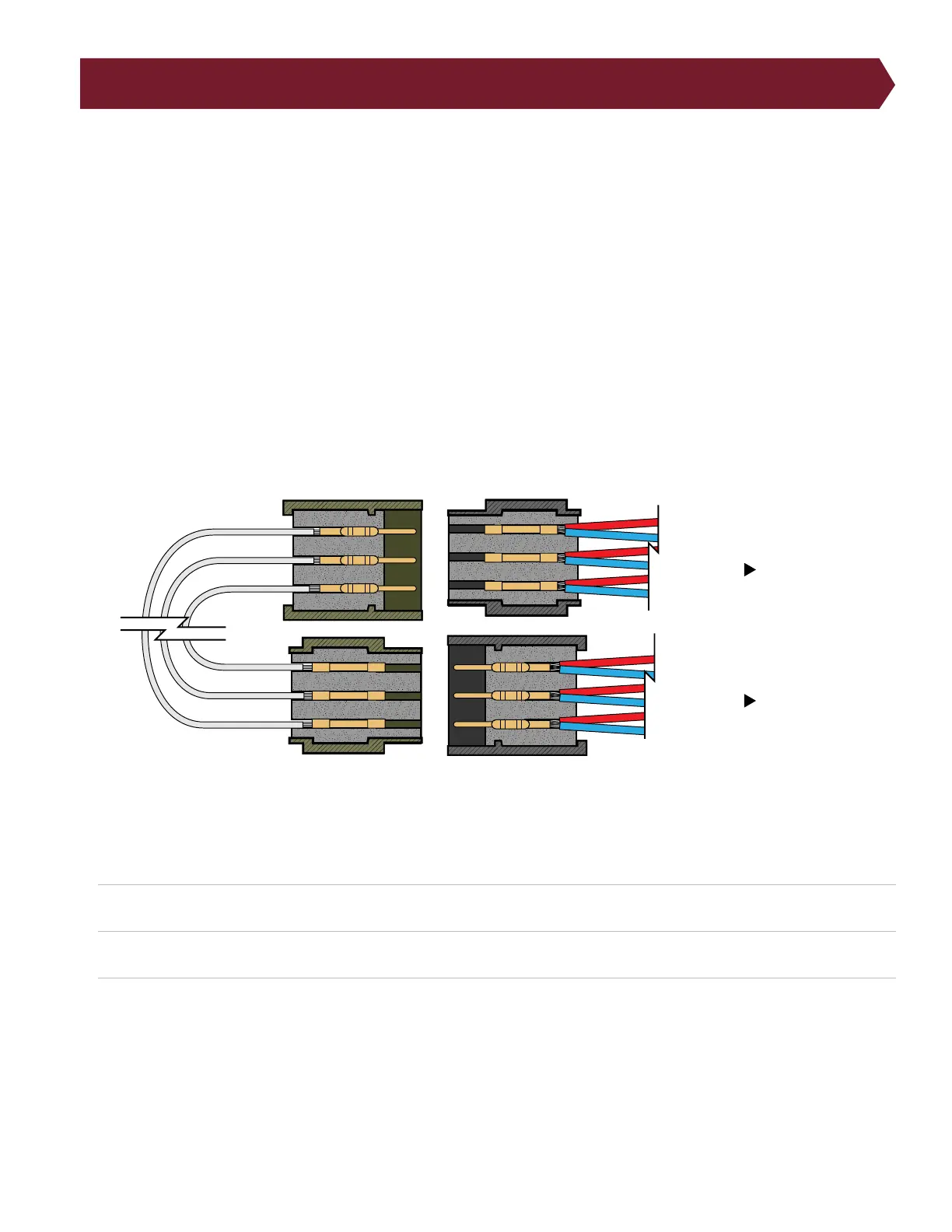
The following illustration shows a common way wires attached to the T1 and T2 test points could connect to the pins and
cavities in the mates-to-DUT connector.
On a 4200 Series tester, you can tell which type each test point is by probing the point while setting up a Learn.
1. From the Main Menu, press Create New.
2. From the Learn menu, press Edit Learn Settings, then press Components.
3. In the Components menu, press Learn Four-Wire and press OK. (Press OK again to return to the Learn menu.)
4. With only the xturing attached to the tester, press Learn Attached Device. A window will appear instructing you to
Attach Four Wire Fixture. When this window appears, touch the tip of the probe to a pin on your connector. You will
hear a tone and see a window specifying if the point is Type 1 or Type 2.
Note: Once the test program is Learned with four-wire included, the netlist will only show one test point of each four-wire
pair. It will count the rst test point it nds. This means If the points are wired in numerical order, the tester will count every
other point. (J1-001, J1-003, J1-005…) If you want the tester to list each test point in numerical order, you will need to
to tester
to tester
Device Under Test
Fixturing



 To Next Page