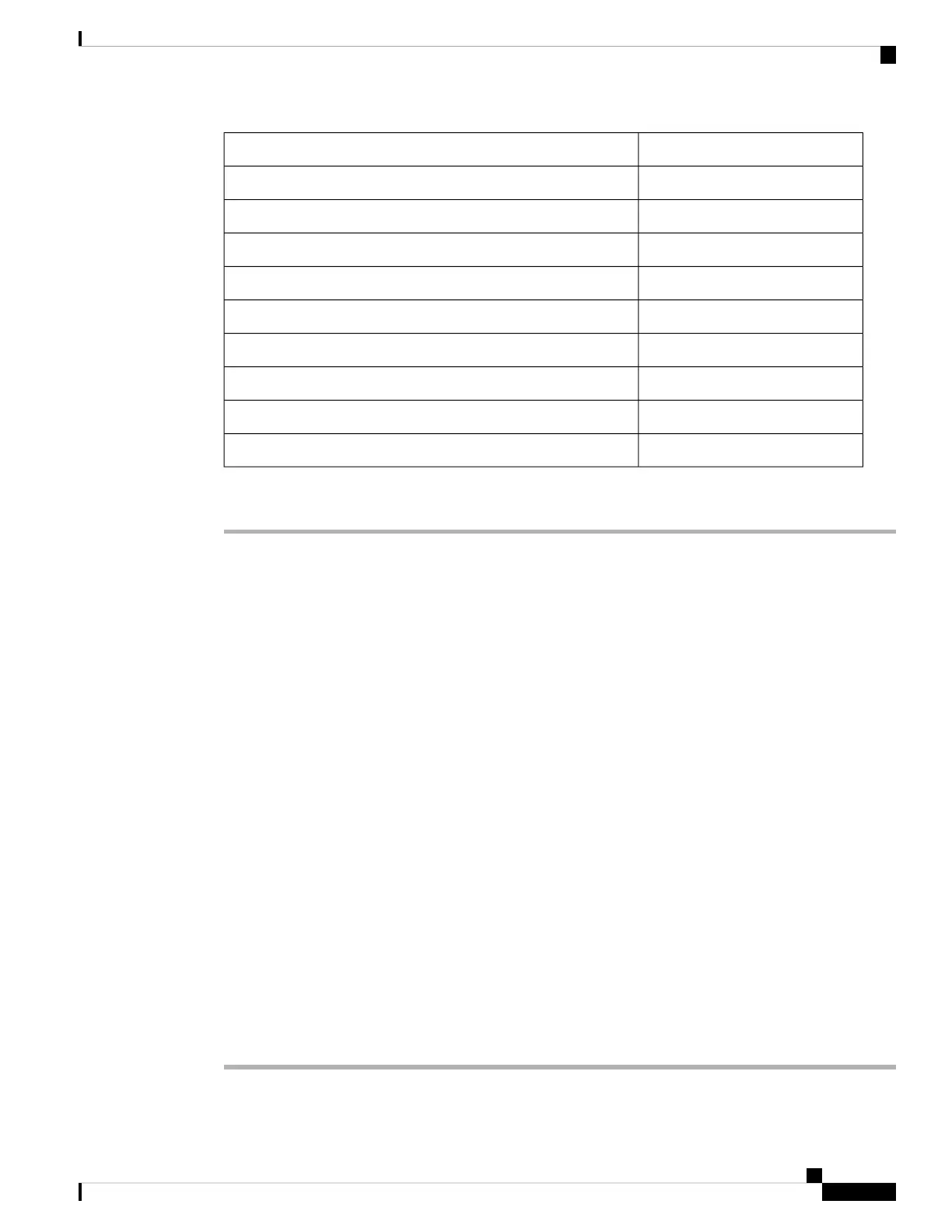
Supplied in the Kit?Materials Required
NoFour wall mounting screws
NoFour wall anchors (specified for all material)
NoDrill bit for wall anchors
NoElectric drill and standard screwdriver
No#6 AWG ground wire
NoShielded outdoor-rated Ethernet (CAT5e or better) cable
NoGrounding block
NoGrounding rod
No10–mm box-end wrench or socket set
Procedure
Step 1 Use the mounting bracket as a template to mark four screw-hole locations on the mounting wall. The mounting
bracket screw hole locations are shown in Figure 9: Mounting Bracket for Wall and Pole Mounting, on page
24. The dimensions of the mounting bracket are shown in Figure 10: Mounting Bracket Dimensions, on page
24.
Step 2 Use four screws and, if required, wall anchors to attach the mounting plate to the mounting surface. These
screws and anchors are to be sourced independently.
• You can use an exterior-grade plywood backboard to mount the AP to stucco, cement, or
drywall.
• The mounting wall, attaching screws, and wall anchors must support a 50-lb (22.7 kg) static
weight.
Note
Step 3 Screw an M6 x12–mm bolt into each of the four support bolt holes on the back of the AP. Do not screw the
bolt all the way in, but leave a gap of approximately 0.13 inch (3.3 mm).
Step 4 Position the AP against the mounting bracket such that the four support bolts on the back of the AP slot are
inserted into the keyhole slots on the mounting bracket.
Step 5 Slide the AP down to sit securely in the keyhole slots on the mounting bracket.
An audible click confirms that the AP is securely locked to the mounting bracket.
The AP should be mounted with the status LED on the base facing downwards.
Note
Step 6 Using a 10–mm wrench, tighten the four bolts that connect the AP to the bracket to 40 lbf-in (4.5 Nm) of
torque.
Step 7 Proceed with installing antennas, connecting the data cables, grounding the AP, powering, and configuring
the AP.
Cisco Catalyst Wireless 9163E Access Point Hardware Installation and Deployment Guide
25
Installing the Access Point
Wall Mounting the AP using the Cisco Kit



 To Next Page