Chapter 3: Operate the system
54 SMS service
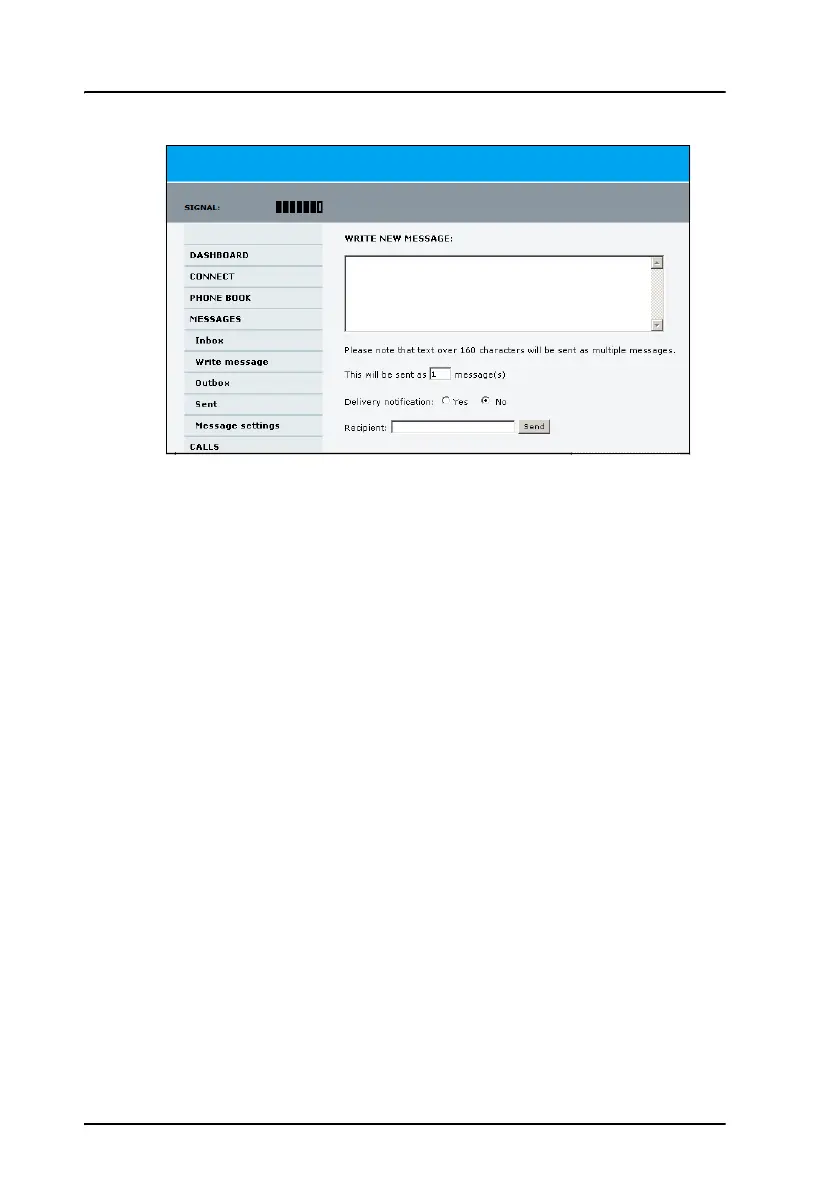
4. Type in the message in the Write new message field.
If the message text is too long for one SMS, the message is sent as two
or more SMS messages. The field below the message field shows the
number of SMS messages used to send the message.
5. Type in the phone number in the Recipient field.
Remember 00 or + and country code (e.g. 00 45 for Denmark or 00 1
for USA).
6. Select whether or not you want Delivery notification for this SMS
message.
If you click Yes, the Status column in the Sent folder will show the status
of your message when it has been sent.
You can set up delivery notification generally for all SMS messages. This
setting is used by default when you send a message. For further
information, see Configure message settings on page 59.
7. Click Send.
The message is now sent and moved to the Sent folder.



 To Next Page