Chapter 4: Advanced use
Get to know the web interface 71
4444
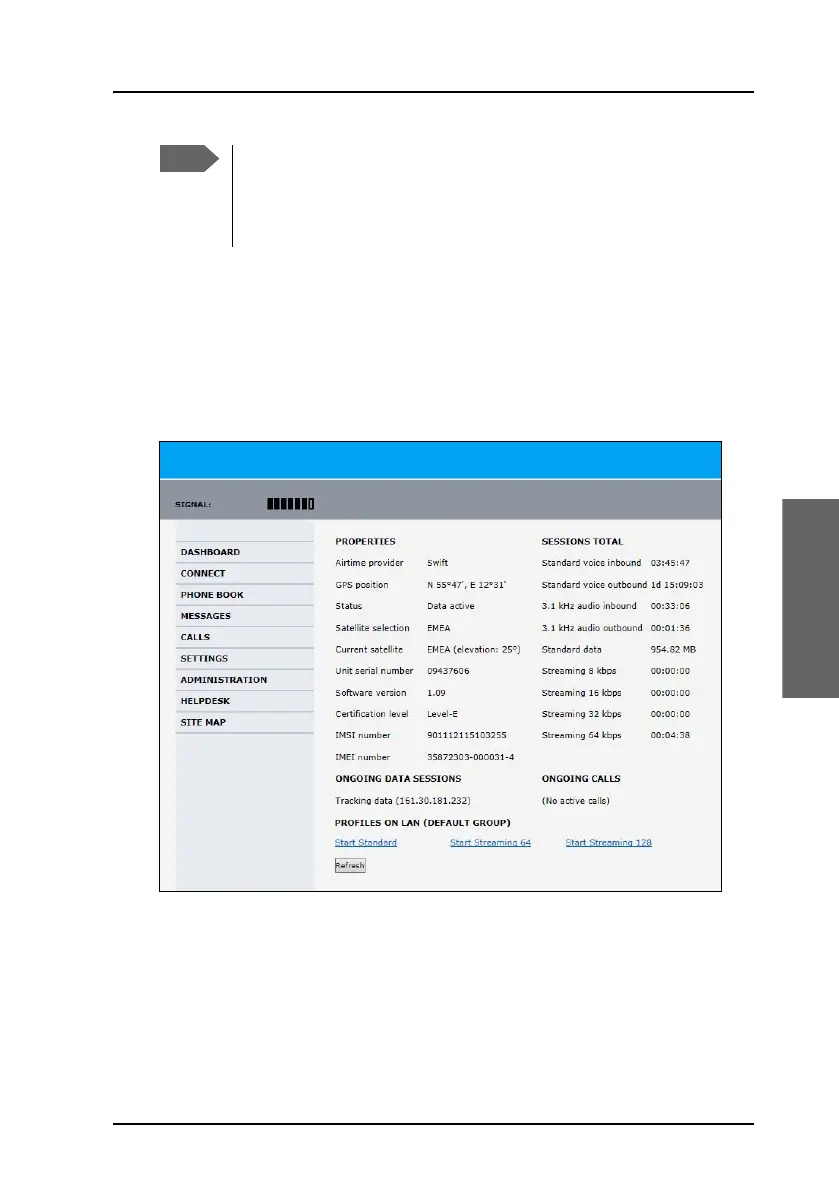
Use the Dashboard
The Dashboard is the first screen that is displayed when you enter the IP
address of the web interface of the AVIATOR 200/300/350 system. The
Dashboard is used for control and inspection of ongoing communication
and for viewing properties and status of the system and antenna.
Some parts of the web interface may be greyed out if the user
permissions are limited. For information on how to set up user
permissions, see the AVIATOR 200/300/350 Installation and
maintenance manual.



 To Next Page