Chapter 4: Advanced use
Preferred satellite 81
4444
Preferred satellite
By default the system is set up to automatically find the most appropriate
satellite to connect to (“Auto” mode). However, if you are located in an area
with more than one satellite available, you can select the satellite you prefer
to use when registering on the SwiftBroadband network.
To see the areas covered by the I4 satellites see SwiftBroadband coverage
on page 8.
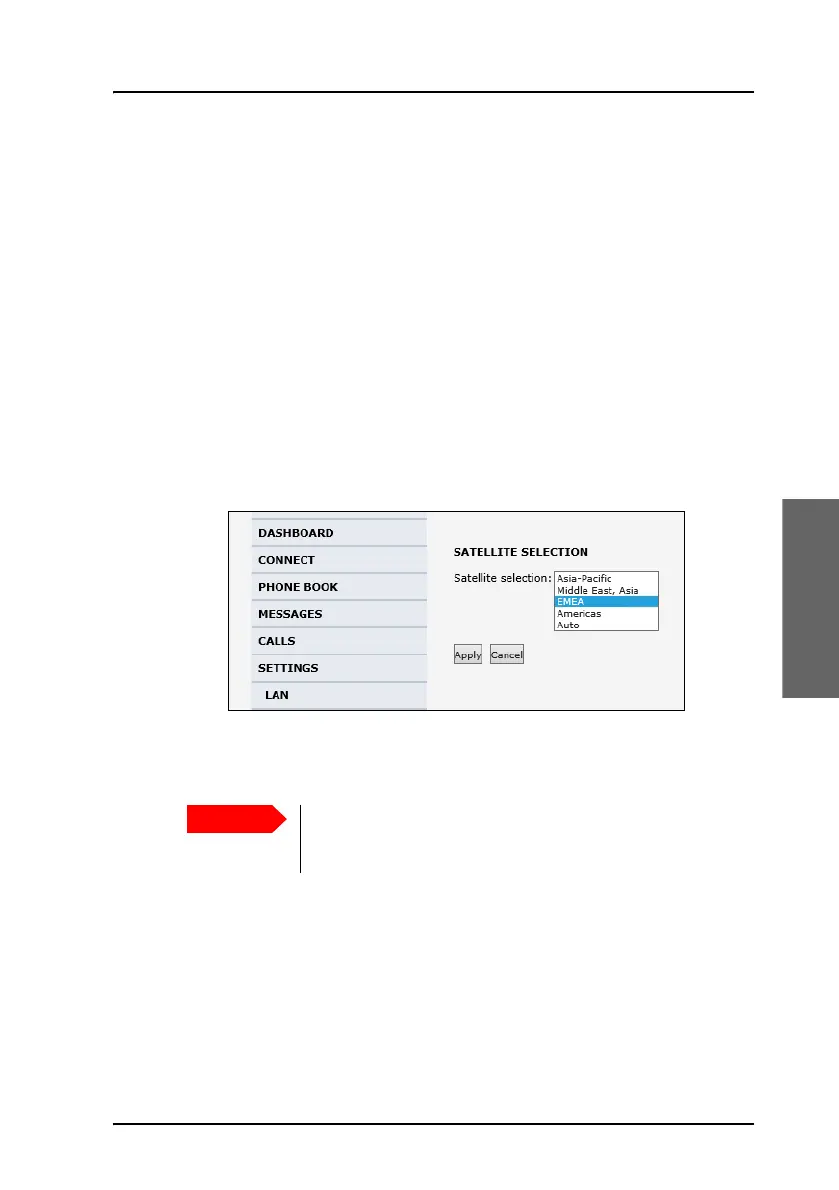
Select the preferred satellite
To select the preferred satellite, do as follows:
1. Select SETTINGS from the left navigation pane.
2. Select the satellite you prefer to use.
If you select Auto (default setting) the AVIATOR 200/300/350 system
automatically uses the most appropriate satellite.
3. Click Apply.
The AVIATOR 200/300/350 terminates all ongoing connections and de-
registers from the current satellite before registering on the new
satellite.
If you have any ongoing calls or data sessions and you
decide to change over to another satellite, the calls or
data sessions will be terminated when you click Apply!



 To Next Page