Chapter 4: Using the web interface
98-129217-D Administration 115
Restricted dialling
In order to manage the use of the system efficiently you can set up the terminal to limit all
calls to allowed numbers or numbers in the phone book. This feature can be enabled for each
connected handset separately. Each handset has its own local number.
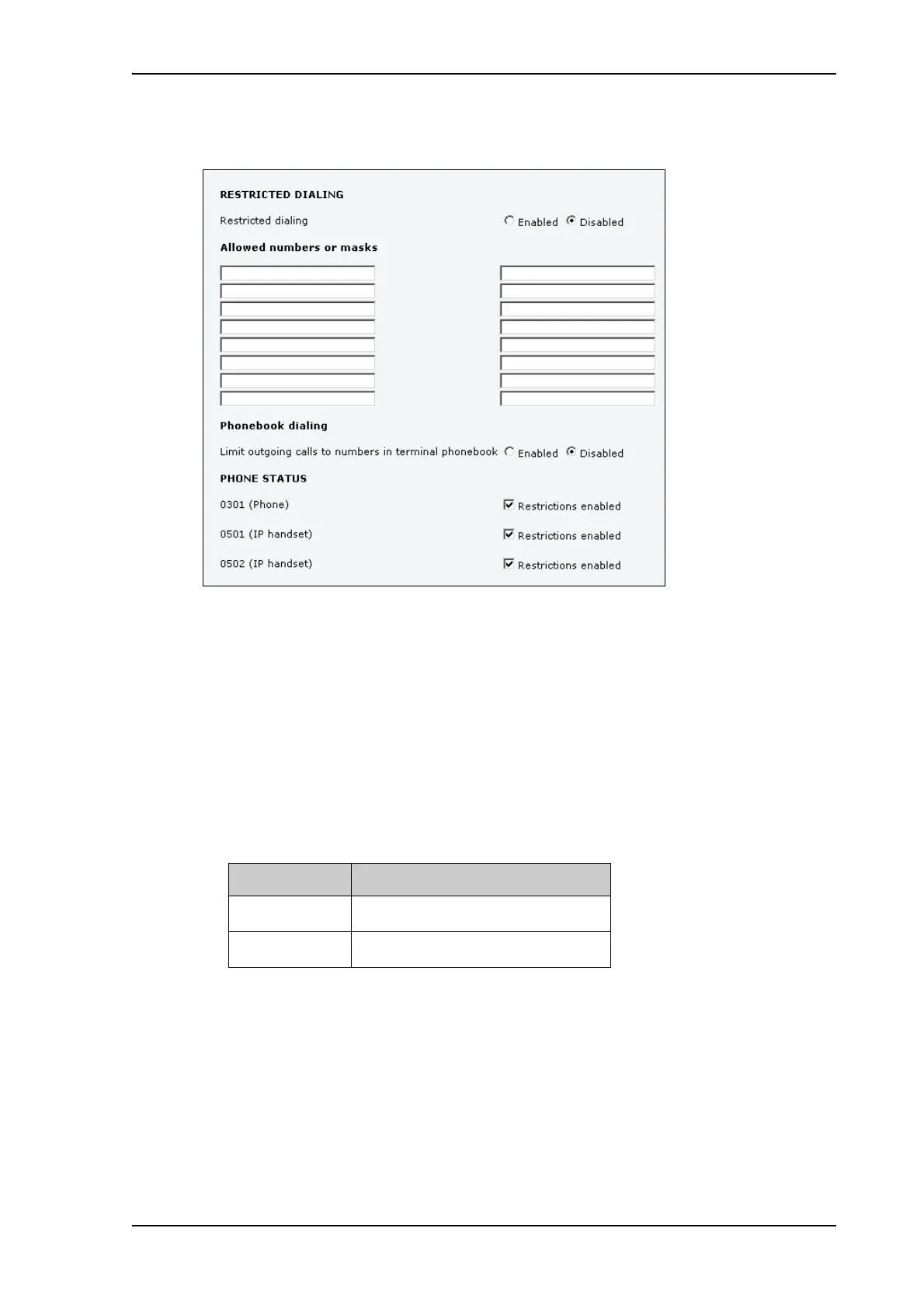
To set up the terminal for restricted dialing, do as follows:
1. From the left navigation pane, select ADMINISTRATION > Restricted dialing.
2. Select whether restricted dialing should be Enabled or Disabled.
3. Type in the allowed numbers or masks in the entry fields.
The numbers or masks must be max. 32 digits and may start with +. No other special
characters are allowed. A mask is the first part of a phone number, and it covers all
numbers that start with that first part. See the example below.
4. Select whether outgoing calls should be limited to the numbers in the terminal phone book
(Enabled) or not (Disabled).
5. Check which local numbers are available in your system. Then select for which local
numbers you want to enable the restriction.
6. Click Apply to apply the new settings.
Mask Numbers accepted
00453955880 004539558800 to 004539558809
+45395588 004539558800 to 004539558899











 To Next Page