Chapter 4: Using the web interface
98-129217-D Administration 116
Multi-voice
If you wish to have more simultaneous voice calls, you can add Multi-voice to your airtime
subscription. When Multi-voice is enabled in your terminal, you can have up to 4 simultaneous
calls using IP Handsets.
Enabling Multi-voice
To enable Multi-voice in your SAILOR FleetBroadband system, do as follows:
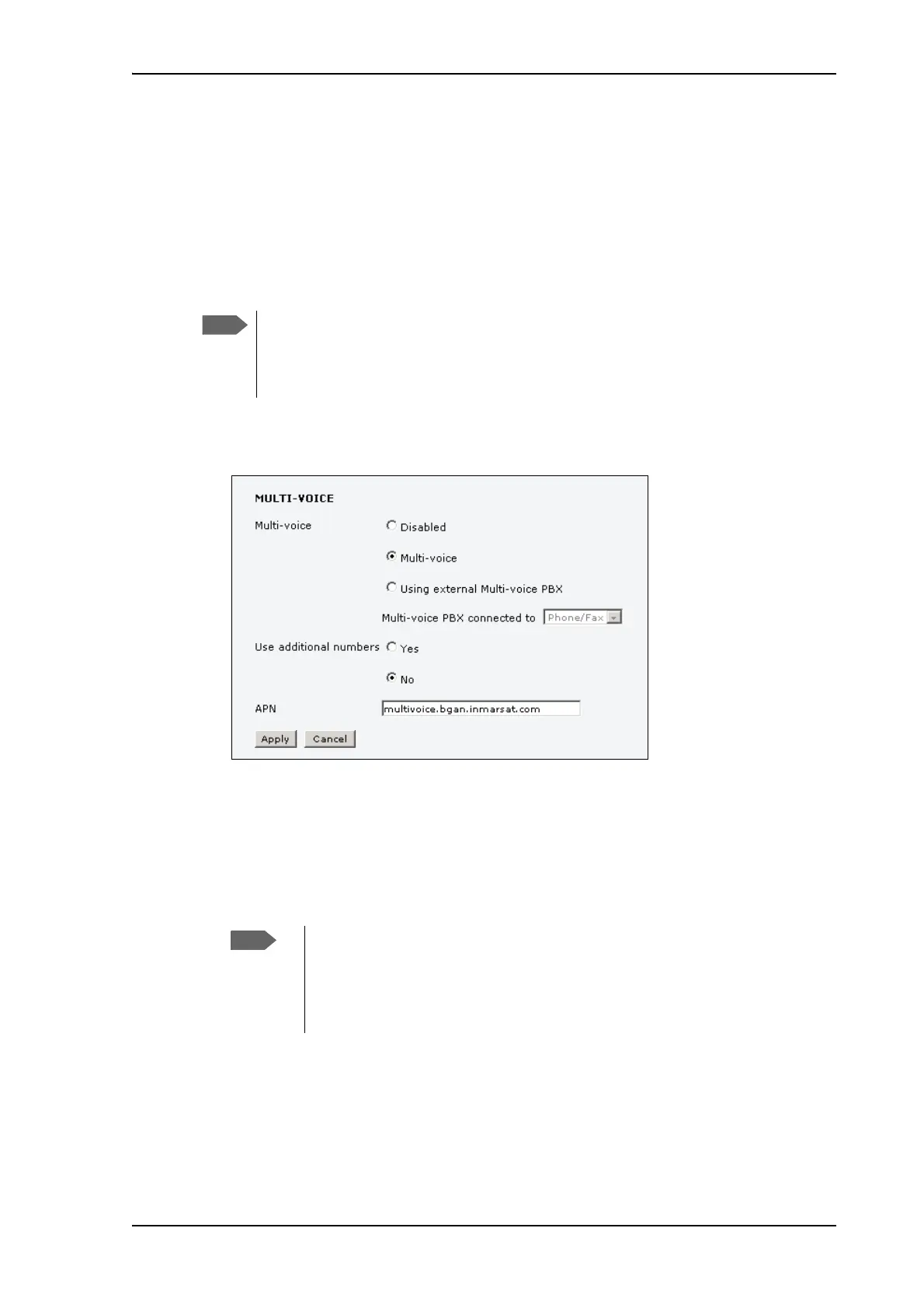
1. From the left navigation pane, select ADMINISTRATION > Multi-voice.
2. To use the SAILOR FleetBroadband Terminal for Multi-voice, select Multi-voice.
If you want to use an external PBX, select Using external Multi-voice PBX and select
the interface used to connect the PBX to the terminal (for SAILOR 150 FleetBroadband
only Phone/Fax can be selected). See the manufacturer documentation for your Multi-
voice PBX.
3. If you want to assign additional numbers, select Use additional numbers.
4. The VoIP APN used for Multi-voice automatically appears in the APN field. You can type in
another APN if necessary. You find the Multi-voice APN name in your subscription
documentation.
5. Click Apply.
You must have Multi-voice in your airtime subscription and
the software version of the Thrane IP Handsets must be at
least version 1.13, in order to support the Multi-voice
function.
You must have additional numbers in your subscription and enter the
additional numbers under PHONE BOOK > Mobile numbers. Then you can
use the setup page for your handset interface to assign the additional numbers
to the handsets you want to be able to call directly. See Handset contexts with
additional numbers on page 35.











 To Next Page