Chapter 4: Using the web interface
98-129217-D Setting up the interfaces 78
Enabling PPPoE (Point-to-Point Protocol over Ethernet)
What is PPPoE
By using PPPoE, users can virtually “dial” from one machine to another over an Ethernet
network, establish a point to point connection between them and then securely transport data
packets over the connection.
On the equipment connected to the SAILOR 150 FleetBroadband Terminal you must enter a
few settings for your PPPoE connection. For example you need to set up which service to use
and possibly a user name and password. For details, refer to Using PPPoE (Point-to-Point
Protocol over Ethernet) on page 44 and to the documentation for your connected equipment.
On the SAILOR 150 FleetBroadband Terminal you must enable PPPoE before you can establish
a PPPoE connection. Refer to the next section.
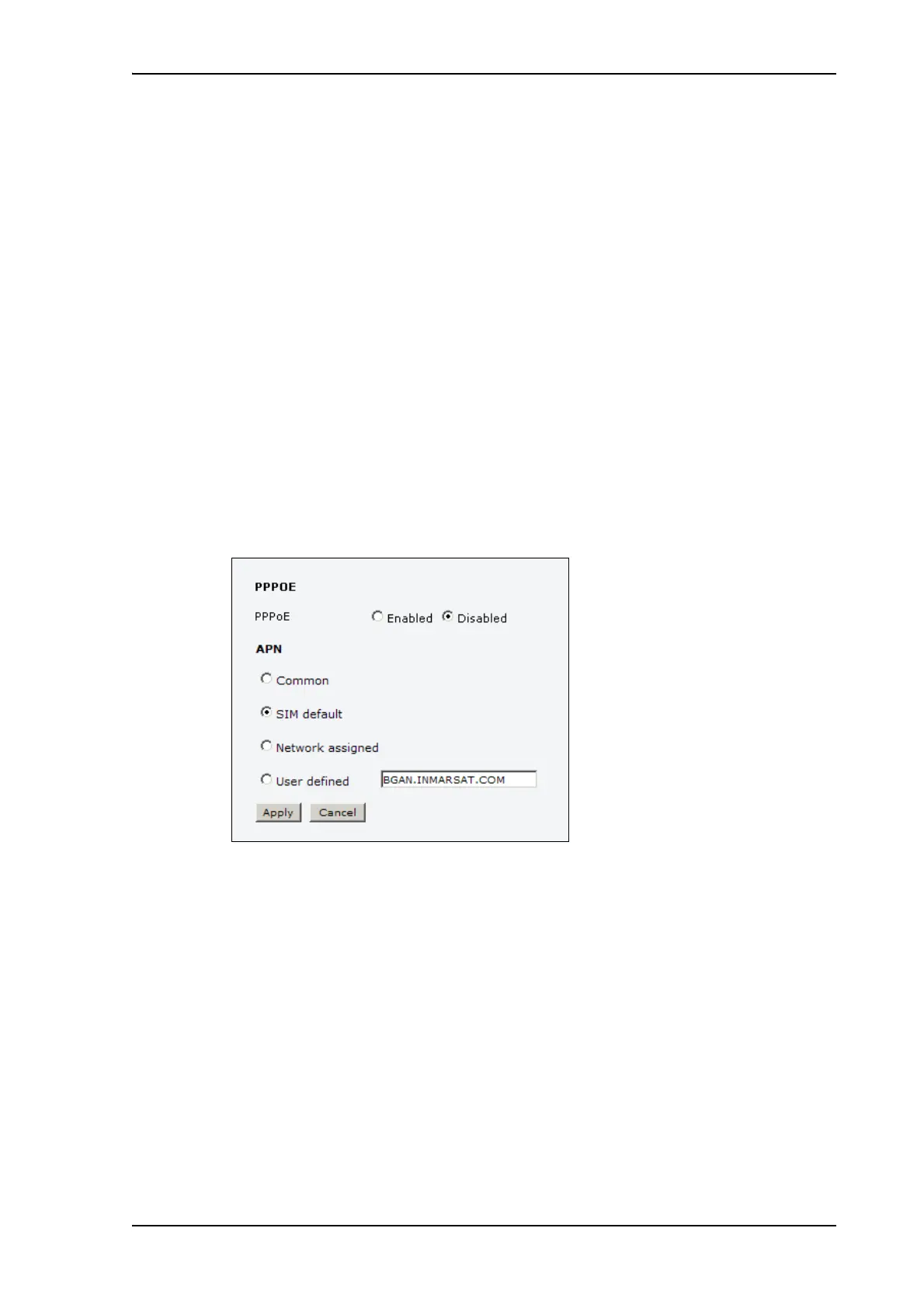
Enabling PPPoE in the SAILOR 150 FleetBroadband Terminal
To enable PPPoE in the terminal do as follows:
1. Select SETTINGS > LAN > PPPoE.
2. Select Enabled.
3. Select the APN to use for PPPoE. You have the following options:
• SIM default. The APN is taken from the SIM card. This is the recommended option,
unless you have special requirements.
• Network assigned. The APN is assigned from the network.
• User defined. Type in the APN. APNs are provided from the Airtime Provider.
4. Click Apply.
5. Restart the terminal for the setting to take effect.
For information on how to establish a connection with PPPoE, see Using PPPoE (Point-to-
Point Protocol over Ethernet) on page 44.











 To Next Page